
In a significant expansion of its cloud gaming ecosystem, Microsoft has unveiled two major updates designed to reduce friction and improve the accessibility of Xbox Cloud Gaming. As the gaming industry continues its pivot toward platform-agnostic experiences, these new features—which allow users to transform their smartphones into gamepads and enable Wi-Fi direct connectivity for the specialized "Nano Controller"—mark a strategic effort to capture the casual gaming market and optimize performance for remote streaming.
These updates arrive at a pivotal moment for Microsoft’s subscription services, coinciding with the implementation of new time limits for cloud streaming. By diversifying input methods, Microsoft is not only addressing hardware barriers but also positioning its cloud service as a viable alternative for households that may lack multiple dedicated gaming consoles.
Main Facts: A New Era for Input Flexibility
The core of Microsoft’s announcement centers on two primary technological advancements currently in the preview phase:
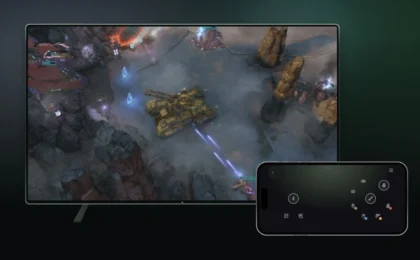
- Smartphone-as-Controller: Users streaming Xbox games on supported smart TVs can now leverage their mobile devices as touch-screen gamepads. Unlike previous iterations from other platforms that required a dedicated companion app, Microsoft’s solution operates directly through a web browser. This eliminates the "barrier to entry" associated with downloading software, allowing users to jump into a game with minimal setup.
- Wi-Fi Direct for Nano Controllers: In a move aimed at reducing input latency—a historic "Achilles’ heel" for cloud gaming—Microsoft is enabling its new Nano Controller to connect directly to the cloud service via Wi-Fi. By bypassing the traditional Bluetooth or USB handshake with a host device, the controller communicates directly with the gaming server, theoretically narrowing the gap between a physical button press and the corresponding action on screen.
Chronology: From Stadia’s Legacy to Xbox’s Expansion
To understand the weight of these updates, one must look at the timeline of cloud gaming development. The concept of "Wi-Fi-direct controllers" is not new; it was the cornerstone of Google’s now-defunct Stadia platform. When Stadia launched, the proprietary controller connected directly to the cloud, a design choice intended to minimize the signal path. While Stadia ultimately failed to capture a sustainable market share, its hardware architecture is now being vindicated by industry leaders like Microsoft.
- Pre-2023: Microsoft focuses on refining the Xbox Cloud Gaming backend, prioritizing server-side latency reduction.
- Late 2024: Industry buzz grows regarding Microsoft’s internal testing of hardware alternatives to the standard Xbox Wireless Controller.
- November 2026: Microsoft officially announces the "Preview" phase for these two new input options, inviting Xbox Insiders and select users to begin stress-testing the features on smart TVs.
- Current Status: These features are currently restricted to specific hardware configurations and regions (notably the US for the Nano Controller), signaling a phased, controlled rollout to ensure stability.
Supporting Data: Why Input Lag Matters
The success of any cloud gaming service is measured in milliseconds. Input latency—the delay between a user’s action and the game’s reaction—remains the primary detractor for players moving from local hardware to streaming.
The Latency Breakdown
Data suggests that a standard Bluetooth connection between a controller and a TV or phone adds roughly 10–30ms of latency. When compounded with network-based cloud latency (which can range from 30ms to 100ms+ depending on internet stability), the cumulative experience can feel "mushy" or unresponsive.
By moving the controller connection to Wi-Fi, Microsoft is effectively trimming the "local" portion of the latency budget. While the improvement might not be perceptible to the casual observer in slow-paced titles, it is a game-changer for competitive or high-reflex gaming. The introduction of browser-based phone controls, meanwhile, acknowledges a shift in demographics: many users now prefer the convenience of an "instant-on" session over the logistical burden of syncing a console controller.
Official Responses and Strategic Intent
Microsoft has been deliberate in its messaging, emphasizing that these features are currently in a "preview" state. A spokesperson for the company noted: "Our goal is to make Xbox accessible to everyone, regardless of whether they have a console or a high-end PC."
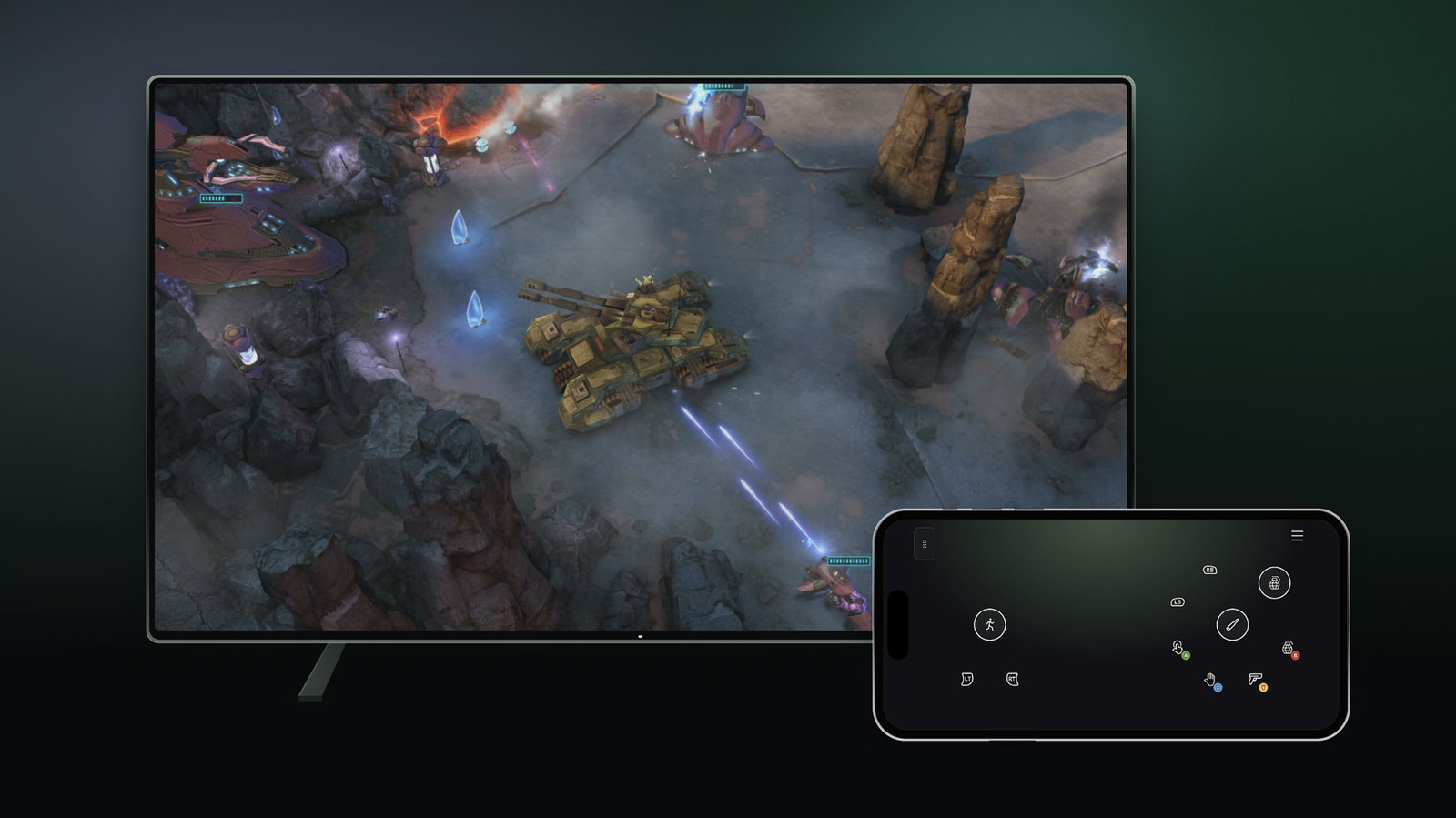
The company’s decision to allow browser-based controller interfaces without a dedicated app is a direct response to user feedback regarding "friction." By simplifying the onboarding process, Microsoft aims to convert users who might be intimidated by the technical requirements of setting up a traditional gaming environment.
Regarding the Nano Controller, Microsoft is positioning the device as a lifestyle-focused gamepad. It is small, portable, and, with the new Wi-Fi capability, highly responsive. This suggests a broader strategy: creating a "portable ecosystem" where the screen (TV) and the controller (Nano) are decoupled from the computing hardware (the server), effectively turning any display into a console.
Implications: The Future of Cloud Gaming
The implications of these developments are far-reaching, both for the competition and for the consumer.
1. The Death of Hardware Dependence
If players can use their smartphones as controllers and stream to a smart TV, the need for a $500 console diminishes significantly for the casual audience. This threatens traditional hardware sales but bolsters the recurring revenue model of Game Pass.
2. The "Netflix-ification" of Gaming
Microsoft is clearly drawing inspiration from services like Netflix, which recently introduced its own phone-as-controller functionality. By making the "interface" part of the browser, Microsoft ensures that users can access their library from any hotel room, friend’s house, or vacation rental, provided they have a smart TV and a stable Wi-Fi connection.
3. Challenges Ahead
Despite the optimism, significant hurdles remain.
- Game Complexity: While turn-based RPGs or puzzle games work perfectly with touch-screen controls, fast-paced shooters or complex action games will likely remain frustrating. The haptic feedback of a physical controller is hard to replicate on a glass screen.
- Fragmented Ecosystems: The current rollout is limited to "select TVs." For this technology to reach mass-market ubiquity, Microsoft must ensure compatibility across a wide range of OS environments, including Tizen, webOS, and Android TV, all of which have different hardware performance profiles.
Conclusion: A Measured Approach to Ubiquity
Microsoft’s latest update is a testament to the maturation of cloud gaming. It is no longer just about "making it work"; it is about "making it seamless." By adopting the successful infrastructure experiments of defunct competitors like Stadia and refining them with modern, browser-based accessibility, Microsoft is building a future where the hardware is secondary to the experience.
As these features move out of the preview phase and into a general release, the industry will be watching to see if the "phone-as-controller" trend takes hold or if it remains a niche convenience. Regardless, the message is clear: Xbox is determined to be the service that lives everywhere, unconstrained by the need for a proprietary peripheral in every living room. For now, the combination of the Nano Controller’s Wi-Fi precision and the accessibility of touch-screen interfaces provides a compelling look at the next evolution of interactive entertainment.