Ammar Sabilarrohman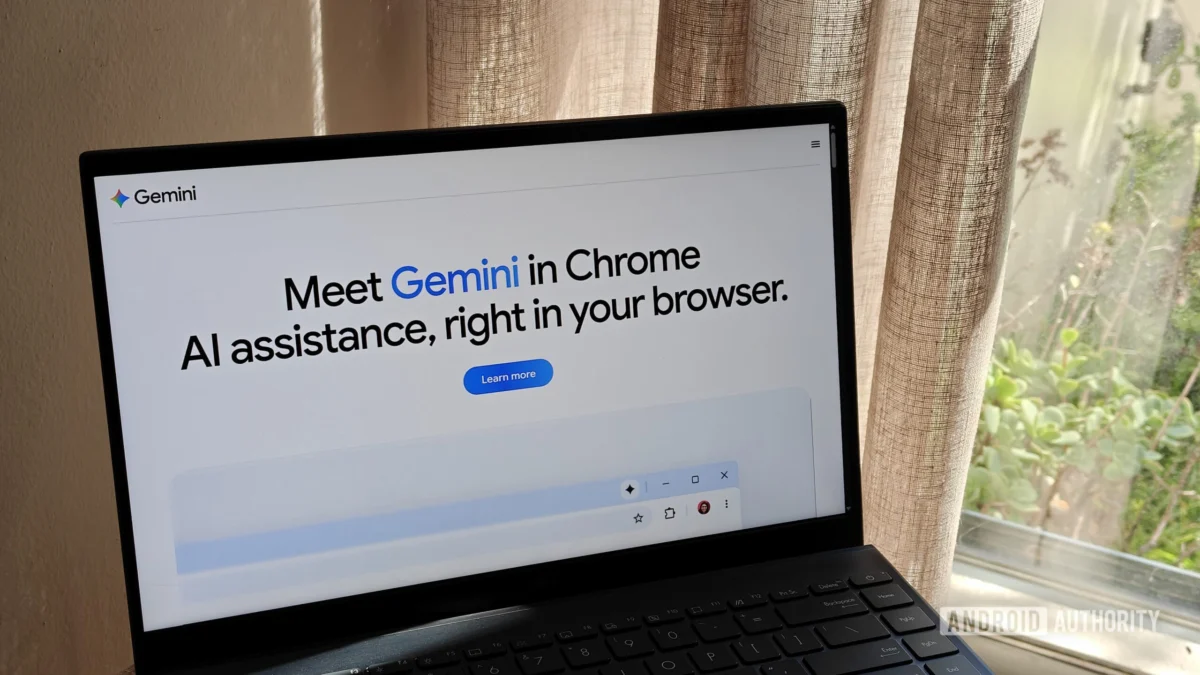
Google’s relentless pursuit of integrating artificial intelligence into the very fabric of our browsing experience has taken another significant step forward. This week, the tech giant officially unveiled a new feature for its desktop browser: "Select from screen." This tool allows users to capture specific regions of their display and feed them directly into the Gemini AI model, effectively turning the entire web into a dynamic, interactive canvas for intelligence.
While this may feel like an incremental update in a long lineage of screen-query tools, it represents a fundamental shift in how Google is positioning its Gemini ecosystem against the traditional Google Search engine.
The Core Functionality: How "Select from Screen" Works
At its essence, "Select from screen" is a specialized tool designed to bridge the gap between static web content and active AI analysis. For users who have already enabled Gemini in Chrome, the workflow is designed for efficiency and speed.
To initiate the process, users navigate to the "Ask Gemini" interface—typically found in the browser’s sidebar or dedicated panel. From there, clicking the plus sign (the Add menu) reveals the new "Select from screen" option. Upon selection, the browser dims the page, allowing the user to click and drag to draw a box around the specific information they wish to analyze.
A standout feature is the ability to select multiple areas on the screen at once. Whether you are comparing two charts on different sides of a webpage, or cross-referencing a technical specification with a review article, the tool aggregates these inputs into a single prompt. Once the selection is finalized, the user simply enters their query, and Gemini processes the visual and textual data provided.
A Chronology of Google’s Screen-Capture Evolution
To understand the significance of this update, one must view it within the broader historical context of Google’s search strategy. Google has spent nearly a decade refining the ability to "see" what a user sees.
- 2017: The Birth of Google Lens: Initially launched as a vision-based computing capability for smartphones, Google Lens allowed users to point their cameras at real-world objects to identify them. It marked the transition from text-based queries to visual queries.
- 2020: Lens Comes to Desktop: Recognizing the utility of visual search, Google brought Lens into the Chrome browser, allowing users to right-click images and search for them.
- 2023: Circle to Search: With the release of the Pixel 8 and Galaxy S24, Google introduced "Circle to Search," a highly intuitive, system-level integration that allowed Android users to highlight content anywhere on their screen without leaving their current app.
- 2025: AI Overviews and Search Generative Experience (SGE): Google began shifting from providing links to providing direct answers, setting the stage for the deep integration of Large Language Models (LLMs).
- 2026: Gemini in Chrome Integration: The current "Select from screen" feature represents the convergence of all these technologies. It is no longer just about identifying an object (Lens) or finding a webpage (Search); it is about reasoning over the information currently visible on the screen.
Supporting Data and Technical Requirements
The implementation of this feature is not universal. It is gated by specific software and account requirements, which serve to highlight the difference between Google’s "Search" products and its "AI" products.
Technical Prerequisites:
- Chrome Version 149: Users must ensure they have updated to the latest version of the browser. Chrome 149 includes the necessary hooks to bridge the browser’s rendering engine with the Gemini backend.
- Active Gemini Integration: The feature is not a standalone tool; it is an extension of the existing Gemini-in-Chrome capability. If this is not enabled in the user’s settings, the "Select from screen" option will remain absent.
- Account Requirements: Unlike Google Lens, which functions anonymously and even within Incognito mode for basic image searches, "Select from screen" requires the user to be signed into a Google account.
The Privacy Trade-off
This requirement highlights a critical divergence in Google’s data philosophy. Because Gemini is a generative AI, it requires context and history to function effectively. By requiring a logged-in state, Google ensures that the data processed through "Select from screen" is associated with a user profile, allowing for more personalized responses—but also raising valid questions regarding data retention and the use of screen-captured content in future model training.
Implications: A New Era for Browsing
The introduction of this tool signals several major shifts in the browser market and the AI landscape.
1. From Passive Browsing to Active Consultation
Historically, a browser was a window into the internet. You visited a site, read the content, and interpreted it yourself. With "Select from screen," the browser becomes an active participant in your cognitive process. If you are struggling to summarize a complex legal document or trying to debug a snippet of code on a forum, you no longer need to copy-paste into a separate tab. The browser understands the context immediately.
2. The Erosion of the "Search" Page
For years, the "Search" page was the destination. Google’s business model was built on sending users away from the search page to third-party sites. As tools like "Select from screen" become more sophisticated, the need to navigate to external websites decreases. If Gemini can analyze a product’s features and compare them against a competitor simply by looking at the page, the user may never click through to the original source. This poses a long-term challenge to the traditional SEO-based traffic model that powers the modern web.
3. Workflow Efficiency for Power Users
For researchers, journalists, and developers, this feature is a significant productivity multiplier. The ability to multi-select screen regions allows for a "reasoning-at-a-glance" approach. Instead of manually collating information, the user can dump the relevant visual context into Gemini and ask for a synthesis, effectively outsourcing the "gathering" phase of research to the AI.
Official Responses and Strategic Positioning
Google has remained relatively quiet regarding the specifics of how the "Select from screen" data is handled, generally categorizing it under its broader AI transparency guidelines. In documentation updates, Google emphasizes that the feature is designed to "improve the user experience by providing contextualized assistance."
Industry analysts, however, view this as a defensive and offensive maneuver. Defensively, it keeps users within the Google ecosystem, preventing them from migrating to AI-first browsers like Arc or specialized tools like Perplexity. Offensively, it trains the Gemini model on how users interact with the web in real-time, providing Google with invaluable telemetry data on what content users find "query-worthy."
The Path Forward: What Comes Next?
As we look toward the future of Chrome, it is likely that "Select from screen" is just the beginning. We can expect future iterations to include:
- Persistent Monitoring: Rather than just capturing a snapshot, future versions might allow for continuous monitoring of specific screen areas (e.g., watching a stock ticker or a live auction and alerting the user).
- Actionability: Currently, the tool provides answers. Soon, it may provide actions—such as "Add this item to my cart" or "Schedule this meeting from the email on my screen."
- Cross-Platform Parity: We will likely see this functionality migrate fully into the mobile version of Chrome, effectively merging the desktop and mobile experiences into a single, cohesive AI-driven browsing paradigm.
Final Thoughts
The launch of "Select from screen" is a testament to Google’s belief that the browser is no longer just a tool for navigation, but the primary operating system for our digital lives. By giving Gemini the ability to "see" the screen, Google is effectively handing users a pair of digital glasses that can interpret, analyze, and synthesize the vast, chaotic information of the internet.
For the average user, this is a powerful convenience. For the web ecosystem at large, it is a development that warrants close observation. As AI continues to mediate our interaction with the internet, the line between the content we create and the AI that interprets it will only continue to blur. Users are advised to explore this feature, familiarize themselves with their account privacy settings, and consider how this new layer of intelligence changes the way they consume digital information.
Whether this represents the peak of browser utility or the beginning of a move toward a "walled garden" of AI-interpreted content, one thing is clear: the way we browse the web has changed forever.


 Neng Nana
 Iffa Jayyana