

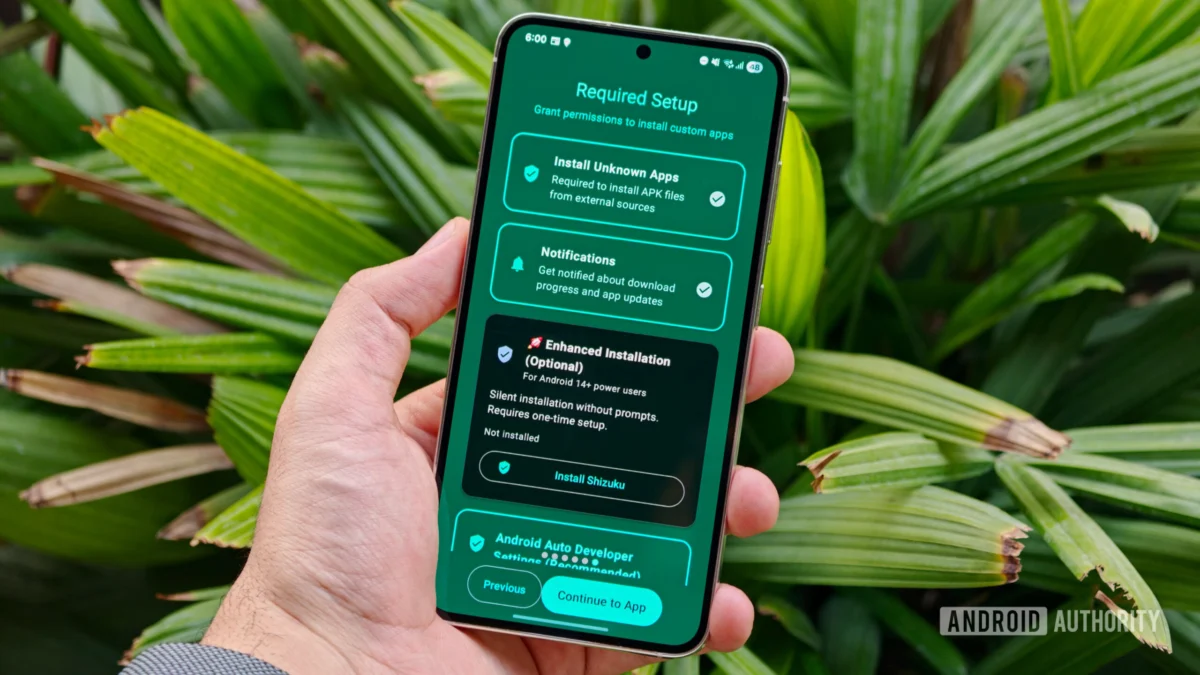
For years, the driving experience via Android Auto has been defined by strict boundaries. For the average commuter, the platform is a walled garden—a safe, curated environment focused on navigation, telephony, and audio streaming. While Google has slowly expanded the ecosystem to include messaging apps and video conferencing via Google Meet, the core functionality has remained firmly under the company’s control.
However, beneath the surface of this streamlined interface lies a much more flexible architecture. Recent discoveries have highlighted that Android Auto is capable of running a wide variety of third-party applications, including those that completely bypass the Google Play Store. For power users and tech enthusiasts, this opens up a new frontier of vehicle customization, though it comes with significant warnings regarding safety and software stability.
The Main Facts: What is Sideloading in the Context of Android Auto?
At its simplest, "sideloading" refers to the process of installing applications on a device from sources other than the official application store. In the context of Android Auto, this involves using a bridge application to "trick" the car’s head unit into recognizing and displaying software that has not been vetted or approved by Google’s strict automotive guidelines.
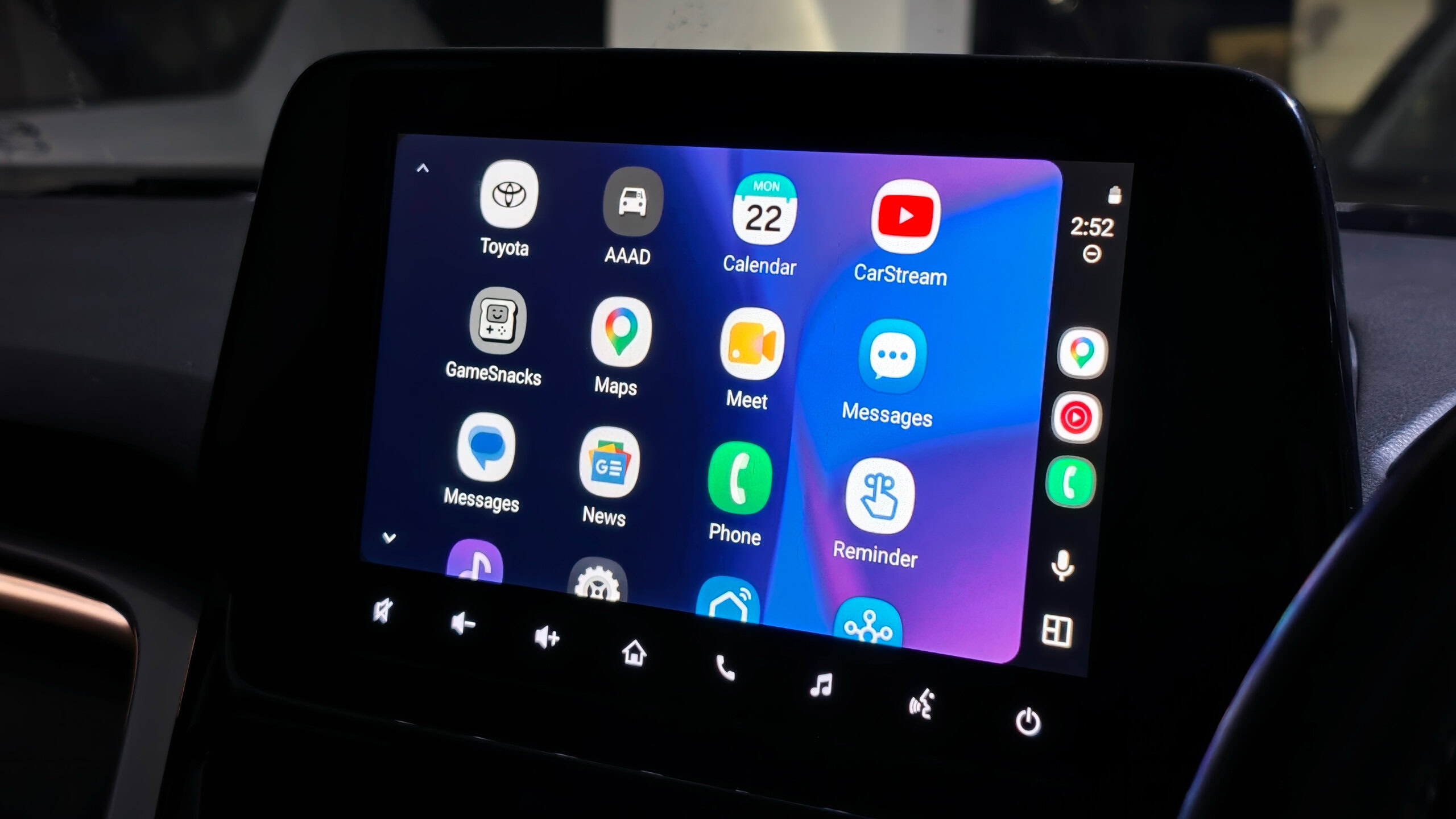
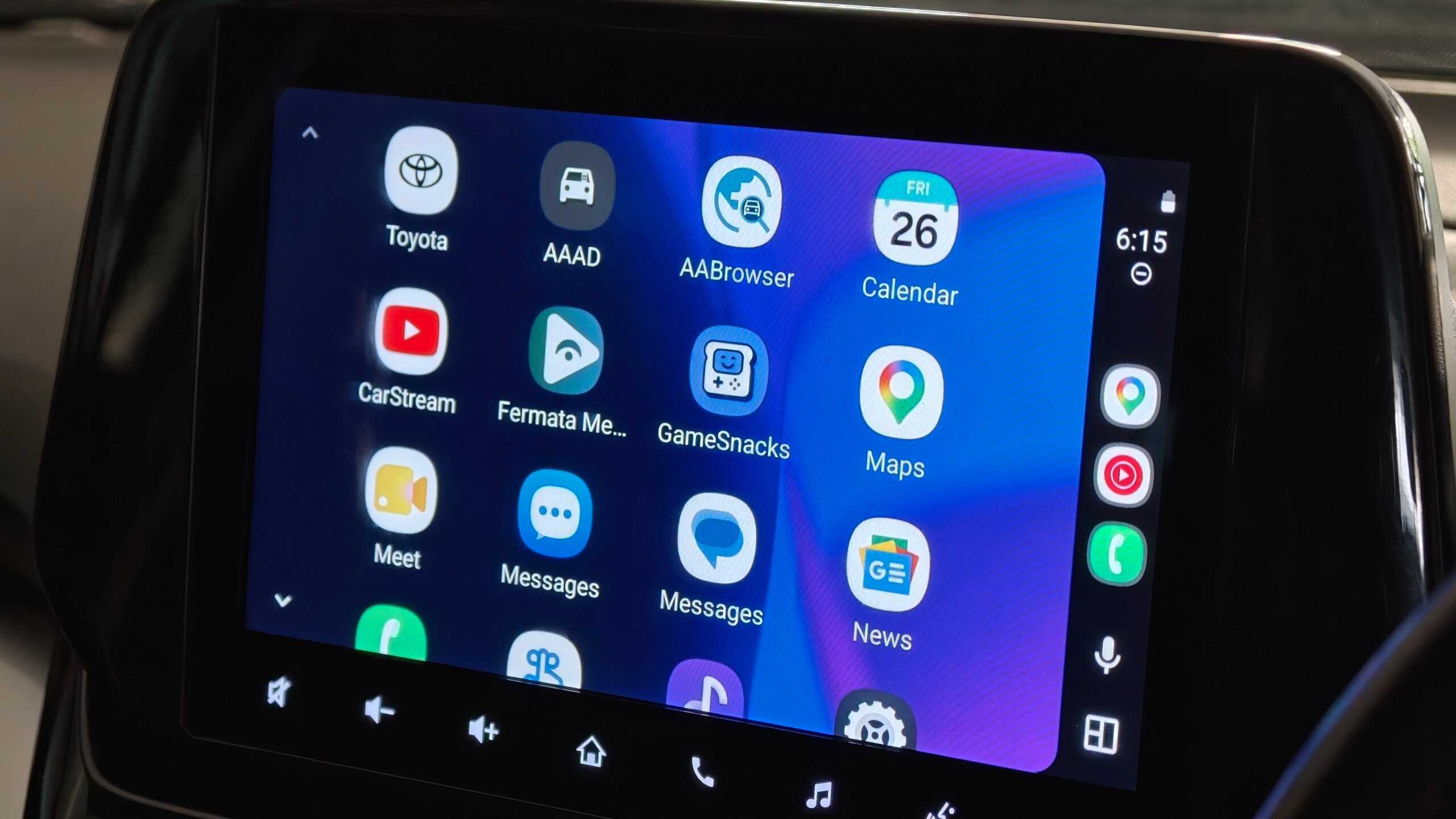
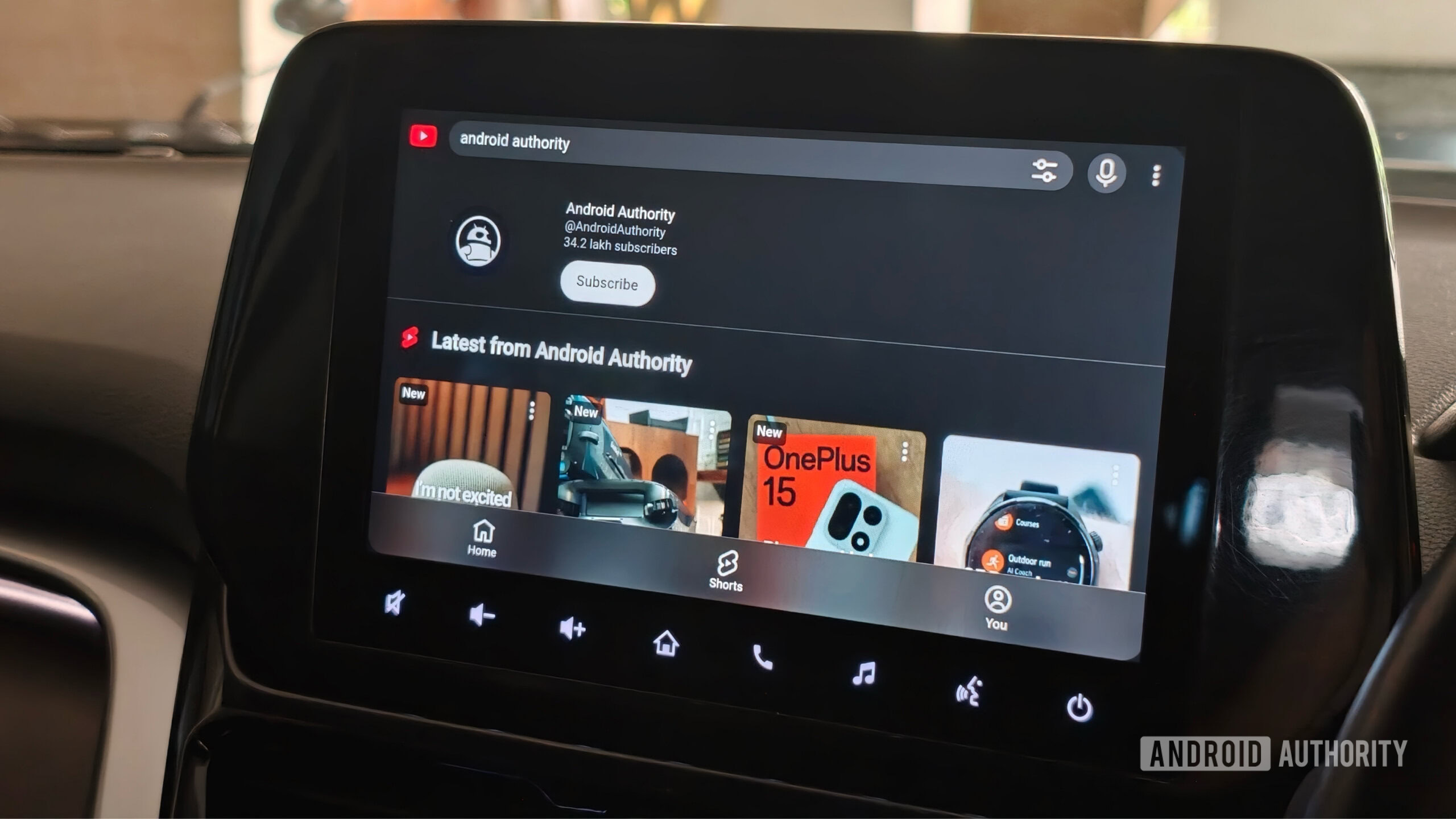
The primary tool for this endeavor is the Android Auto Apps Downloader (AAAD). Unlike the Play Store, which enforces rigorous safety standards—such as preventing video playback while a vehicle is in motion—AAAD acts as a repository for experimental and community-developed tools. These apps, such as CarStream (for YouTube streaming) and Fermata Auto (a comprehensive multimedia suite), allow for functionality that Google explicitly restricts to ensure driver focus.
A Chronological Look: How the Ecosystem Evolved
The evolution of third-party Android Auto support has been a cat-and-mouse game between hobbyist developers and Google’s security teams:
- Early Years (2015–2018): Android Auto was essentially a closed system. Users were limited to a handful of Google-approved navigation and music apps. The interface was rigid, and the developer API was extremely restricted.
- The Rise of Modding (2019–2022): As the user base grew, developers began reverse-engineering the Android Auto protocol. This period saw the birth of early proof-of-concept projects that allowed for basic screen mirroring and unauthorized app display.
- The "AAAD" Era (2023–Present): The release of the Android Auto Apps Downloader simplified the process for the average user, requiring no rooting of the smartphone. This made "advanced" features accessible to the general public, leading to a surge in interest.
- Current State (2026): Google has begun responding by implementing tighter security checks. While the community continues to find workarounds, the "stability" of these apps is increasingly threatened by monthly Android security patches and updates to the Android Auto service itself.
Supporting Data: The Capability Shift
To understand why users are turning to sideloading, one must look at the specific capabilities these third-party tools provide versus the default experience:
| Feature | Official Android Auto | Sideloaded Apps (e.g., Fermata/CarStream) |
|---|---|---|
| Video Playback | Only when parked (limited apps) | Available while driving (not recommended) |
| Web Browsing | Not supported | Full browser access |
| Screen Mirroring | Not supported | Full device display mirroring |
| Customization | Minimal | High (Layouts, themes, widgets) |
| Safety | High | Low (High risk of distraction) |
The data is clear: users seeking to sideload are generally looking for "infotainment" in the truest sense—the ability to turn their car’s center console into a full-fledged media center. Tools like Fermata Auto are particularly popular because they consolidate multiple functions—IPTV, local video playback, and web browsing—into one interface, effectively bypassing the limitations set by Google.
Official Responses and Security Implications
Google has maintained a consistent, albeit indirect, stance on the matter: safety is paramount. By restricting third-party apps, Google prevents the infotainment screen from becoming a source of visual and cognitive distraction.
There has been no official "crackdown" in the sense of legal action, but Google has taken technical measures. Every time an Android security patch is released, there is a risk that the "hooks" used by apps like AAAD will be broken. Furthermore, Google has been slowly rolling out their own version of video streaming for parked vehicles, effectively trying to eliminate the need for users to resort to third-party tools.
Security experts, however, point to a different concern: malware. When a user downloads an APK from an unofficial source like GitHub to use via AAAD, they are inherently bypassing Google Play Protect. If a sideloaded app is compromised, it could theoretically gain access to the phone’s permissions, including location, contacts, and microphone, which are all synced to the car’s system.
The Practical Process: How It Works
For those who still wish to explore these capabilities despite the risks, the process requires a systematic approach:
1. Enabling Developer Options
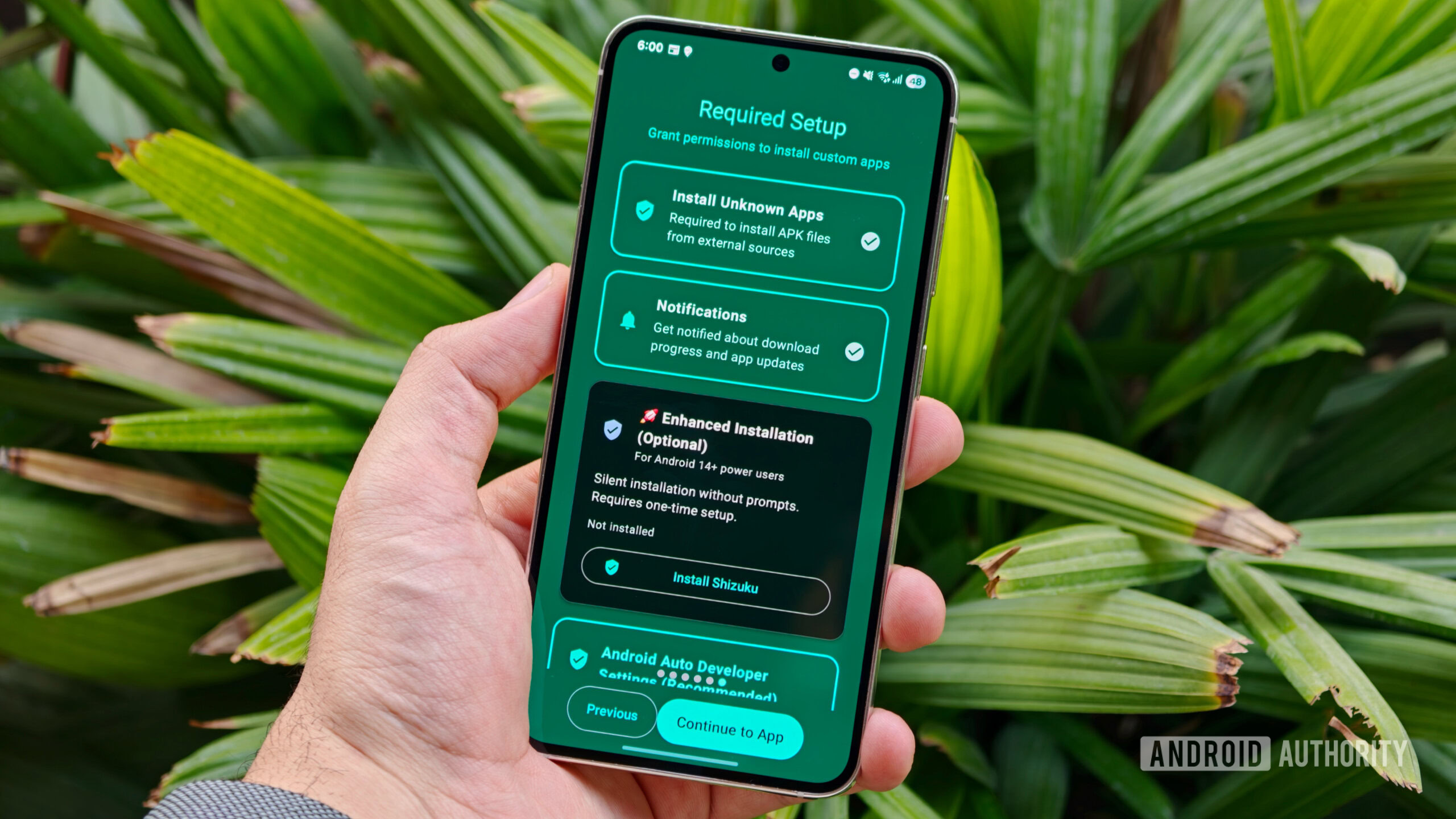
The foundation of the process lies in the Android OS itself. By navigating to Settings > About Phone and tapping the Build Number seven times, the user unlocks the "Developer Options" menu. This is the gateway for modifying core system behaviors.
2. Unlocking Android Auto’s "Unknown Sources"
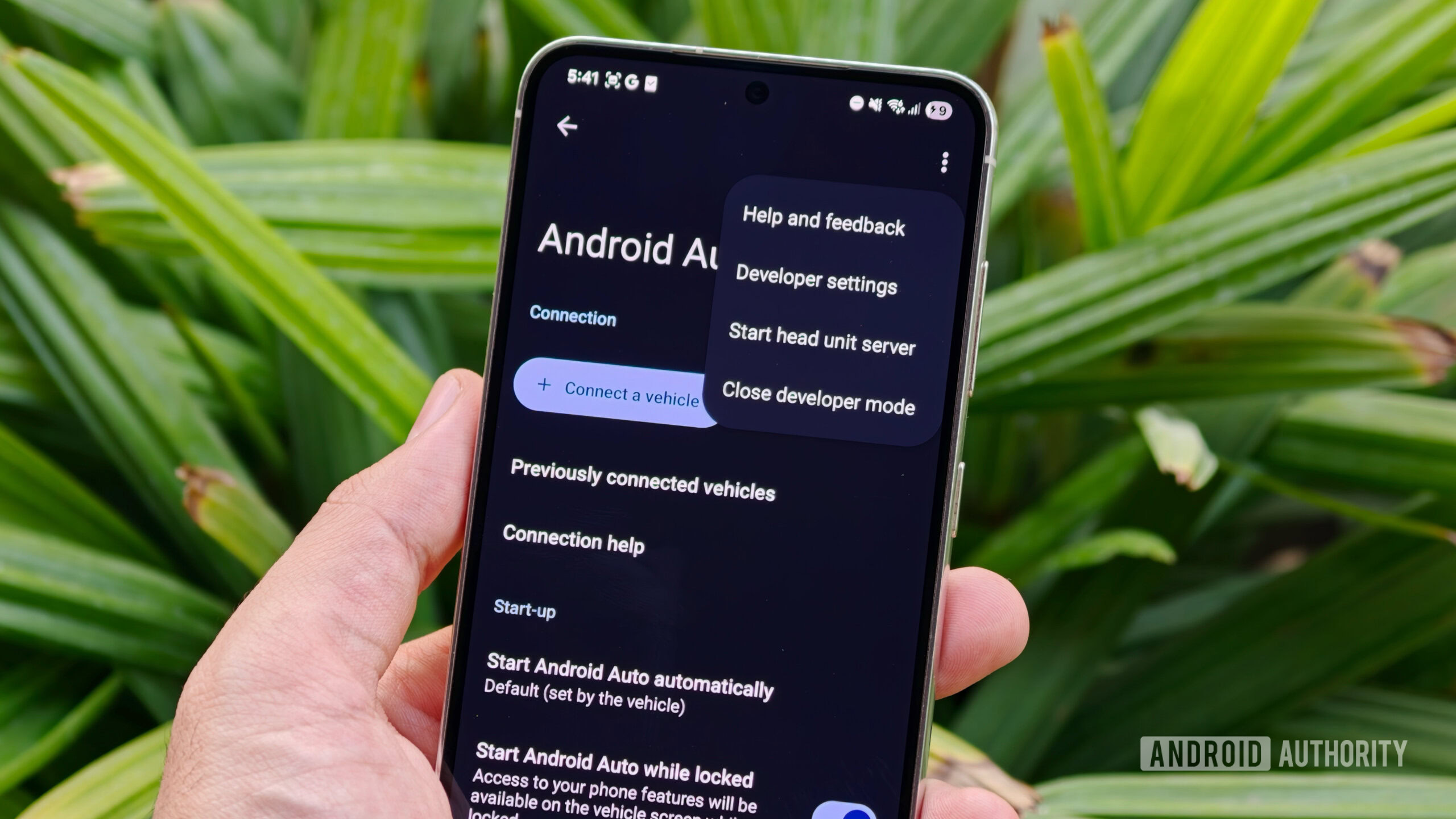
Once Developer Options are active, the user must navigate to the Android Auto settings. By repeatedly tapping the version information, the "Developer Mode" for the app itself is enabled. This allows the toggle for "Unknown Sources" to appear in the developer settings menu, which is the crucial permission that tells Android Auto to accept non-Play Store apps.
3. Implementing the Bridge (AAAD)
With the permissions set, the final step is the installation of the AAAD APK. Once installed, it functions as an app store. Users can choose from a menu of third-party apps, download them, and they will subsequently appear on the car’s head unit screen.
The Implications: Is It Worth the Risk?
The implications of sideloading on Android Auto are twofold: technical and ethical.
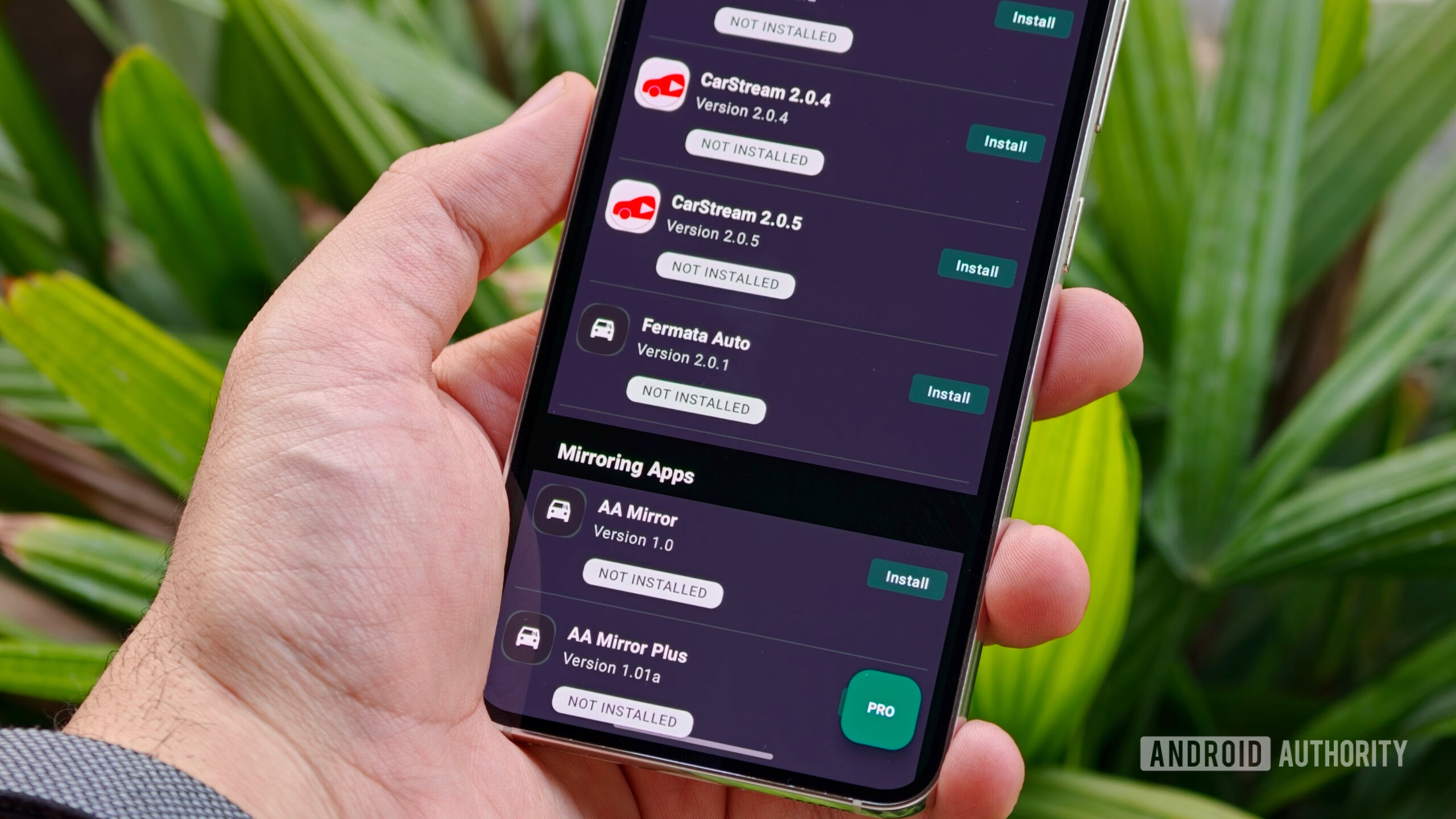
Technically, the system is fragile. An update to the Android Auto app on the Play Store can, and often does, render these modifications useless overnight. Users who pay for the "Pro" version of tools like AAAD often find themselves in a position where they have paid for software that may stop working after a minor system update.
Ethically and practically, the danger of distraction cannot be overstated. Modern automotive interfaces are designed to minimize "eyes-off-road" time. By enabling a full web browser or YouTube streaming while driving, the user is directly countering the safety systems intended to protect them and others on the road.
Conclusion: A Fascinating Capability, Not a Recommended Habit
The ability to sideload apps onto Android Auto is a testament to the versatility of the Android ecosystem. It reveals that our car head units are, in essence, just another form factor for the Android OS, capable of far more than they are currently allowed to do.
However, the consensus among industry experts and even the developers of these tools is clear: most people should not do this. While the technical curiosity is valid and the "cool factor" of having a full web browser on your dashboard is undeniable, the trade-offs in security, stability, and—most importantly—driver safety, are simply too high for the average user.
As Google continues to expand the official, safe, and sanctioned features of Android Auto, the demand for these risky workarounds will likely diminish. For now, the world of sideloaded Android Auto apps remains a specialized, albeit fascinating, corner of the tech landscape—a reminder of what happens when the spirit of open-source development meets the reality of modern automotive safety.











