Raul Delapena Setiawan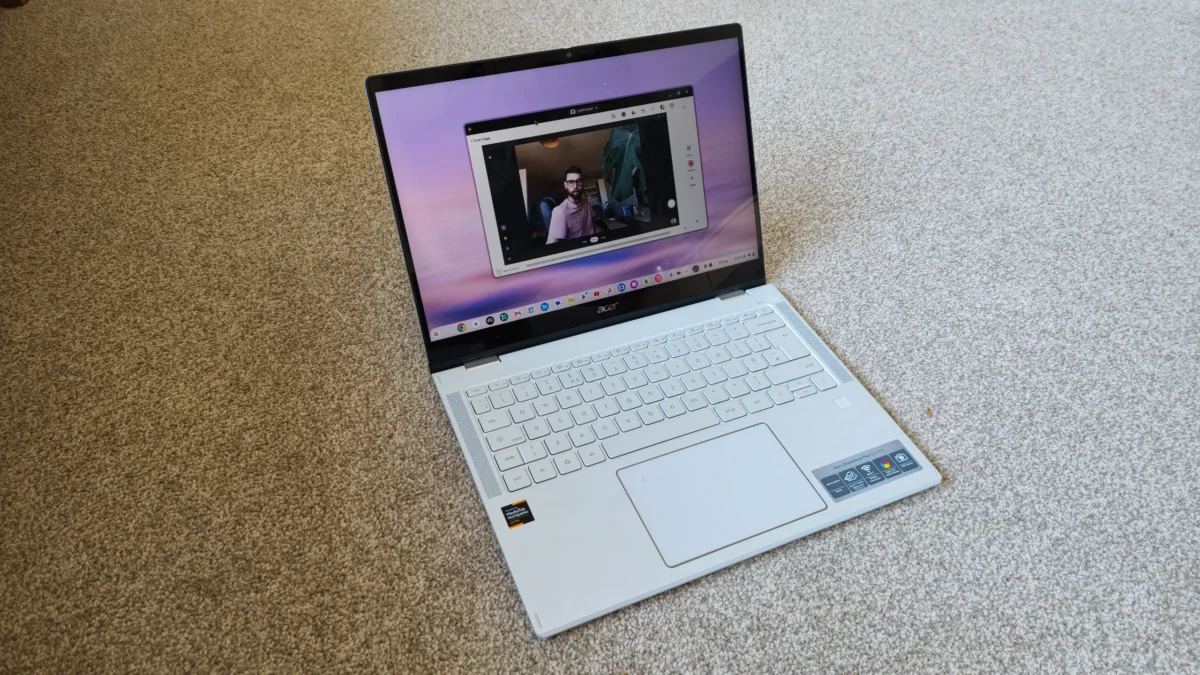
For years, the narrative surrounding Chromebooks has been one of limitation. They were the budget-friendly, education-centric machines that served as glorified web browsers—useful for a student writing an essay or a casual user checking emails, but essentially "off-limits" for the professional creative. However, the release of the Acer Chromebook Plus Spin 514 marks a significant pivot in this trajectory. After five years of waiting for a device that could bridge the gap between casual computing and professional mobility, I have finally found a machine that feels like the "missing link."
The Evolution of the Chromebook: From Utility to Versatility
The history of the Chromebook is one of rapid iteration. Initially launched as a low-cost alternative to Windows and macOS, the platform struggled with the perception that it was "lesser than." As a long-term tech observer, I have documented this love-hate relationship extensively. While I have often championed the affordability and seamless cloud integration of ChromeOS, I have remained skeptical of its utility for high-end creative work.
Earlier this year, I questioned whether the 2-in-1 laptop category had reached the end of its life cycle. The market had become saturated with middling devices that were neither great tablets nor exceptional laptops. Yet, the Acer Chromebook Plus Spin 514 arrived on my desk with a promise to change that perception. What started as a standard unboxing experience quickly transformed into a genuine exploration of how modern hardware can redefine a "budget" operating system.
A Chronology of Discovery: The Workflow Shift
My initial assessment of the device was tempered by the cynicism that often comes with reviewing dozens of laptops a year. When you spend your life testing high-performance workstations, a 14-inch Chromebook rarely stirs the imagination. However, the "Spin" factor—the ability to fold the device into a 14-inch tablet—changed the nature of my interaction with the machine.
The First 48 Hours: Media Management
The true test of any creative tool is how it handles the "heavy lifting" of a workflow. In the first two days, I shifted my focus to media ingestion. Using the Chromebook Plus Spin 514 to sort through high-resolution files, I was impressed by the responsiveness of the hardware. The integration of apps like Snapseed for photography and InShot for video editing felt remarkably fluid. The ability to pull data from a camera, perform quick edits, and push the results directly to the cloud created a streamlined experience that bypassed the traditional hurdles of laptop-based file management.
The Tablet Transition: Where Utility Meets Ergonomics
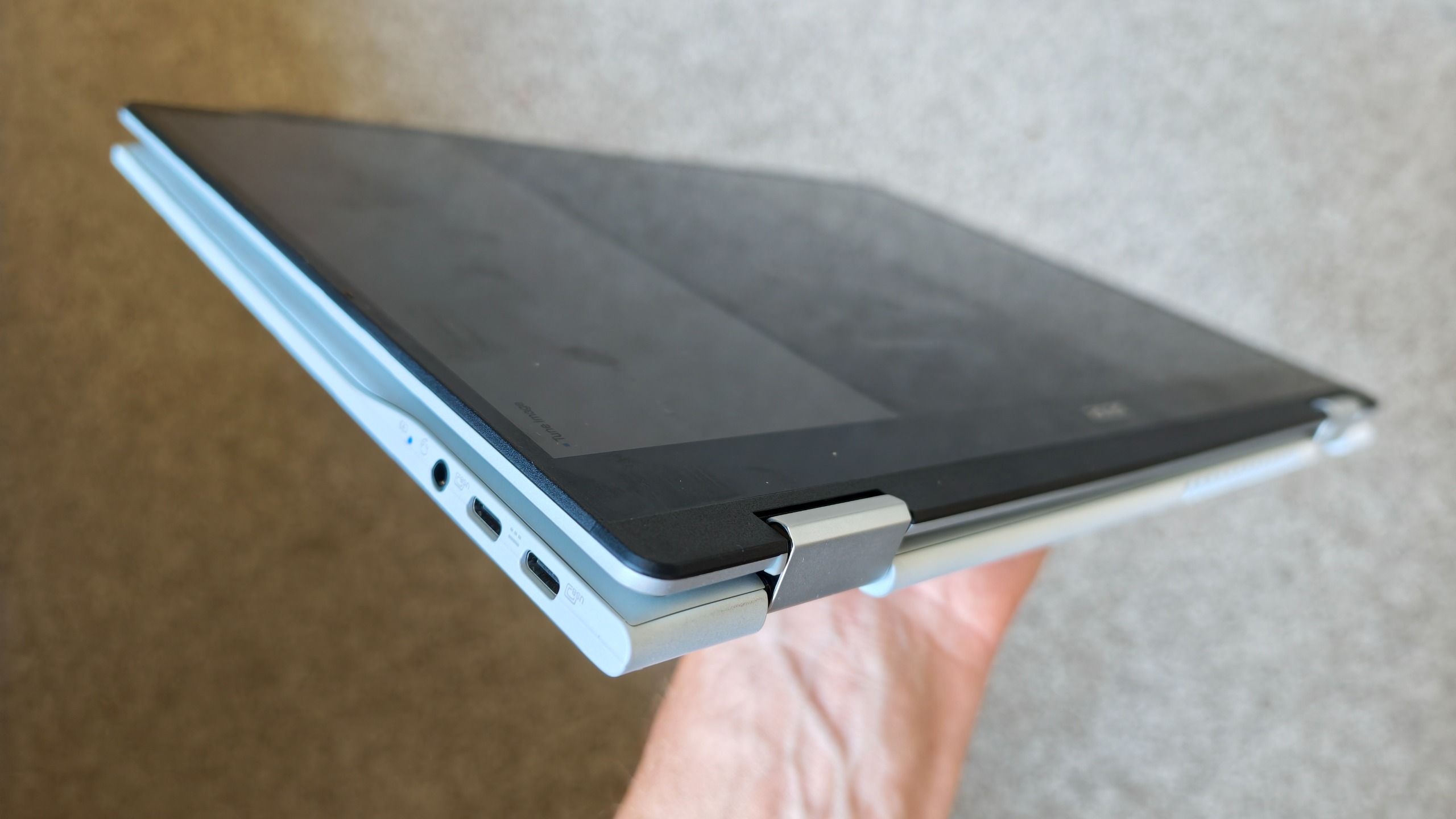
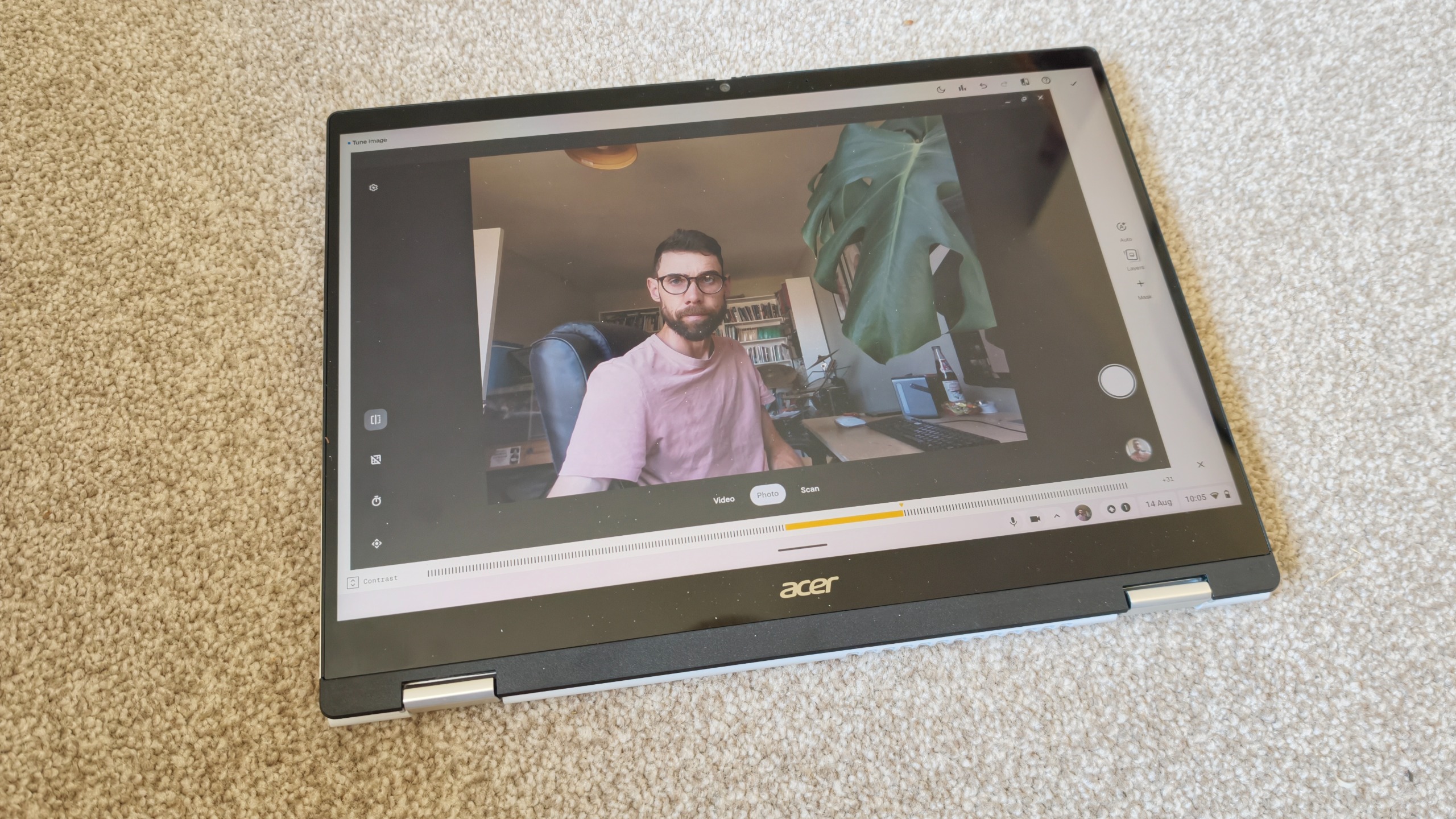
While the laptop form factor is perfect for drafting copy, the true innovation lies in the device’s transformation. Using a 14-inch tablet for creative tasks is a unique experience. While most users are accustomed to 11-inch or 13-inch tablets (such as the iPad Pro or Air), the 14-inch canvas of the Acer provides a different scale of interaction. Navigating through granular image adjustments with a stylus on a screen this size is objectively superior to clicking a mouse.
Technical Specifications and Performance Data
The Acer Chromebook Plus Spin 514 is not merely about the "spin"; it is a machine built on a foundation of impressive, if unconventional, hardware for the ChromeOS ecosystem.
Display Excellence
The standout feature is undeniably the display. Boasting a 2.8K resolution and a 16:10 aspect ratio, the screen provides ample vertical real estate—a crucial factor for creative professionals who need to view timelines, long documents, or complex image layouts. The 16:10 aspect ratio is particularly suited for long-form content consumption and provides a professional aesthetic that holds its own in a boardroom setting.
Hardware-Software Synergy
The "Chromebook Plus" branding signifies a baseline of performance that Google enforces across its partners. This means faster processors, more RAM, and better storage speeds than the average budget Chromebook. In practice, this manifests as a lack of stutter during multi-tasking. While it will not replace a high-end Windows workstation for heavy 3D rendering or intensive motion graphics, it serves as a highly capable "satellite" device for those who need to remain productive while away from their main studio.
Official Positioning: Where Does the Chromebook Plus Fit?
The rise of the "Chromebook Plus" category is a strategic response by Google and its manufacturing partners to the growing demand for "prosumer" hardware. Acer, by positioning the Spin 514 as a premium 2-in-1, is targeting the creative who already owns a primary workstation but requires a secondary, highly portable device that doesn’t sacrifice performance.
In industry terms, this is a move to reclaim the middle market. It is not competing with the $3,000 MacBook Pro or the $4,000 Dell Precision workstation. Instead, it is competing with the tablet-as-a-laptop trend. By offering a full-featured keyboard, a high-resolution touch screen, and a robust hinge, Acer is betting that creatives prefer the versatility of a 2-in-1 over the limitations of a standalone tablet with a clip-on keyboard.
Implications for the Creative Industry
The introduction of devices like the Acer Chromebook Plus Spin 514 has significant implications for how we define "professional" hardware.
1. The Death of the "Browser-Only" Stigma
For years, the "Chromebook" label acted as a ceiling for professional capability. As ChromeOS continues to integrate Android app support, Linux containers, and web-based high-end tools (like Adobe’s growing web suite), the hardware must keep up. The Spin 514 proves that the hardware is no longer the bottleneck.
2. The Rise of the "Satellite" Workflow
The modern creative professional is rarely tethered to a single desk. The ability to offload, edit, and publish from a device that weighs significantly less than a traditional mobile workstation, while maintaining a premium feel, is a game-changer. It allows for a tiered workflow: the heavy lifting is done on the desktop, while the creative ideation, light editing, and client interaction occur on the portable device.
3. Sustainability and Value
From an economic standpoint, the Chromebook Plus model offers a compelling value proposition. For a fraction of the cost of a high-end ultrabook, the creative professional gains a device that is essentially a high-performance tablet and a laptop in one. This allows for a more sustainable approach to tech procurement, where specific devices are assigned to specific roles rather than trying to force one machine to do everything at a premium price point.
Final Verdict: Is it for You?
The Acer Chromebook Plus Spin 514 is not going to replace a specialized 3D modeling rig, nor will it be the go-to for a video editor cutting 8K footage. However, that is not its purpose.
Its purpose is to serve the creative who values flexibility, portability, and the seamless integration of cloud-based workflows. It is a device for the professional who wants to step away from the desk without losing the ability to create, edit, and collaborate.
As we look toward the future of mobile computing, the 2-in-1 form factor, once thought to be a niche curiosity, is proving its worth. When combined with the high-performance standards of the Chromebook Plus initiative, it becomes a formidable tool. For the first time in five years, I feel confident recommending a Chromebook not just as a budget necessity, but as a legitimate choice for the modern, mobile-first creative.
About the Author: Paul is a digital expert with over 20 years of experience in the tech and creative industries. With a focus on photography, videography, and 3D visualization, his work has appeared in industry-leading publications, providing deep dives into the hardware that powers today’s creative workflows.

 Suro Senen
 Siti Muinah