Nana
Nana
For years, Apple’s "Shortcuts" app existed in a state of untapped potential. Introduced to the Mac ecosystem with macOS Monterey, the utility promised a future of seamless automation—a digital butler capable of handling repetitive tasks with a single click. Yet, for many, it remained a daunting "pro" tool, hidden behind a steep learning curve that required users to understand logic flows, variables, and complex action strings.
That era of intimidation is coming to an end. With the release of macOS 27 "Golden Gate," Apple has fundamentally reimagined how users interact with automation. By integrating Apple Intelligence directly into the Shortcuts framework, the company has lowered the barrier to entry, allowing natural language to replace complex coding.
The Evolution of Automation: From Scripts to Intelligence
The trajectory of Apple’s automation tools has been a long march toward accessibility. Before Shortcuts, there was Automator—a legacy application that, while powerful, was notoriously difficult for the average user to navigate. Shortcuts, originally born on iOS, was designed to bridge the gap between mobile simplicity and desktop power.
However, until the launch of macOS 27, creating a shortcut required the user to act as an amateur programmer. You had to drag and drop individual "actions" into a sequence, define inputs, and troubleshoot why a variable wasn’t passing data correctly from one step to the next. It was effective, but it was rarely intuitive.
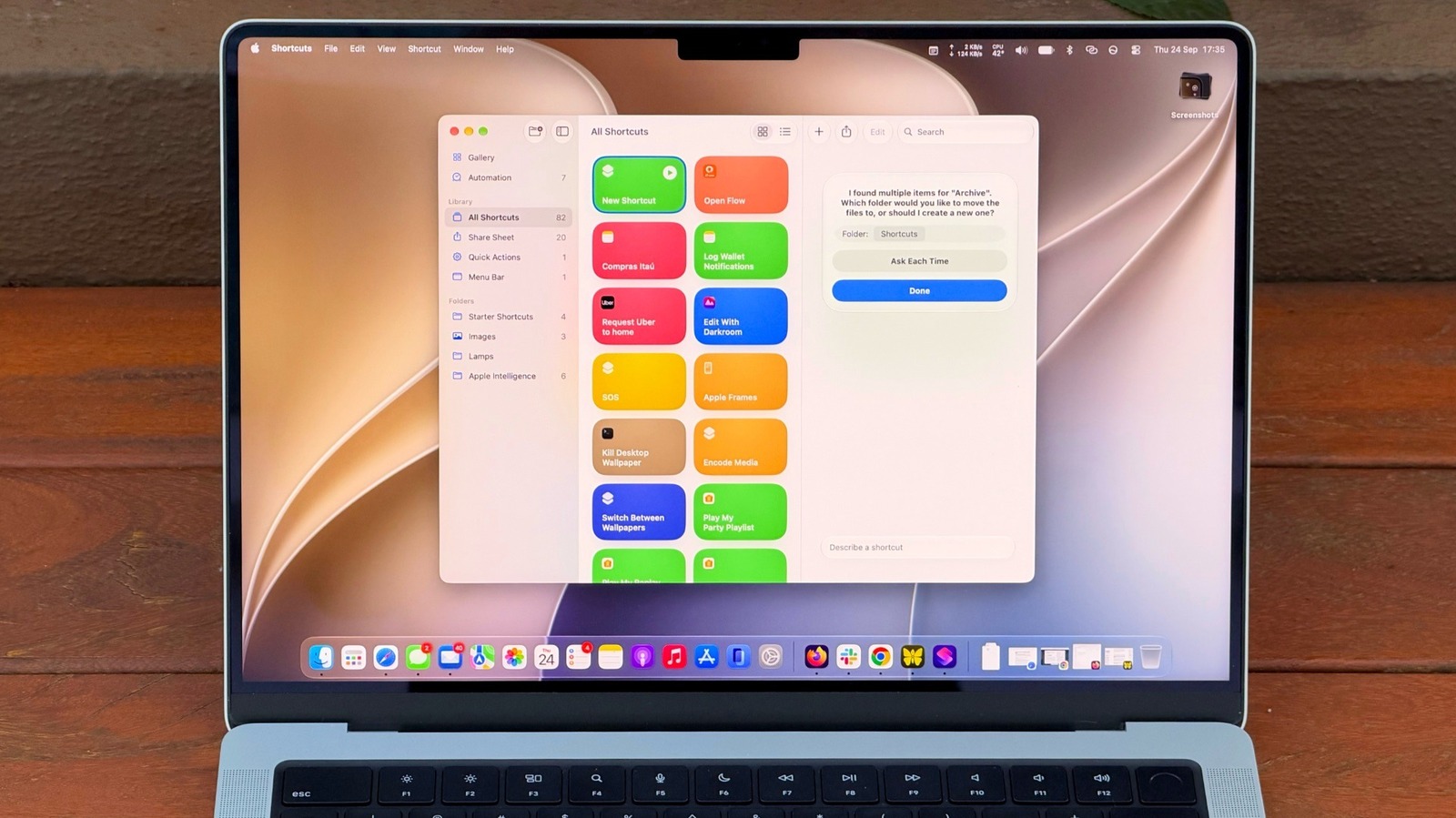
The introduction of "Describe a Shortcut" marks the most significant paradigm shift in this history. Instead of building a house by laying every individual brick, users can now provide the blueprint in plain English, and the integrated AI handles the construction.
Core Facts: What Changes with macOS 27?
At its heart, the update to Shortcuts is about removing friction. The new AI-powered interface acts as an interpreter between the user’s intent and the system’s capabilities.
- Natural Language Processing: Users no longer need to know the technical name of an action. Typing "summarize the text on my clipboard" allows the system to intelligently identify the clipboard, trigger the summarization engine, and output the result.
- Contextual Awareness: The new system leverages Apple Intelligence to understand the intent behind a command, rather than just the literal syntax.
- Hardware Requirements: This leap in capability is tied strictly to modern hardware. The new automation features require a Mac with an M1 chip or later, effectively ending support for Intel-based Macs. This technical limitation ensures that the on-device AI models have the neural processing power required to generate scripts in real-time.
Chronology: The Road to "Golden Gate"
- 2021 (macOS Monterey): Apple brings Shortcuts to the Mac, signaling the eventual deprecation of Automator.
- 2022-2023: Incremental updates add more "actions" to the library, but the user interface remains largely unchanged, catering primarily to power users.
- Early 2024: Rumors emerge regarding a "Siri-first" overhaul of the macOS operating system, centered on generative AI.
- Late 2024 (macOS 27 "Golden Gate"): Apple Intelligence is formally unveiled. The Shortcuts app receives its most significant upgrade in years, incorporating generative AI to build scripts from text prompts.
Practical Applications: Moving Beyond the Basics
The true power of this update lies in everyday utility. For the average user, the best way to start is by targeting "administrative fatigue"—the small, repetitive tasks that clutter the workday.
1. File Management and Housekeeping
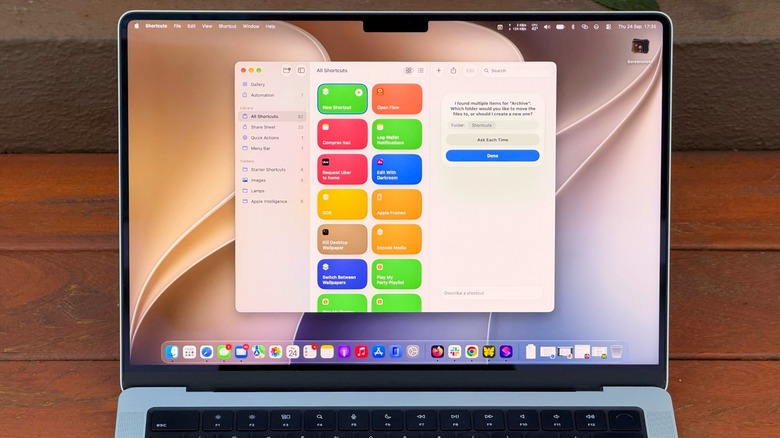
Instead of manually sorting files, you can prompt the AI: "Every Friday at 5 PM, move files older than 30 days from Downloads to a folder named ‘Archive’." The system translates this into a recurring automation that runs in the background.
2. Intelligent Summarization
One of the most touted features is the ability to bridge disparate apps. By using the command, "Take the text on my clipboard, summarize it in three sentences, and save it to a new note," you create a personal research assistant. You can copy an article from a browser, hit a keyboard shortcut, and have a distilled version ready in the Notes app within seconds.
3. Cross-App Orchestration
Shortcuts can now pull data from your calendar and weather app simultaneously. A command like, "Give me a summary of my day based on my calendar and the local weather," can be turned into a morning briefing that pops up the moment you sit down at your desk.
Making Shortcuts Accessible: UI Integration
Apple has recognized that an automation is useless if you forget it exists. To combat this, macOS 27 introduces several ways to pin and trigger your custom scripts:
- Keyboard Combos: Users can assign specific hotkeys to any shortcut. This turns a complex script into a reflex.
- Control Center Integration: By editing the Control Center, you can place your most-used shortcuts just a click away in the top-right corner of the menu bar.
- Visual Intelligence: Beyond standard Shortcuts, the new Shift + Command + Space command allows users to capture a window on-screen and use AI to interact with it directly—extracting text, dates, or contact information that you can then pipe into a shortcut.
Implications for the Professional Workflow
The move toward AI-driven automation has profound implications for productivity. Traditionally, office workers relied on third-party "glue" apps like Zapier or Alfred to connect different software. Apple is now effectively integrating this functionality into the operating system.
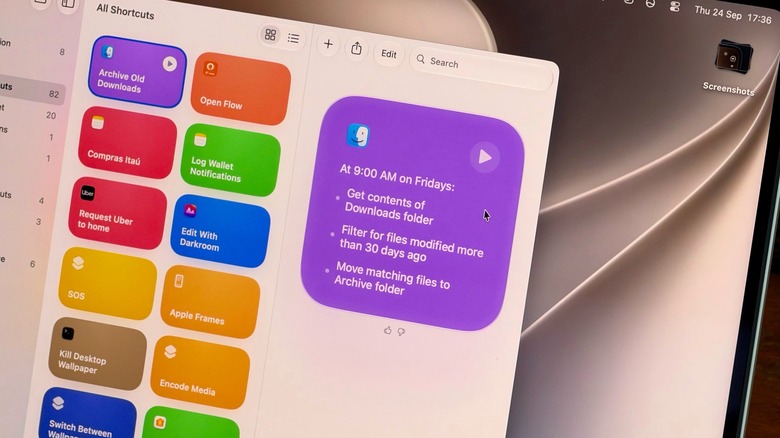
However, there is a learning curve involved in prompt engineering. While the AI is helpful, it is not omniscient. As the developers noted, if a prompt is too vague—"Clean up my computer"—the AI will likely fail or provide a generic response. Users must learn to be specific: "Move files," "Summarize text," "Create a meeting invite." This transition represents a shift from "learning the software" to "learning how to communicate with the machine."
Limitations and Ethical Considerations
It is important to note that this system is not a magic wand. There are inherent limitations:
- AI Rate Limits: Because the generation of these shortcuts utilizes Apple’s AI models, there are throughput caps. Complex, multi-layered scripts might reach a processing limit if executed too frequently in a short burst.
- Hardware Exclusion: The reliance on M-series chips creates a digital divide. Owners of Intel-based Macs, despite having high-performance hardware, are excluded from these specific AI features, potentially creating a "two-tier" experience for macOS users.
- Accuracy: Apple warns that the AI "doesn’t always work." Users should always test a generated shortcut in a safe environment (e.g., using a dummy folder) before allowing it to handle sensitive files.
Future Outlook: The Intelligent Mac
The integration of Apple Intelligence into Shortcuts is likely just the beginning. As the system matures, we can expect to see deeper integration with third-party applications. Imagine a future where your shortcut can command an external CRM or project management tool, not just the native Apple suite.
For now, the advice for Mac users is simple: Stop viewing the Shortcuts app as a tool for coders. Treat it as a blank canvas. By providing the app with clear, intent-driven instructions, you can reclaim hours of your work week. The era of the automated Mac has finally arrived—and it speaks your language.

 Pevita Pearce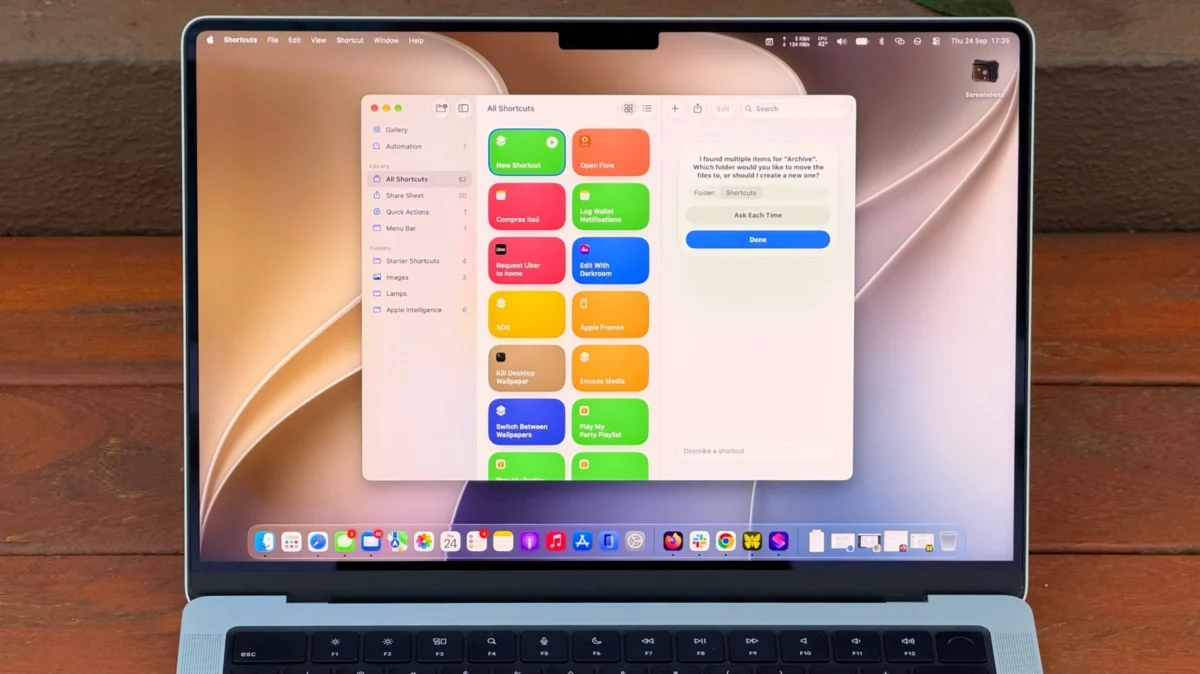
 Layla Zulfa