Asep Darmawan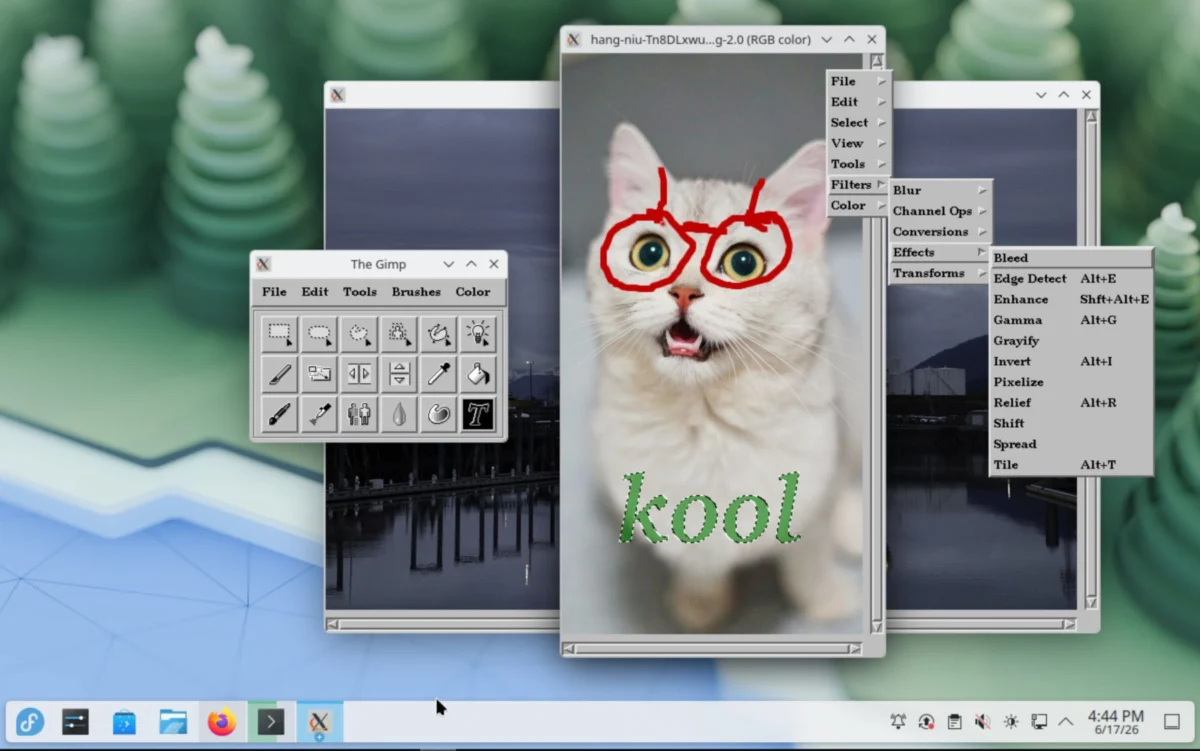
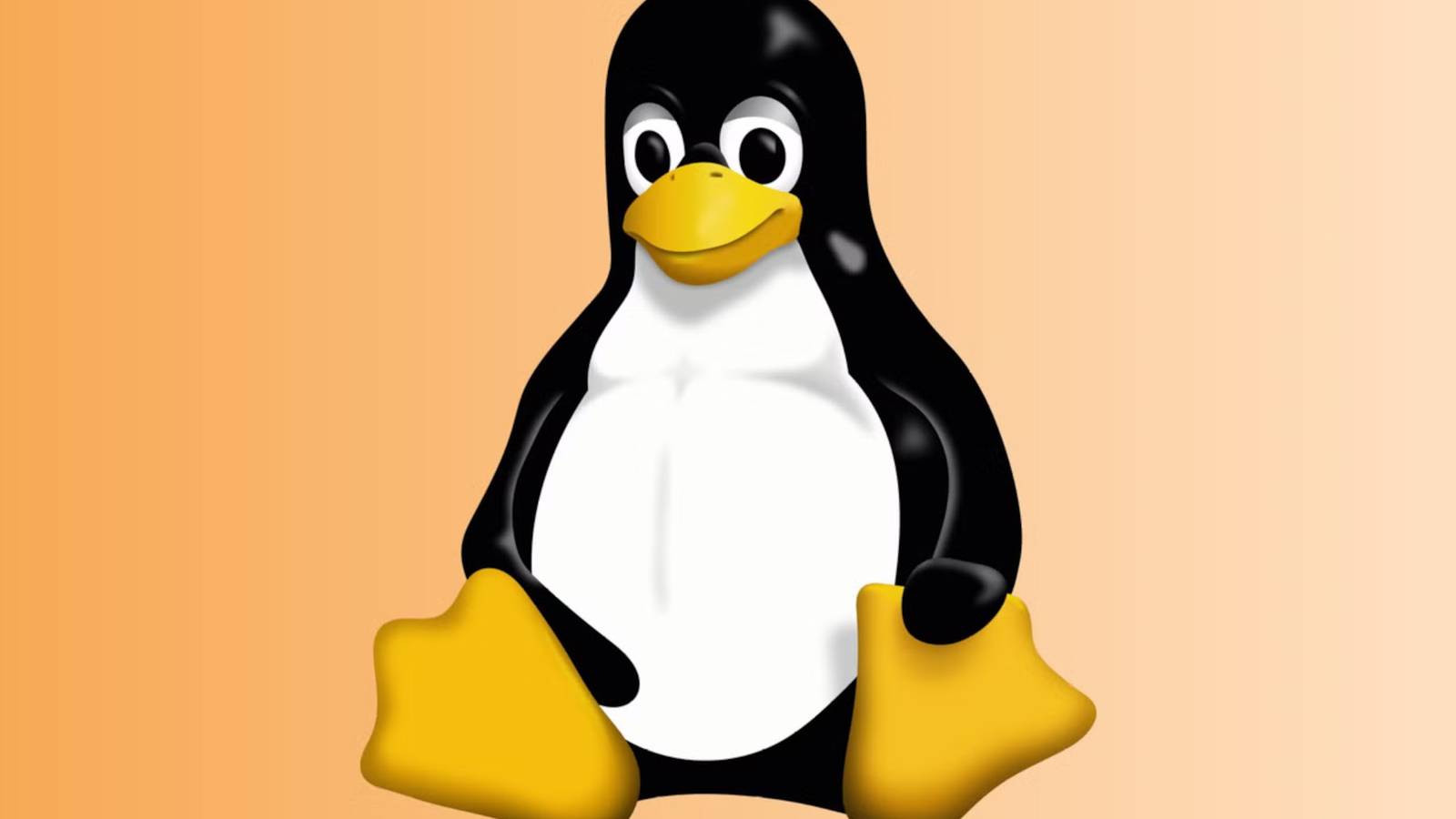
In the expansive landscape of open-source software, few icons carry as much weight, charm, and historical significance as Tux the Penguin. For three decades, Tux has served as the unofficial mascot of the Linux kernel, representing the community-driven ethos of the world’s most ubiquitous operating system. While Tux recently celebrated his 30th anniversary, the digital tools used to craft him had largely faded into the annals of computing history. That changed this week, as a preservation effort led by GNOME developer "balooii" has brought GIMP 0.54—the very software used to design the original penguin—back to life as a modern, accessible Flatpak.
The Genesis of an Icon: Main Facts and Historical Context
The story of Tux begins in 1996. Larry Ewing, the graphic artist behind the world-famous penguin, was looking for a mascot that could capture the personality of the burgeoning Linux project. At the time, the Linux community was searching for a symbol that felt less "corporate" and more relatable than the sterile logos associated with proprietary systems.
The result was a stout, happy penguin. However, the creation process was far from the high-performance digital artistry we see today. It was a laborious, 8-bit, hardware-constrained endeavor. According to the original project notes, the entire design was rendered on a 486 DX2/50 processor running Linux.
The software used was GIMP (The GNU Image Manipulation Program) version 0.54. This specific iteration of GIMP was a primitive, experimental tool that predates the sophisticated, professional-grade software that GIMP has evolved into today. By packaging this 30-year-old software into a Flatpak, the developer has removed the technical barrier to entry, allowing modern users to experience the "raw" digital workspace that birthed the face of open source.
A Chronology of the Penguin’s Evolution
To understand the significance of this resurrection, one must look at the timeline of Linux’s branding:
- 1996 (The Design Phase): Larry Ewing, while working at the Texas A&M University (TAMU), utilizes GIMP 0.54 to design the original mascot.
- 1996 (The Technical Constraints): Ewing notes that his home machine, equipped with an 8-bit display, necessitated the final "smoothing" or rendering passes to be performed on an SGI Crimson workstation.
- 1999 (The Archive Era): As GIMP evolved, early versions like 0.54 were relegated to web archives and forgotten FTP servers.
- 2026 (The Preservation Milestone): Exactly 30 years after the initial design, the community sees the resurgence of GIMP 0.54 via a containerized Flatpak, allowing it to run on modern Linux distributions without dependency conflicts.
This timeline highlights the bridge between the "Wild West" era of early Linux development and the refined, standardized environment of modern Linux distributions.
Technical Analysis: Why GIMP 0.54 Matters
Modern image editing is defined by layers, non-destructive workflows, and hardware acceleration. GIMP 0.54 offered none of these. When users launch this new Flatpak, they are stepping into an environment where the "Undo" function was limited, memory management was rudimentary, and the user interface was in its absolute infancy.
The Flatpak implementation is a masterclass in software preservation. By bundling all the necessary ancient dependencies within the Flatpak container, balooii has bypassed the "dependency hell" that usually plagues attempts to run 1990s-era binary software on modern kernels.
Performance and Hardware Interaction
In the mid-90s, the GIMP interface was designed for low-resolution CRT monitors. Running it today on a 4K display is a surreal experience. The software lacks the high-DPI scaling of modern apps, making it a "pixel-perfect" representation of how a 1996 developer saw their work. This is not just software; it is a museum piece that functions as a creative tool.
The Designer’s Perspective: Insights from the Source
Larry Ewing’s own notes from the late 90s provide a fascinating look at the grit required to build a legacy. He wrote:
"All of the penguin pictures were created entirely within The GIMP (version 0.54). The majority of the drawing was done on my 486 DX2/50 running linux. I used nothing but a mouse and a lot of patience."
This acknowledgment of the "mouse and a lot of patience" serves as a reminder that the early days of open source were built on individual perseverance rather than massive corporate R&D budgets. By resurrecting this specific version, the developer has allowed a new generation of coders and artists to attempt their own "digital archaeology"—trying to create a design under the same constraints as the original author.

Implications for Digital Heritage and Open Source
The re-release of GIMP 0.54 has broader implications for the open-source community:
1. The Fight Against "Software Rot"
Digital heritage is fragile. As operating systems move to 64-bit architectures and drop support for older binary formats, we risk losing the "source code of our history." The use of Flatpak to wrap legacy software is a sustainable model for ensuring that important historical software remains executable for decades to come.
2. Educational Value
For students of computer science and digital design, being able to load the actual tool used to create a globally recognized icon provides an unparalleled educational experience. It shows the evolution of UI/UX design and the incredible leaps in computational power over the last thirty years.
3. Community Engagement
The immediate interest from platforms like Linuxiac and the wider XDA community demonstrates that there is a deep-seated desire to preserve the "folklore" of the tech industry. It encourages a culture of documentation and preservation, which is vital for the longevity of the Linux ecosystem.
How to Access the "Time Machine"
For those who wish to experience this for themselves, the process is streamlined for the modern user. The package is hosted on the GNOME GitLab.
Users with Flatpak installed on their systems can simply open their terminal and execute:
flatpak install --user gimp-0.54.1-8.flatpak
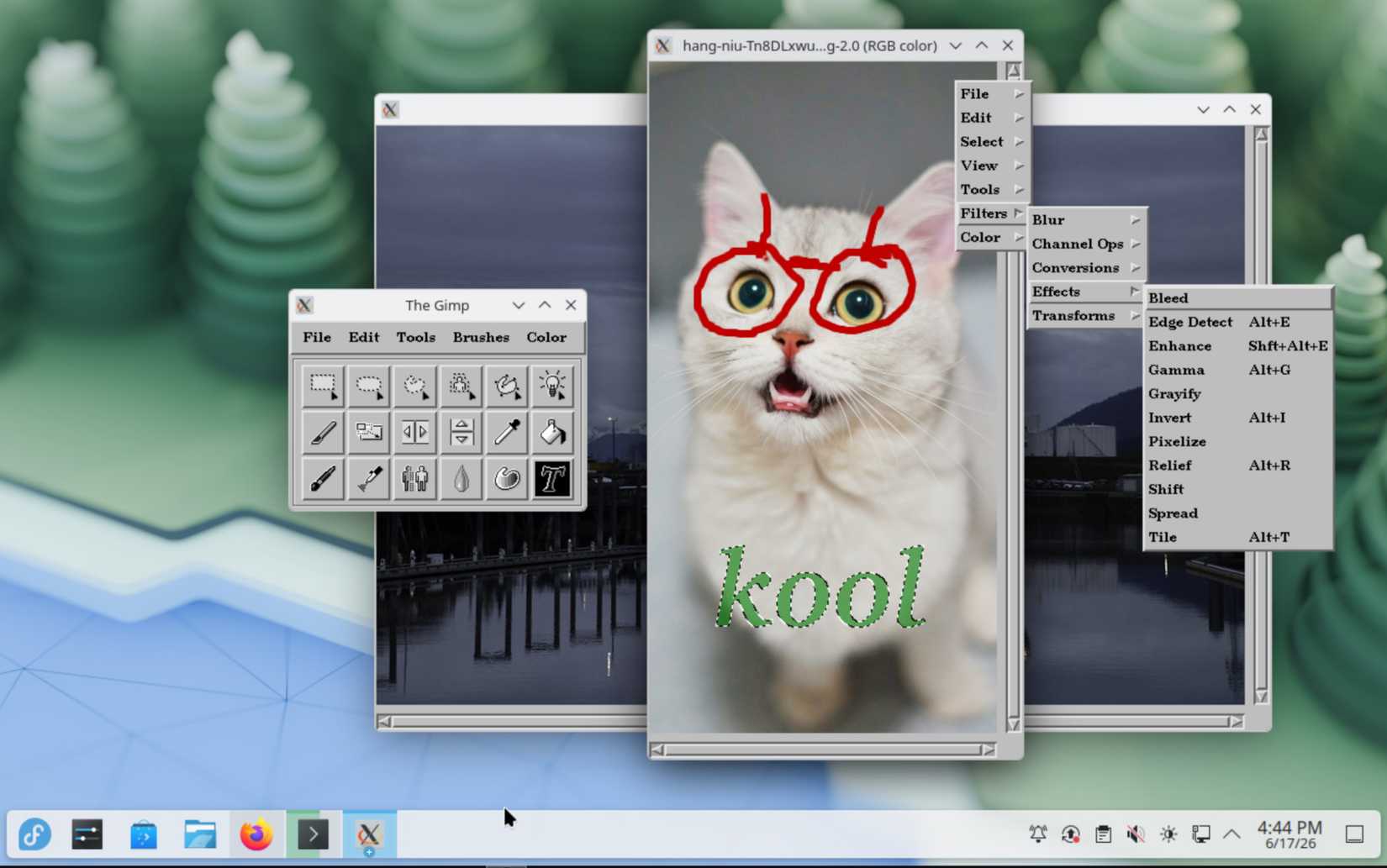
Once installed, the application functions as a window into 1996. Users should expect a minimalist interface that emphasizes the absolute fundamentals of bitmap manipulation. It is an exercise in restraint and a tribute to a time when Linux was a hobbyist’s curiosity, rather than the backbone of the global internet.
Conclusion: A Living History
The revival of GIMP 0.54 is more than a mere curiosity; it is a statement about the nature of open source. In the proprietary world, 30-year-old software is often locked behind intellectual property walls or simply rendered obsolete and unrunnable. In the Linux world, the tools used to create our history are treated as artifacts worthy of preservation.
As we look toward the next 30 years of the Linux kernel, the presence of Tux remains a constant. By making his birthplace accessible, the community has ensured that we never lose sight of the humble origins from which the most powerful operating system in the world emerged. Whether you are a seasoned kernel developer or a curious newcomer, spending an afternoon in GIMP 0.54 is a profound way to pay respects to the history of the penguin that changed computing forever.

 Azzam Bilal Chamdy
 Jia Lissa