

In an era where the boundary between mobile productivity and desktop computing is increasingly porous, Microsoft is preparing to take a significant leap forward in how it handles the relationship between Windows 11 and Android devices. Since the inception of the "Your Phone" initiative in 2018, Microsoft has been iteratively refining the bridge between its flagship desktop operating system and the world’s most popular mobile platform. Now, fresh reports indicate that the company is moving beyond simple mirroring, aiming to bake deep, native-feeling smartphone integration directly into the fabric of the Windows user experience.
Main Facts: The Evolution of Phone Link
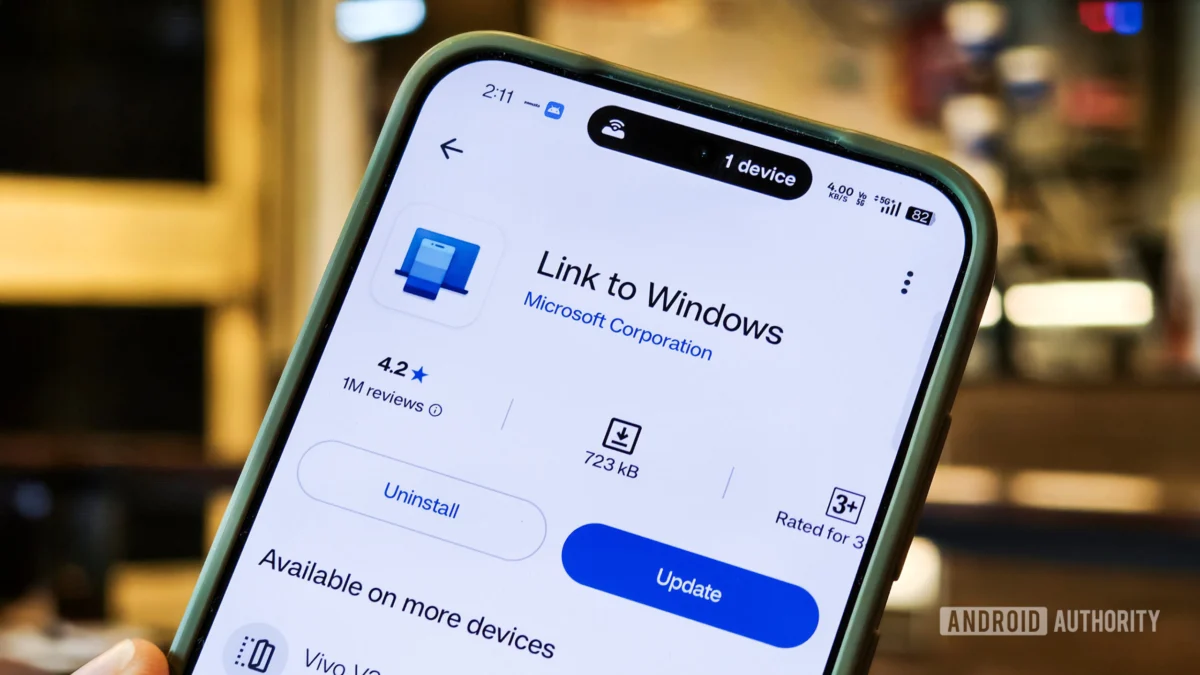
For years, the Phone Link app (formerly known as Your Phone) has served as the primary gateway for users to access their text messages, photos, and notifications from their PCs. While functional, the current implementation often feels like a siloed utility—a separate application that must be launched, maintained, and navigated independently.
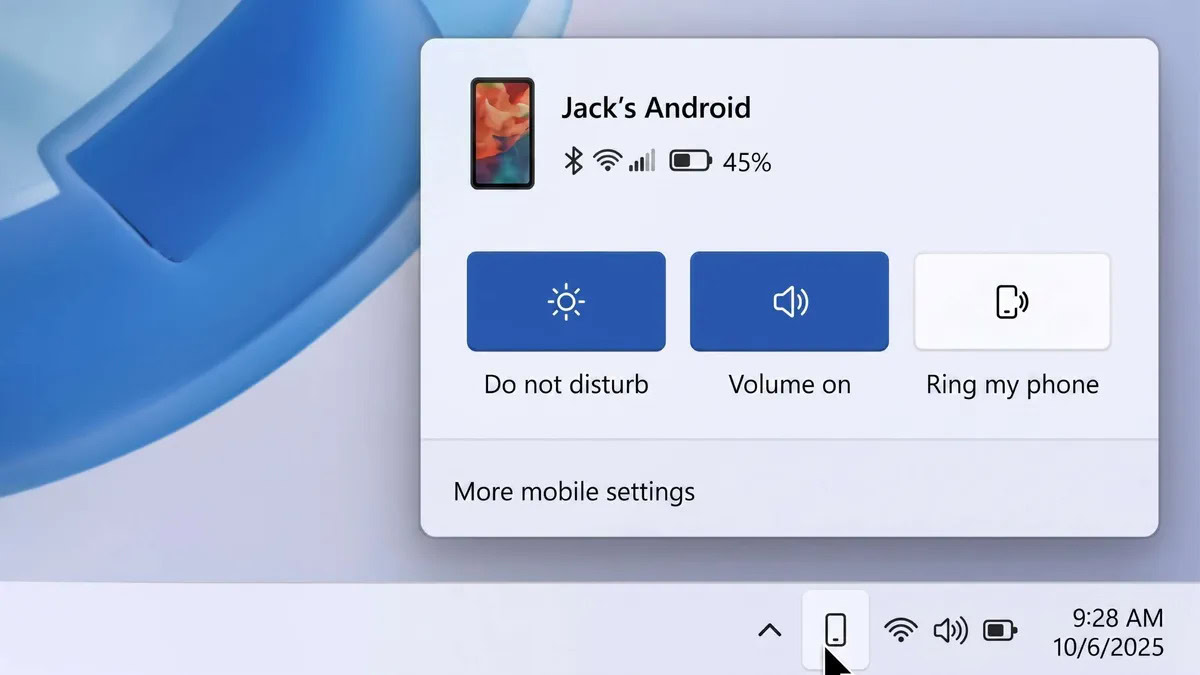
New leaks suggest that Microsoft is pivoting toward a more "first-party" integration strategy. The goal is to move smartphone connectivity out of a standalone app and into the operating system’s UI components. Key features currently in the prototype stage include:
- Taskbar Integration: A persistent, dedicated smartphone icon in the Taskbar that provides real-time status updates and quick-action toggles.
- Unified Flyout Menu: A central hub accessible via the Taskbar that allows users to manage phone settings, such as Do Not Disturb, silent mode, and the "Find My Phone" feature, without ever opening a dedicated app window.
- Native File Management: The ability to initiate file transfers simply by dragging and dropping items directly onto the smartphone icon in the Taskbar.
- Enhanced Clipboard Sync: Expanding the current single-item clipboard sync to include a full, multi-entry clipboard history across both mobile and desktop environments.
- Standalone Messaging App: A dedicated, pinable Messages app that moves beyond the limitations of the current Phone Link interface, providing a more robust, independent communication experience.
A Chronology of Integration: From "Your Phone" to Unified Ecosystem
To understand the significance of these potential changes, one must look at the historical trajectory of Microsoft’s mobile-to-PC strategy.
The Foundation (2018–2019)
In 2018, Microsoft launched "Your Phone," a bold attempt to curb the trend of users constantly reaching for their phones while at their desks. The initial release was modest, focusing on syncing photos and SMS messages. By 2019, Microsoft expanded this to include screen mirroring for select devices, signaling its intent to dominate the cross-device productivity space.
The Rebranding and Expansion (2020–2023)
As Windows 11 took center stage, Microsoft rebranded the software to "Phone Link" and "Link to Windows." This period saw the integration of cross-app experiences, where Android apps could run in their own windows on Windows 10 and 11, appearing as if they were native desktop software. During this time, the company also focused on deep partnerships with Samsung and Surface Duo hardware, offering exclusive features like cross-device copy-paste.
The Modern Shift (2024–2025)
Following the rapid rise of AI and the need for seamless workflows, Microsoft has realized that "app-based" integration is no longer sufficient. Users are demanding "system-level" integration, where the phone acts as a literal extension of the Windows interface. The current prototyping phase represents the transition from a utility-based model to an ecosystem-based model.
Supporting Data: Why Deep Integration Matters
The demand for this integration is driven by shifting usage patterns in the modern workforce. Recent industry data underscores why Microsoft’s pivot is strategically sound:
- Productivity Gains: Studies consistently show that "context switching"—the act of moving between a PC and a phone—reduces productivity by as much as 40%. By bringing notifications, file management, and messaging into the OS layer, Microsoft aims to keep the user’s focus locked on the monitor.
- The "Second Screen" Phenomenon: Over 70% of professionals report using their smartphones for work-related communication while actively using a primary computer.
- The Power of the Clipboard: According to user feedback loops in the Windows Insider program, clipboard synchronization is the most requested feature for "power users," with the current limitation of single-item syncing cited as a major friction point.
Official Responses and Internal Prototyping
While Microsoft has not issued a formal press release confirming the exact roadmap for these features, the details provided by Windows Central reflect a clear internal direction. Industry insiders note that these features are currently being tested in internal builds.
Historically, Microsoft utilizes its "Windows Insider" program to gauge user interest and iron out stability issues before a wide rollout. The company has maintained a policy of "listening to the community," suggesting that the final implementation of these features will be heavily influenced by telemetry data and feedback from developers and early adopters who gain access to the upcoming Windows 11 updates.
Implications: A New Era for Windows
The implications of these changes are profound, both for the end-user and the broader ecosystem.
For the Consumer
The most immediate impact will be the reduction of "digital clutter." By moving messaging and phone management to the Taskbar and Start menu, the user experience becomes significantly more cohesive. The ability to drag-and-drop files to a taskbar icon, for instance, eliminates the need for third-party cloud services or physical cables to perform simple transfers.
For the Competitive Landscape
Microsoft’s move puts it in direct competition with Apple’s "Continuity" and "Handoff" features, which have long been the gold standard for seamless integration between Mac and iPhone. By narrowing the gap between Windows and Android, Microsoft is effectively neutralizing one of the primary reasons users switch to the Apple ecosystem: the "it just works" factor between phone and computer.
For Developers and Security
From a security perspective, deep system integration requires rigorous encryption. As these features move from the app layer to the OS layer, Microsoft will be tasked with ensuring that data streams—such as full clipboard history and messaging logs—remain encrypted end-to-end. Furthermore, this opens doors for developers to tap into these APIs, potentially allowing third-party apps to interact with the phone’s status or notifications in new, creative ways.
Conclusion: The Road Ahead
While the features reported are currently in the prototyping phase, they signal a clear intent: Microsoft wants the Android phone to be as much a part of Windows 11 as the File Explorer or the Start menu.
As we look toward future Windows 11 updates, the transition from an external "companion" app to a native, system-integrated experience represents a maturity in Microsoft’s vision. For the millions of users who balance their digital lives between a PC and an Android handset, this evolution promises a more fluid, intuitive, and productive experience. While the final product may evolve through the crucible of the Insider feedback cycle, the direction is set. The future of Windows is not just about the desktop; it is about the entire, connected digital life of the user.











