

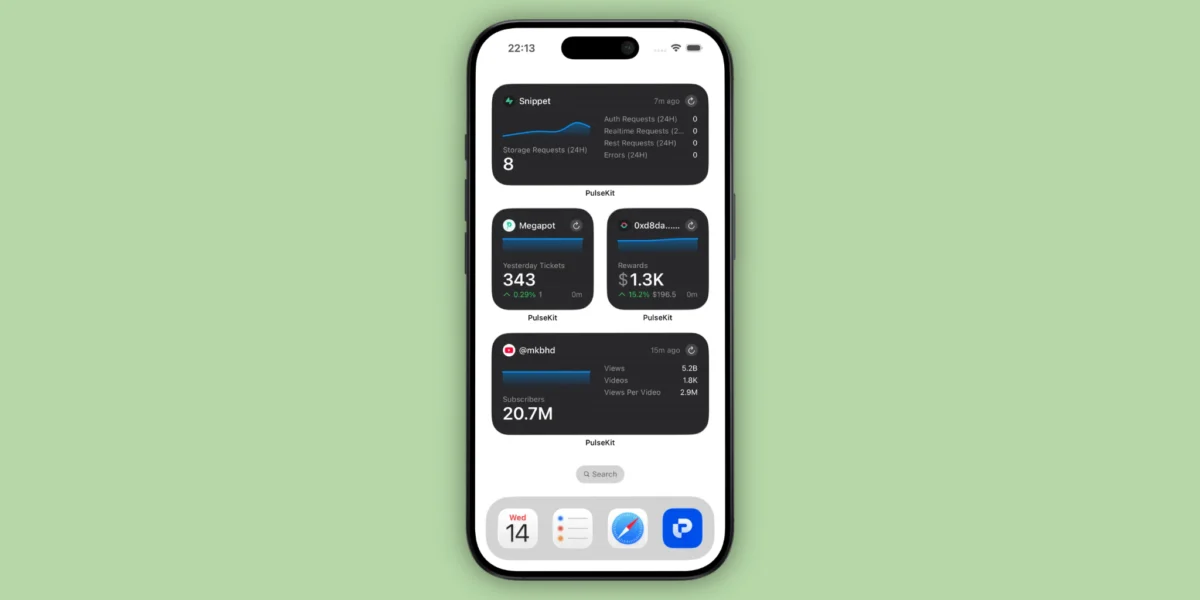
Welcome back to Indie App Spotlight, our weekly deep dive into the most innovative and impactful software emerging from the independent developer ecosystem. This week, we are shining a light on PulseKit, a powerful, unified analytics dashboard that promises to bridge the gap between complex data streams and the casual glance of an iPhone user.
In an era where creators, developers, and entrepreneurs are increasingly managing multiple revenue streams, traffic sources, and server environments simultaneously, the ability to synthesize this data is paramount. PulseKit arrives as a sophisticated solution, allowing users to aggregate performance metrics from dozens of disparate platforms into a single, cohesive ecosystem on their Apple devices.
Main Facts: What is PulseKit?
PulseKit is an all-in-one analytics aggregation tool designed specifically for the Apple ecosystem. At its core, it serves as a "control center" for digital performance. Whether you are an indie developer tracking App Store downloads, a content creator monitoring Patreon support, or a systems administrator keeping an eye on server uptime, PulseKit provides a centralized view of your metrics without requiring a single line of custom code.
The application’s primary value proposition is its seamless integration with the iOS/iPadOS/macOS/watchOS design language. By leveraging native widgets, PulseKit brings your most critical data points—your "pulse," so to speak—directly to your Home Screen, Lock Screen, and even the StandBy mode on your iPhone.
Key Capabilities at a Glance:
- Unified Dashboard: Aggregates data from over 30 popular platforms.
- Native Widget Support: Real-time data visualization on Lock Screens and Home Screens.
- Cross-Platform Harmony: Full compatibility across iPhone, iPad, Mac, and Apple Watch.
- Zero-Code Implementation: Connect your services via secure API keys without needing development expertise.
- StandBy Optimization: Transforms your iPhone into a professional-grade bedside or desk-side analytics monitor while charging.
Chronology: The Evolution of Data Monitoring
To understand why PulseKit is a significant development, one must look at the historical evolution of how builders track their work.

The Early Era (Pre-2015): In the early days of independent app development, monitoring performance was a fragmented, manual process. Developers had to log into individual portals—Google Analytics for web traffic, iTunes Connect for app sales, and separate dashboards for server health. This "tab-switching fatigue" often led to missed trends and delayed responses to critical service outages.
The Rise of API Economy (2015–2022): As platforms began exposing more robust APIs, early third-party dashboards emerged. However, many were designed for enterprise-level teams, carrying high price tags and steep learning curves. They were often web-based, lacking the immediacy and personal utility of a mobile-first experience.
The PulseKit Era (2026): PulseKit represents the maturation of the indie app space. By focusing on the "Builder" demographic—people who work across platforms like GitHub, Supabase, and Vercel—PulseKit optimizes for speed and visual clarity. Its release on iOS 18.6+ marks a new chapter where personal analytics are as accessible as checking the weather or a calendar, fundamentally changing the daily workflow of the modern digital entrepreneur.
Supporting Data: Why Aggregation Matters
The necessity for a tool like PulseKit is backed by the current landscape of the creator economy. Statistics indicate that the average digital creator now utilizes at least four different platforms to manage their business: one for content (YouTube/TikTok), one for community (Discord/Slack), one for code/hosting (GitHub/Vercel), and one for revenue (Gumroad/Patreon).
The "Switching Cost" Problem
Research into workplace productivity suggests that "context switching"—moving between different apps and browser tabs—can reduce productivity by as much as 40%. PulseKit directly addresses this by providing a "glanceable" interface. By moving data from the application layer (where you interact with the service) to the widget layer (where you simply observe the state), PulseKit reduces the cognitive load on the user.
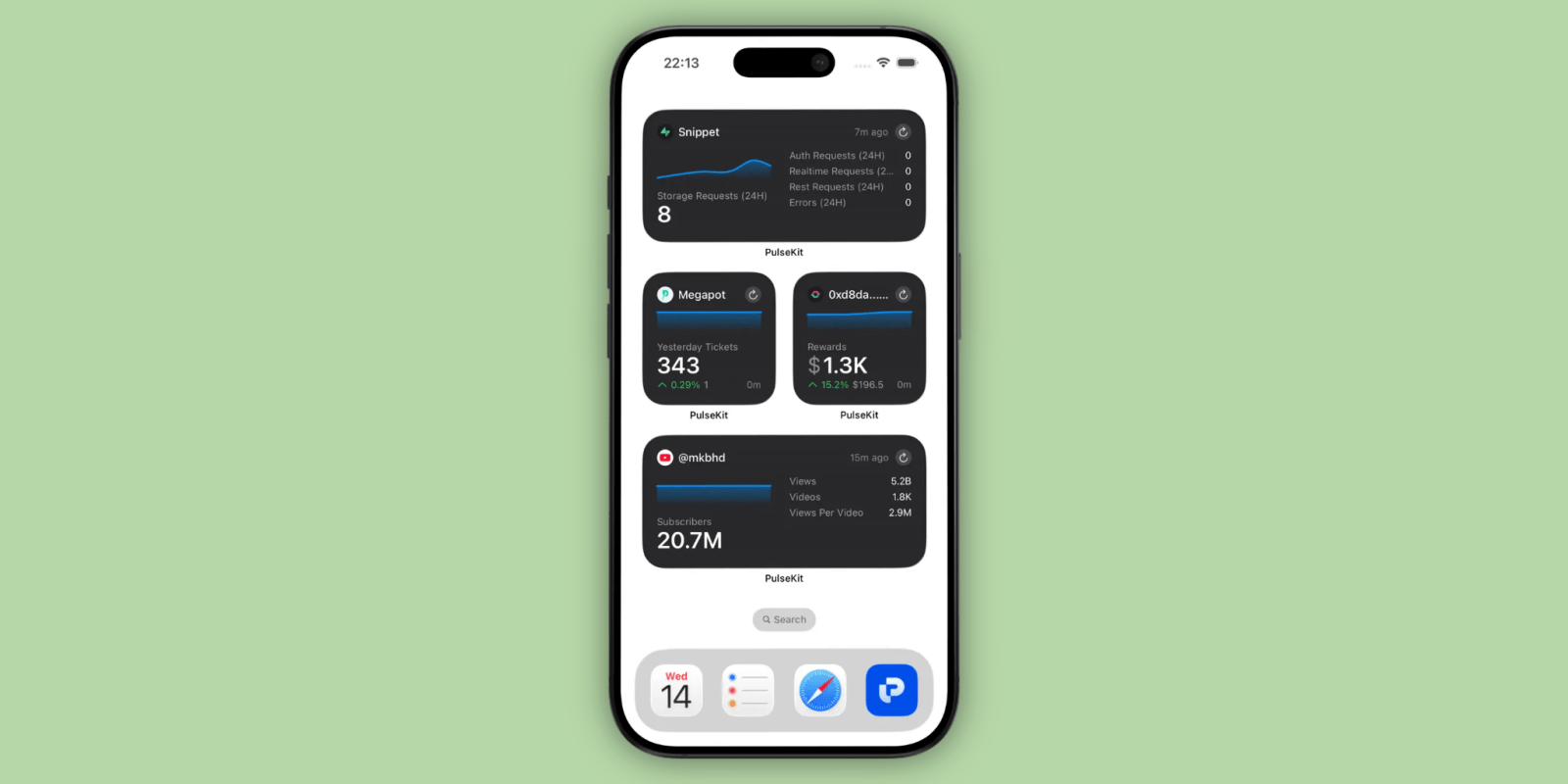
Supported Integrations
The application currently supports approximately 30 major services, a number the developers have indicated will grow based on user feedback. The current roster includes:
- Development: GitHub, Supabase, Vercel, Cloudflare.
- Commerce: Gumroad, Patreon, App Store Connect.
- Community: Discord, Product Hunt.
- Analytics: Google Analytics.
The ability to see a server’s "up" status from a glance at an Apple Watch while away from one’s desk is not merely a convenience—it is a critical fail-safe for those managing live, production-level environments.
Official Responses and Developer Vision
In discussions with the team behind PulseKit, the focus remains clear: "Democratizing access to data."
"We wanted to build something that felt like it belonged on the iPhone," says the lead developer. "Most dashboards feel like spreadsheets. We wanted PulseKit to feel like a dashboard in a high-end vehicle. It shouldn’t be about digging through rows and columns; it should be about knowing, in a single second, whether your business is trending up or if a server needs your attention."
The team has been highly responsive to the community regarding the roadmap. Unlike closed-source, rigid corporate software, PulseKit maintains an open feedback loop. If a user requires integration with a niche service, the developers have encouraged submission via their official support channels, prioritizing features that offer the most utility to the widest base of independent builders.

Implications: The Future of "Glanceable" Business
The success and utility of PulseKit suggest a broader shift in how we perceive professional software. We are moving away from the "deep-dive" software era toward the "glanceable" era.
1. The Rise of the "Personal Command Center"
PulseKit turns the iPhone into a personal command center. For developers, this means the end of "panic-checking" their email for server alerts. If the PulseKit widget on the Lock Screen remains green, the system is operational. This psychological benefit—the reduction of digital anxiety—is perhaps the app’s most understated feature.
2. Lowering the Barrier to Entry
By eliminating the need to write custom code or build private dashboards, PulseKit allows non-technical creators to access the same high-level data insights as professional data analysts. This levels the playing field, allowing a solopreneur to manage their traffic and revenue with the same precision as a startup.
3. Monetization and Sustainability
PulseKit operates on a freemium model. While the basic, limited capacity is available for free, the "Pulse Pro" tier ($5.99/mo or $59.99/year) unlocks the full potential of the widget ecosystem. This model ensures that the developers are incentivized to maintain the app and keep API connections updated—a critical necessity in the fast-moving world of third-party platform integrations.
How to Get Started
For those interested in integrating PulseKit into their daily workflow, the process is straightforward:

- Download: Visit the App Store on an iOS 18.6+ device to download PulseKit.
- Authenticate: Once installed, the setup wizard will guide you through connecting your first set of services. You will use secure tokens (API keys) provided by your services (e.g., your GitHub personal access token or your App Store Connect API key).
- Configure Widgets: Long-press on your Home Screen or Lock Screen to add a new widget. Select PulseKit and choose the specific metric you wish to track.
- Monitor: Arrange your dashboard to suit your priorities. Whether you prefer revenue metrics at the top or server uptime, the UI is highly customizable.
Final Thoughts
In a digital landscape that is increasingly noisy, PulseKit acts as a signal-to-noise filter. It does not replace the deep work of using these platforms, but it significantly enhances the efficiency with which we monitor our professional lives. For any builder, creator, or developer who feels the weight of managing multiple digital touchpoints, PulseKit is an essential addition to the utility belt.
As we look toward the future of iOS development, tools like PulseKit highlight the potential for the iPhone to serve as a genuine professional workspace, rather than just a communication device.
If you are an indie developer and would like to see your project featured in an upcoming installment of Indie App Spotlight, please reach out to our editorial team. We are always looking for the next tool that changes how we live, work, and create.
Technical Requirements:
- Operating System: iOS 18.6 or later.
- Pricing: Free for basic access; $5.99/month or $59.99/year for Pulse Pro.
- Availability: Global, via the Apple App Store.
Follow Michael on X/Twitter, Bluesky, and Instagram for ongoing updates on the indie app ecosystem.











