

Welcome to this week’s edition of Indie App Spotlight, our recurring series dedicated to surfacing the most innovative and practical solutions emerging from the independent developer community. Today, we turn our attention to a problem that plagues millions of remote workers, writers, and creative professionals: the "Feline Interference Phenomenon."
For those who share their home offices with a cat, the scene is all too familiar. You are in the middle of a high-stakes Zoom presentation or drafting an urgent email, and your feline companion decides that the warm, slightly vibrating surface of your MacBook keyboard is the perfect place for an afternoon nap—or a high-speed sprint. The result? Unintended Slack messages, accidental document deletions, and the occasional system setting modified by a well-placed paw.
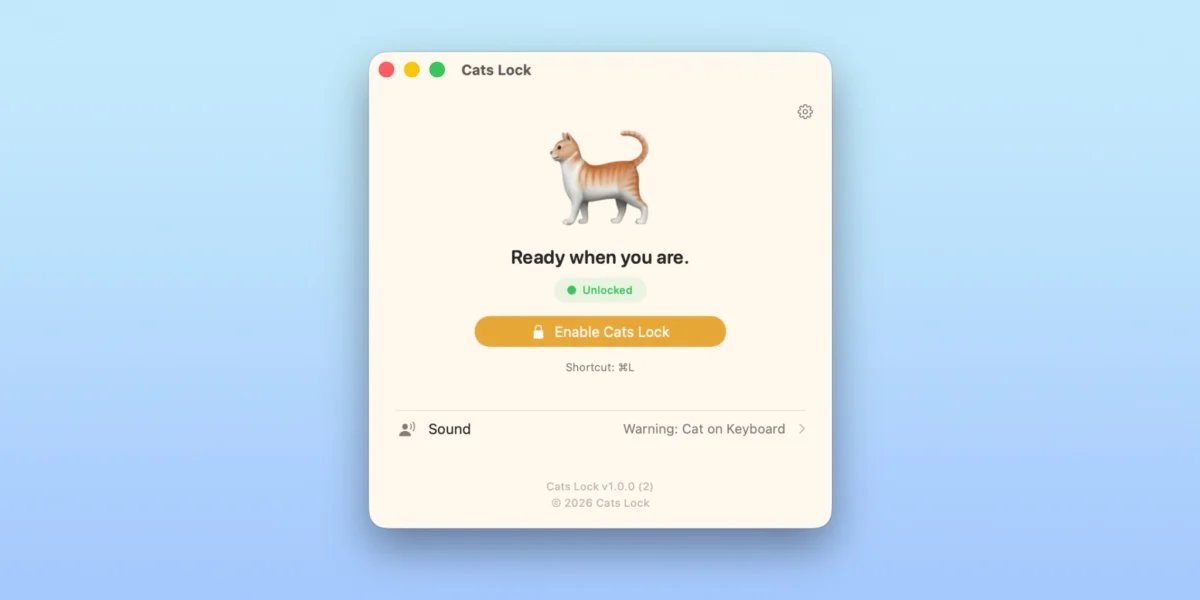
Enter Cats Lock, a new utility designed to grant you peace of mind and your cat the freedom to lounge without compromising your digital workflow.
Main Facts: What is Cats Lock?
At its core, Cats Lock is a highly specialized, lightweight utility designed specifically for macOS. Its primary function is simple but effective: it creates a digital "kill switch" for your keyboard, preventing any input from reaching the operating system while the app is active.

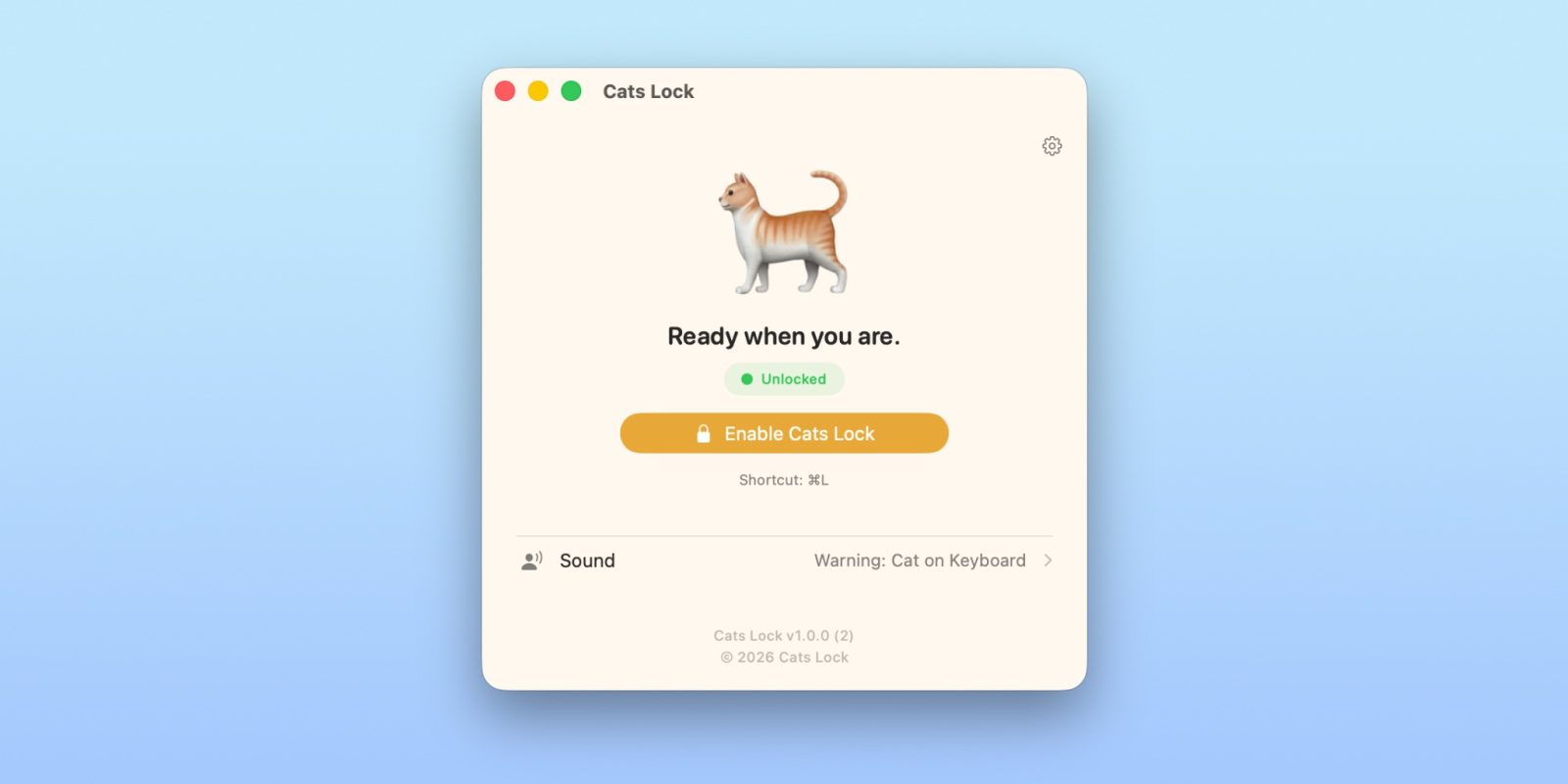
Unlike traditional screen lockers that force you to re-authenticate or wait for a sleep timer, Cats Lock is designed for the fluidity of the modern workspace. With a single command—Cmd + L—the keyboard becomes completely inert. You can allow your pet to walk, sit, or roll across your keys without fear of sending an incomprehensible string of characters to your boss or accidentally triggering a system-wide keyboard shortcut.
The application offers two distinct modes:
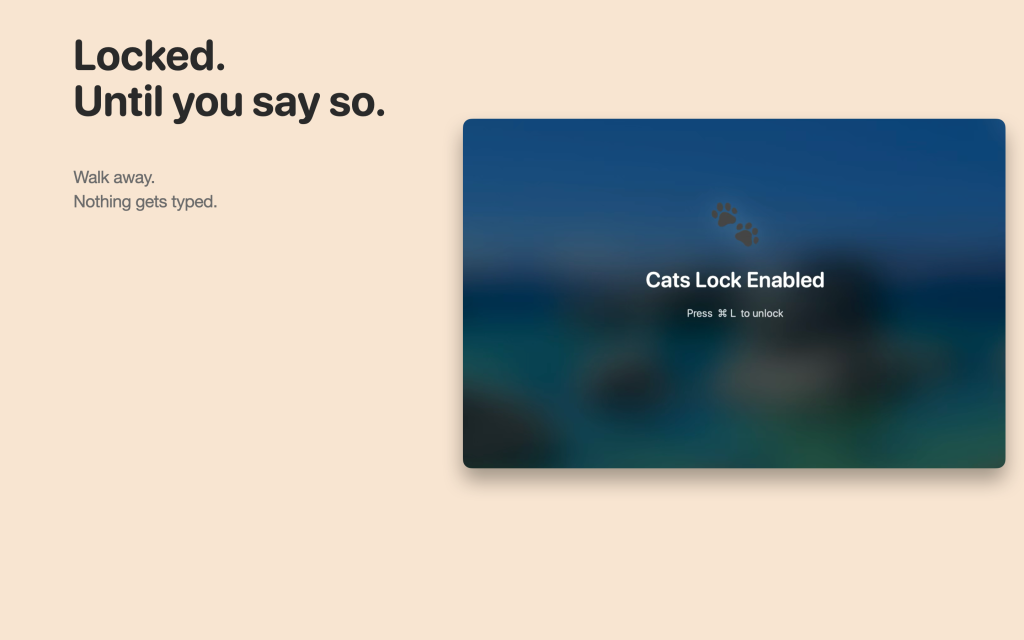
- The Default Mode: Provides a blurred screen overlay, signaling that the device is temporarily "off-limits" while simultaneously playing satisfying, customizable sound effects for every key pressed by your cat. This offers a whimsical way to acknowledge your pet’s "contributions" while ensuring no actual data entry occurs.
- The Stealth Mode: Tailored for professional settings, this mode disables the keyboard entirely without the visual blur or audio feedback. It is the perfect solution for keeping your workflow secure during meetings or when you need to step away from your desk for a moment without closing your active windows.
Chronology: The Evolution of Pet-Proofing Technology
The struggle between cats and computers is as old as the personal computing era itself. In the early 1990s, users relied on physical barriers—cardboard boxes placed strategically near the keyboard or, more crudely, simply removing the cat from the room.
However, as the "Work From Home" (WFH) era accelerated in the 2020s, the intersection of feline behavior and professional productivity reached a breaking point. The development of Cats Lock marks a significant milestone in this timeline.
- The Early Era (2000–2015): The rise of forums and social media saw the birth of the "cat on keyboard" meme. Solutions were largely physical or anecdotal, with little software support for the specific issue of inadvertent input.
- The Rise of Remote Work (2020–2022): With the global shift to remote work, the frequency of "cat-induced incidents" during professional calls spiked. Developers began experimenting with basic scripts to disable input, but these were often difficult for the average user to implement.
- The "Indie" Innovation (2024–2025): Small-scale developers began recognizing the market demand for a polished, user-friendly, and privacy-conscious solution.
- The Launch of Cats Lock (2026): By providing a dedicated, App Store-vetted, and privacy-first solution, Cats Lock professionalized the market for pet-friendly computing tools. It moved the conversation from "how to hide from your cat" to "how to coexist with your cat while remaining productive."
Supporting Data: Why This Matters
While the premise may seem humorous, the underlying data regarding the impact of distractions in the workplace is serious. Research suggests that a single interruption can take a professional upwards of 23 minutes to return to a state of "deep work." When those interruptions are caused by a pet triggering system-level commands, the risk extends beyond simple time loss—it involves potential data loss, security risks in chat applications, and unnecessary stress.
- Privacy and Security: In an age where privacy is paramount, leaving a computer unattended with a pet could lead to accidental exposure of sensitive information. A locked input state ensures that even if a cat steps on a "Send" button, nothing happens.
- Efficiency: For power users who utilize complex keyboard shortcuts, accidental triggers can disrupt system settings. Cats Lock functions as a firewall against these hardware-level disruptions.
- User Adoption: Early reviews of the app indicate a high satisfaction rate among users who value both their pets and their productivity. The "one-time purchase" model has also been praised for its transparency in a software market currently saturated with recurring subscription fatigue.
Official Responses and Developer Philosophy
We reached out to the development team behind Cats Lock to understand the philosophy behind the app’s design. According to the lead developer, the goal was never to restrict the cat, but to create a symbiotic environment.
"We didn’t want to create something that feels like a prison for the computer," the developer noted. "We wanted to create a tool that feels like a natural extension of the Mac experience. The inclusion of the menu bar toggle was a direct result of user feedback, as many people wanted a mouse-only way to secure their machine when they’re away from the keyboard."
Furthermore, the team emphasized their commitment to privacy:
- Tracking-Free: The app contains no analytics or trackers.
- Sandboxed: The application is fully sandboxed, ensuring it cannot access personal files or network data, adhering to the highest standards of Apple’s security guidelines.
- Sustainable Pricing: At $2.99, the app represents a clean, one-time investment. There are no "Pro" tiers, no hidden subscriptions, and no advertisements—a refreshing change of pace in the modern App Store landscape.
Implications: The Future of Pet-Tech Integration
The success of Cats Lock signals a broader trend in software development: the rise of "Life-Context Apps." These are tools that don’t just solve a technical problem but solve a human (or human-plus-pet) problem.
As more companies adopt permanent remote or hybrid work models, the lines between our personal lives and our professional tools will continue to blur. Developers are increasingly tasked with creating software that accounts for the reality of our home environments. Whether it’s noise-cancellation software that filters out barking dogs or keyboard-lock utilities that account for roaming pets, the future of productivity software is inherently domestic.
The Verdict
If you are a Mac user who finds yourself constantly apologizing to colleagues for a "cat-sent" message, or if you simply want to enjoy a cup of coffee while your cat enjoys your desk, Cats Lock is an essential utility. It is a rare example of a niche application that performs its duty with elegance, security, and a touch of wit.
How to get started:
Cats Lock is available now on the Mac App Store for a one-time fee of $2.99. It requires minimal system resources, making it a perfect addition to your menu bar without impacting performance, even on older MacBook models.

By investing in tools like Cats Lock, we aren’t just protecting our keyboards—we’re preserving our peace of mind, ensuring that our pets remain our best friends, even when they decide to "help" us with our work.
This article is part of our weekly Indie App Spotlight series. If you are an independent developer with a unique, high-quality Mac or iOS application, please reach out to our team via the contact links on our author page to be considered for a future feature.
FTC: We use income-earning auto-affiliate links. More details on our editorial policy can be found in our About section.












No comments yet. Be the first to join the conversation!