

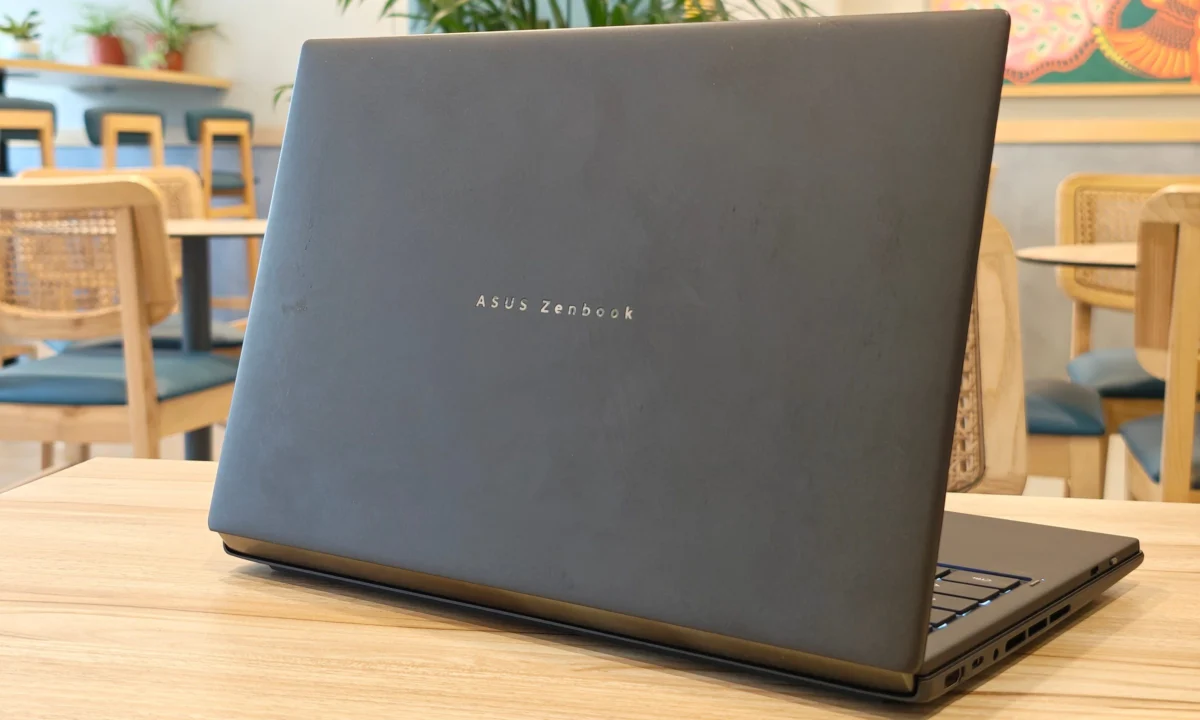
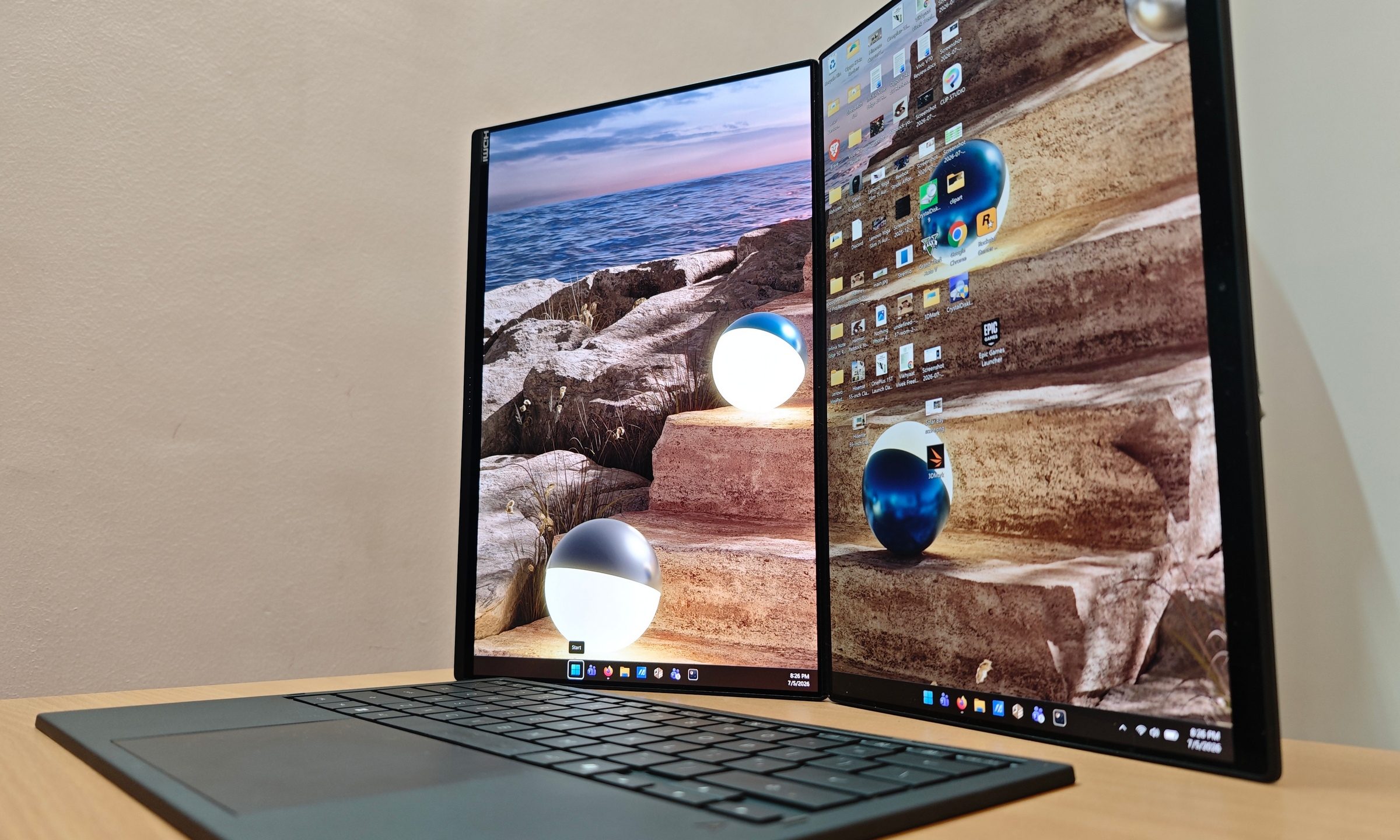
For years, the "dual-screen laptop" was a concept relegated to the realm of expensive, experimental prototypes—solutions searching for a problem that didn’t quite exist. ASUS, however, has spent the last several iterations of the Zenbook Duo lineup methodically dismantling that skepticism. With the release of the 2026 ASUS Zenbook Duo (UX8407AA), the company has moved past the "gimmick" phase. This is no longer a science experiment; it is a refined, highly functional workstation designed for a specific, demanding user base.

After putting the UX8407AA through two weeks of rigorous daily testing, one realization becomes clear: once you experience the convenience of a secondary display integrated directly into your portable workflow, returning to a single-screen laptop feels inexplicably restrictive.

Main Facts and Market Positioning
The ASUS Zenbook Duo UX8407AA arrives as an ultra-premium productivity machine. Priced at an MSRP of $2,499.99, it occupies the upper echelon of the laptop market.
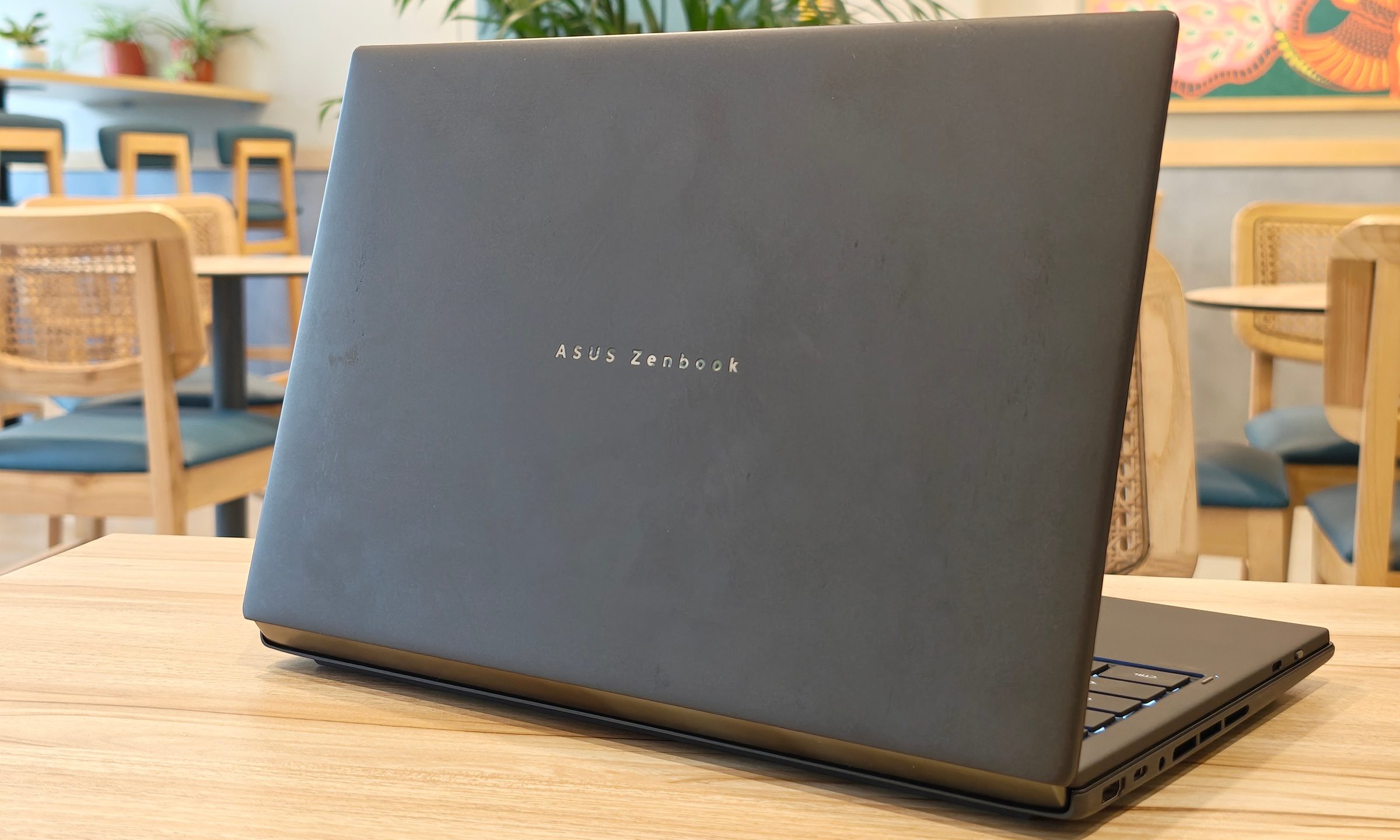
Core Specifications:
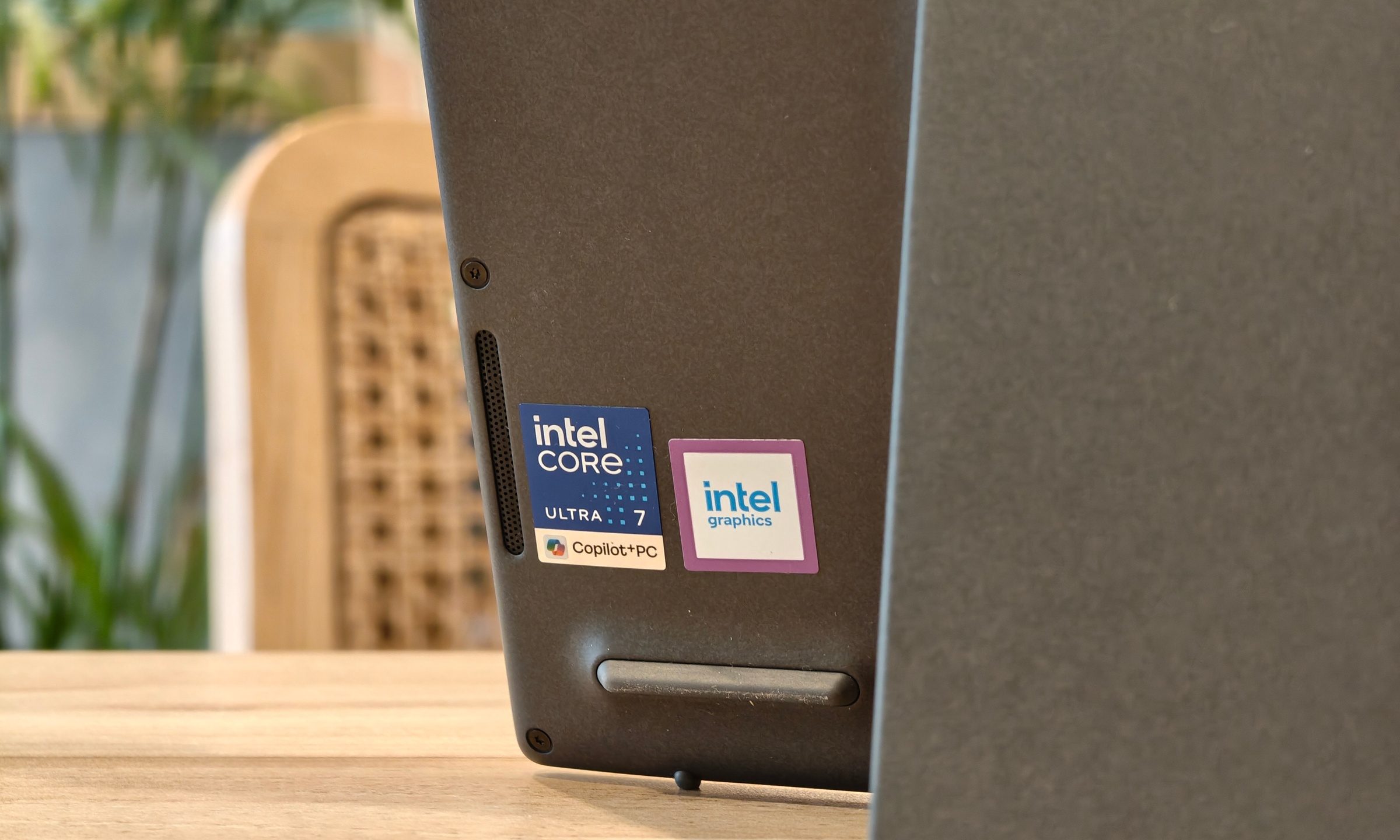
- Processor: Intel Core Ultra 7 355 (8 cores, up to 4.7GHz)
- Memory: 32GB LPDDR5X
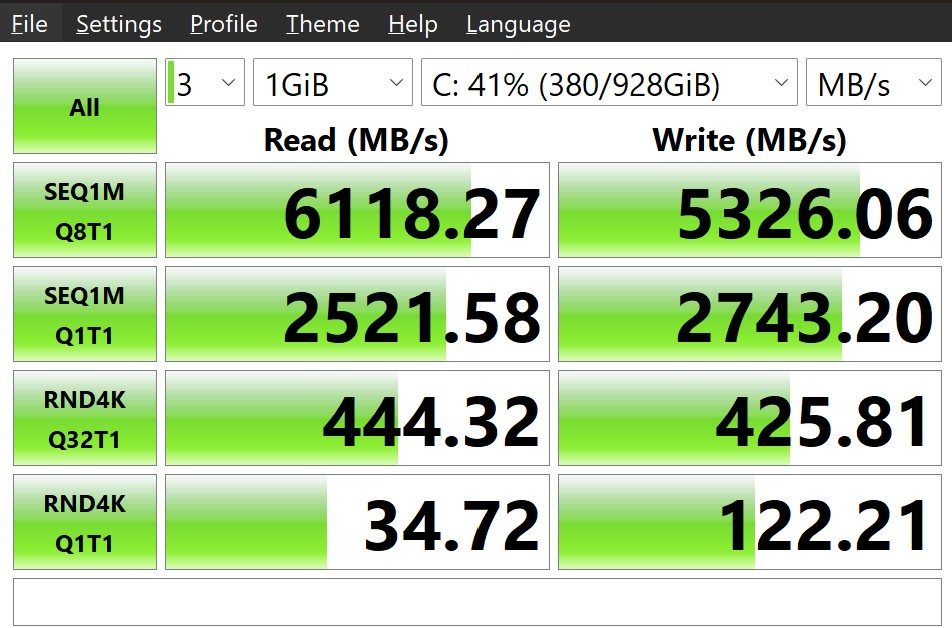
- Storage: 1TB PCIe 4.0 NVMe SSD
- Graphics: Intel integrated Arc graphics
- Displays: Dual 14-inch 2880 x 1800 OLED touchscreens (144Hz, 500 nits SDR, 1,000 nits peak HDR)
- Weight: 1.65kg (with keyboard)
The device is constructed from ASUS’s proprietary "Ceraluminum"—a material that blends the structural rigidity of aluminum with a ceramic-like finish. While it is undeniably heavier than a standard ultrabook, the design is a feat of engineering that essentially functions as a portable desktop-class workstation.
Chronology: The Evolution of the Duo
The journey to the 2026 model has been defined by a series of iterative refinements rather than radical pivots.

- The Early Days: The initial Zenbook Duo iterations were often hampered by awkward ergonomics and software that struggled to handle the second display effectively.
- The 2024 Breakthrough: The previous generation introduced the detachable keyboard and the built-in kickstand, establishing the fundamental "workspace" form factor that proved the design was viable.
- The 2026 Refinement: The current UX8407AA polishes the rough edges. ASUS has improved the hinge stability, increased the battery capacity to a massive 99Wh, and bumped the display refresh rate to 144Hz, making the interaction between the two screens feel fluid and native rather than forced.
Supporting Data: Performance and Ergonomics
The Zenbook Duo is a productivity beast, but it has a clear performance ceiling. Our testing reveals a machine that excels in multitasking but falls short of high-end gaming or heavy 3D rendering workstations.
Benchmarking Results
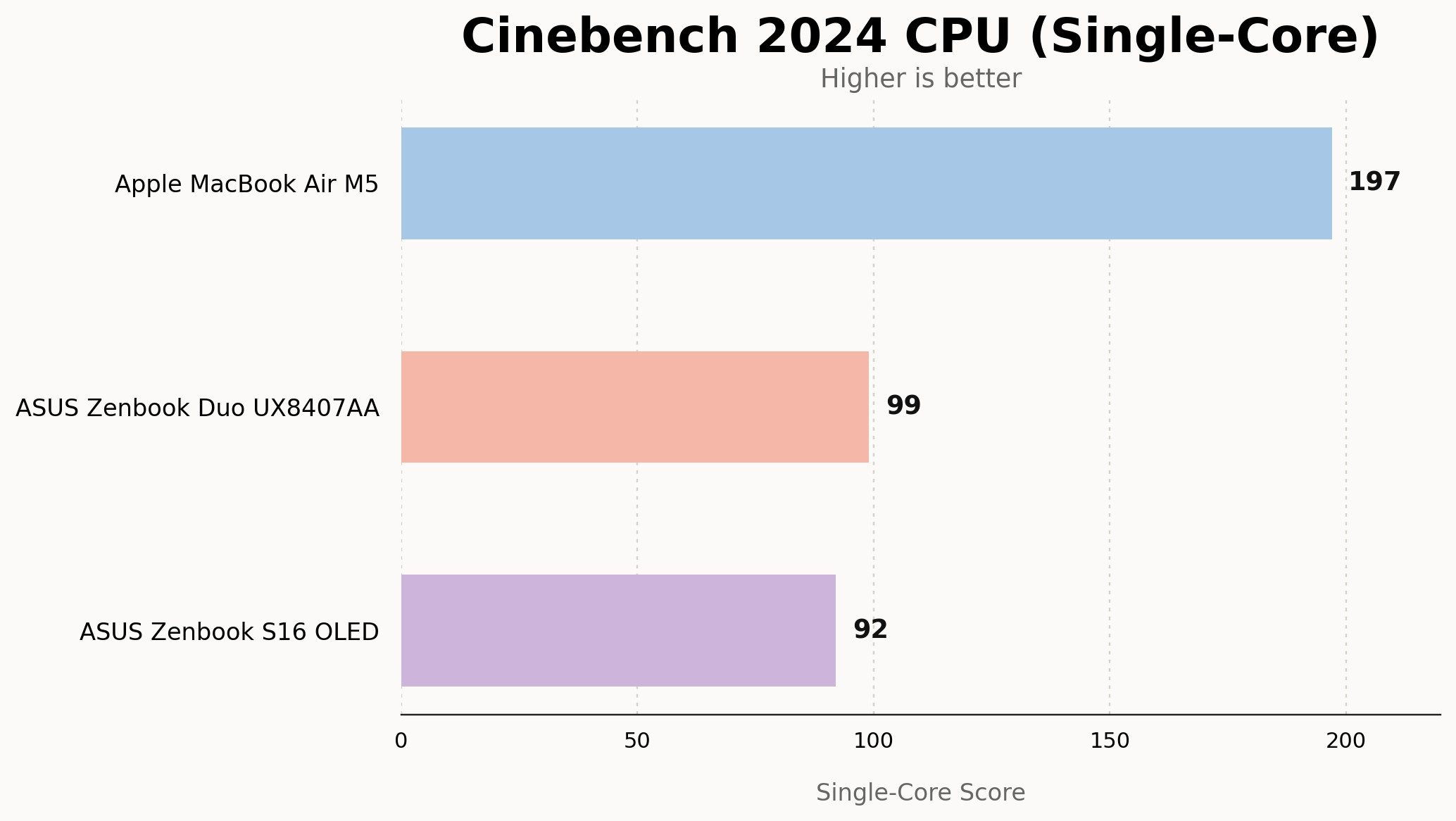
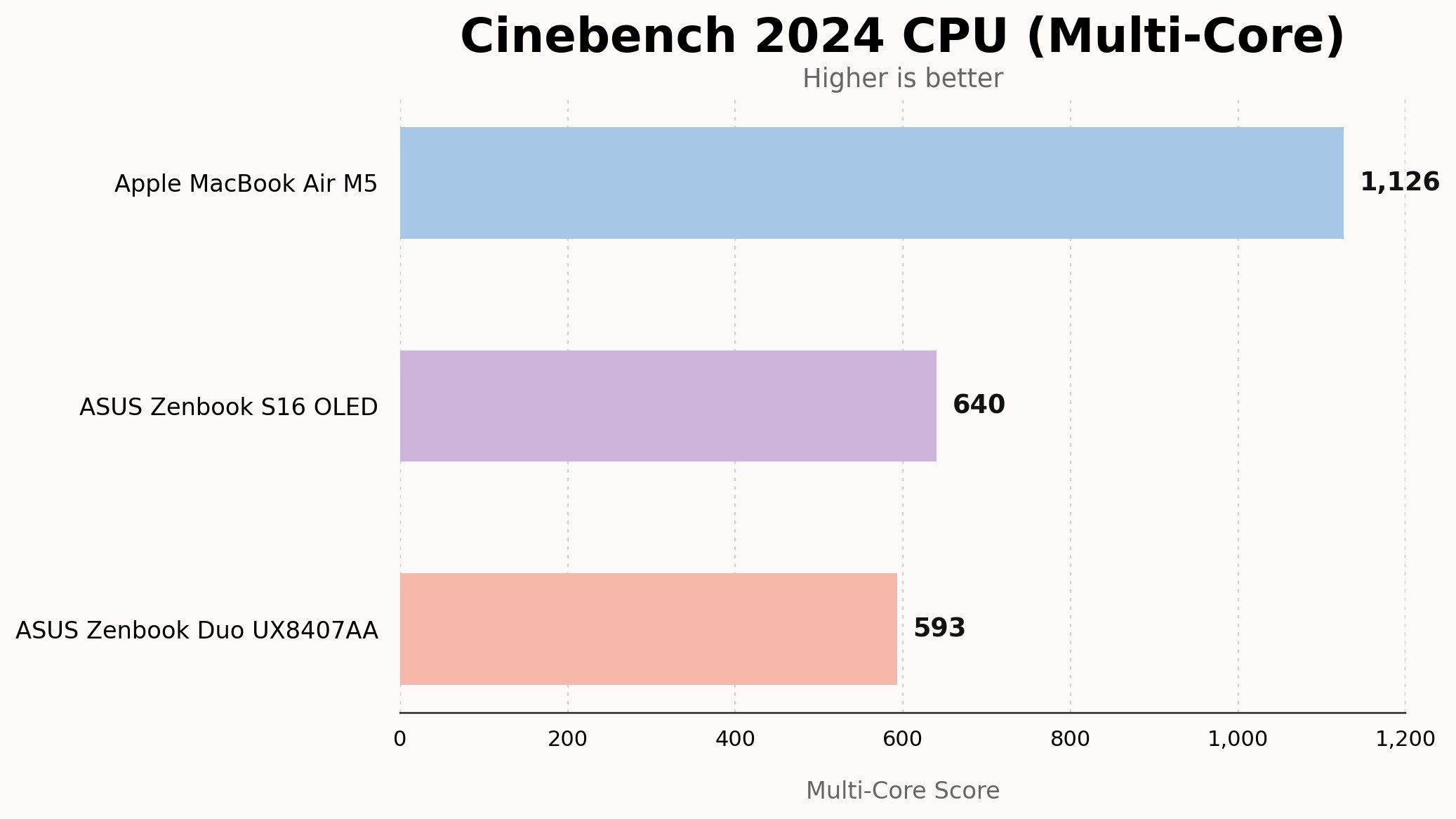
In Geekbench 6, the device recorded a single-core score of 2,736 and a multi-core score of 11,310. While these are respectable figures for a thin-and-light form factor, they trail behind Apple’s M5 MacBook Air. In Cinebench 2024, the Duo scored 99 (single-core) and 593 (multi-core), placing it in the same tier as the ASUS Zenbook S16.
The Graphics Limitation
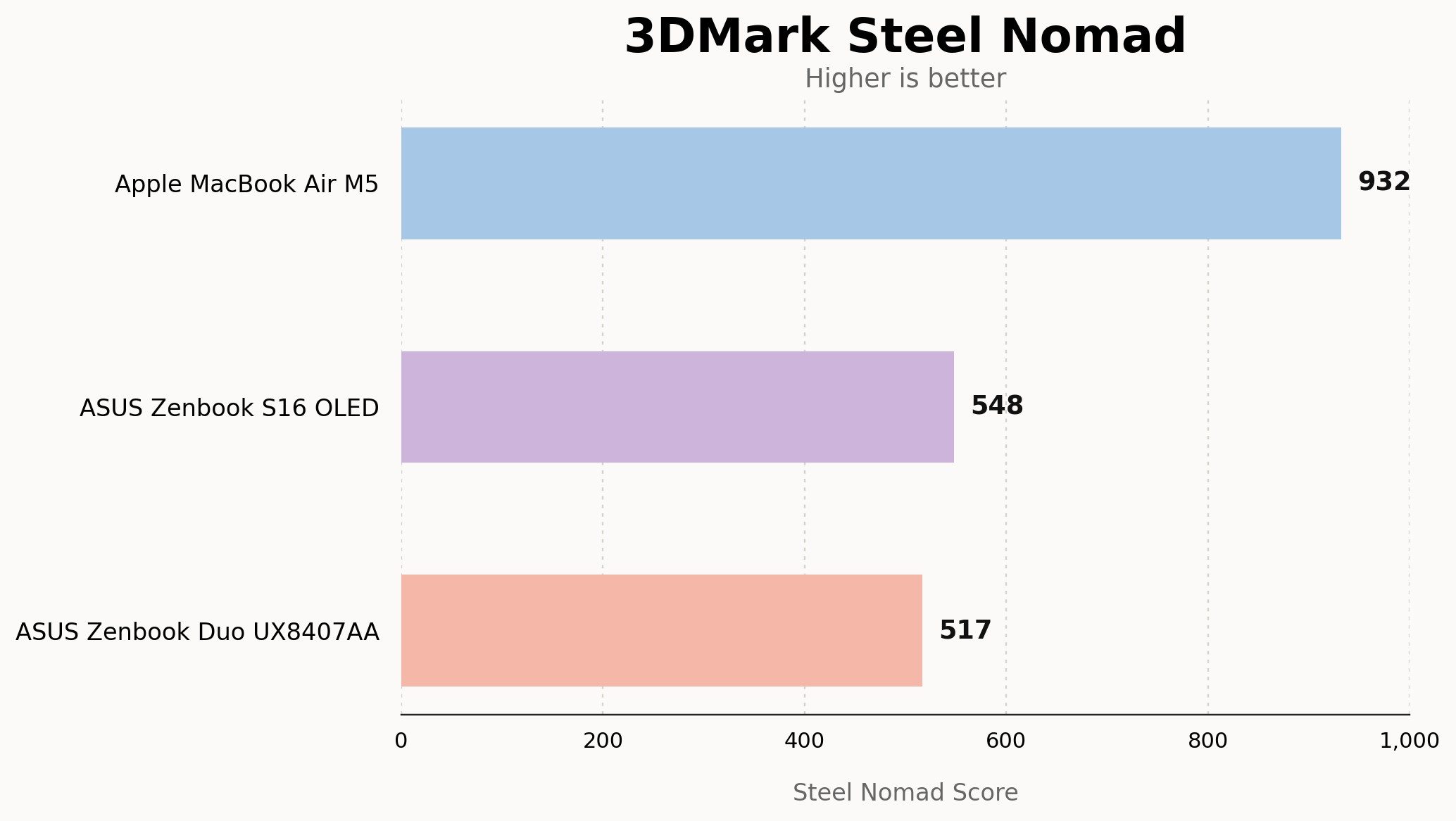
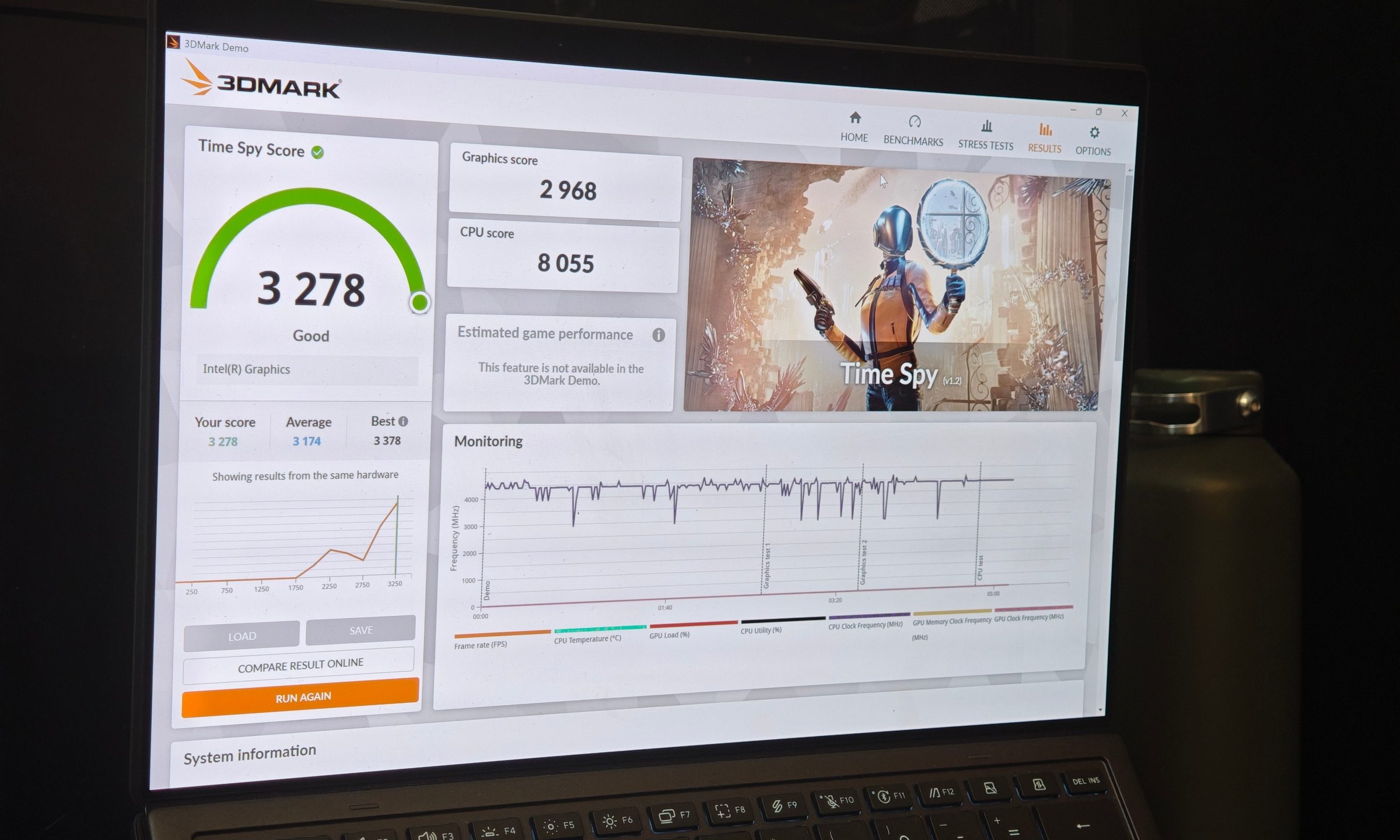
The most significant point of contention for a $2,499 device is the graphics capability. Relying on integrated Intel Arc graphics, the machine managed a 3DMark Time Spy score of 3,278. While this is sufficient for photo editing, light video production, and office-based creative work, it struggles with modern gaming or intensive ray-tracing tasks. In our test of GTA V at native resolution, the device required significant settings adjustments to maintain a consistent framerate.
Thermal and Power Efficiency
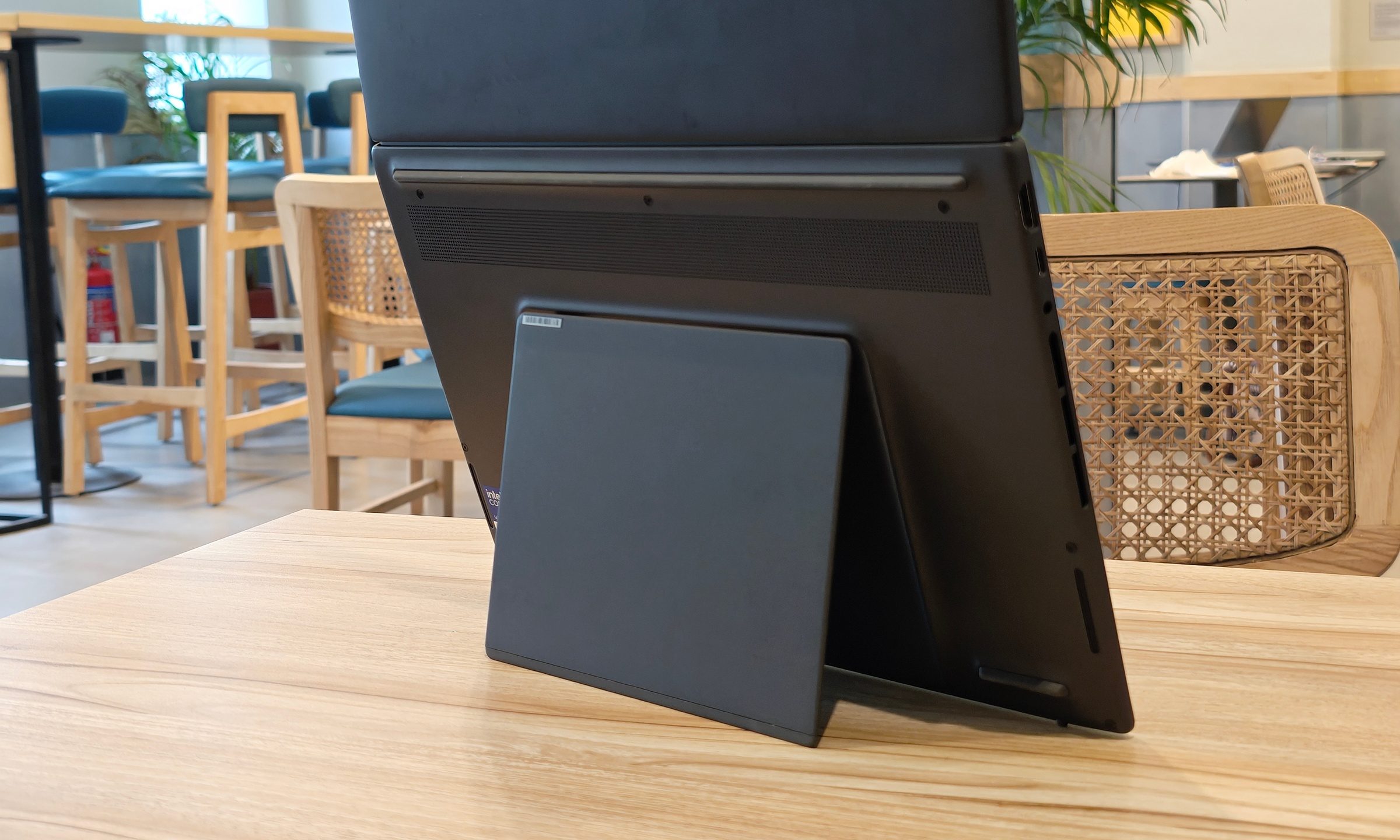
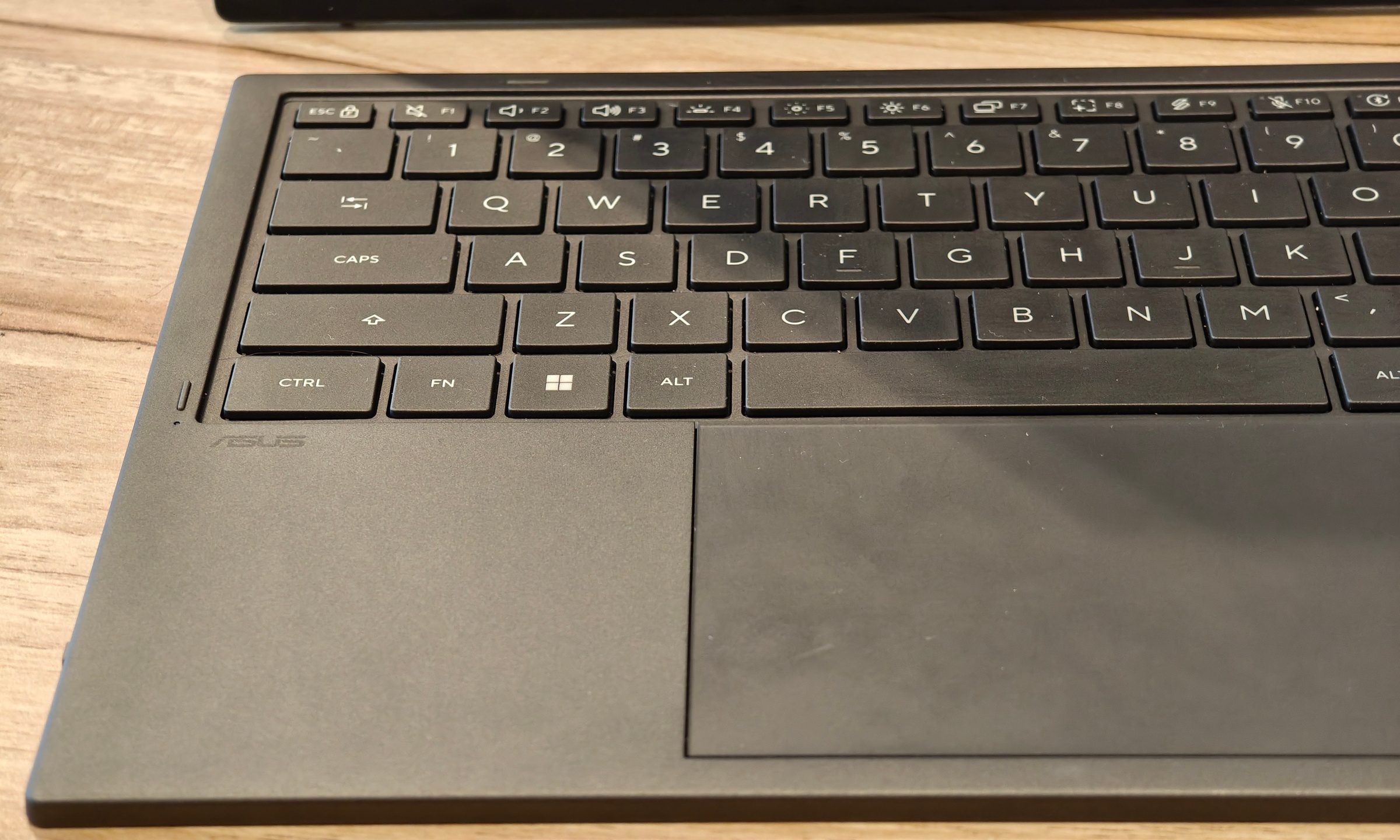
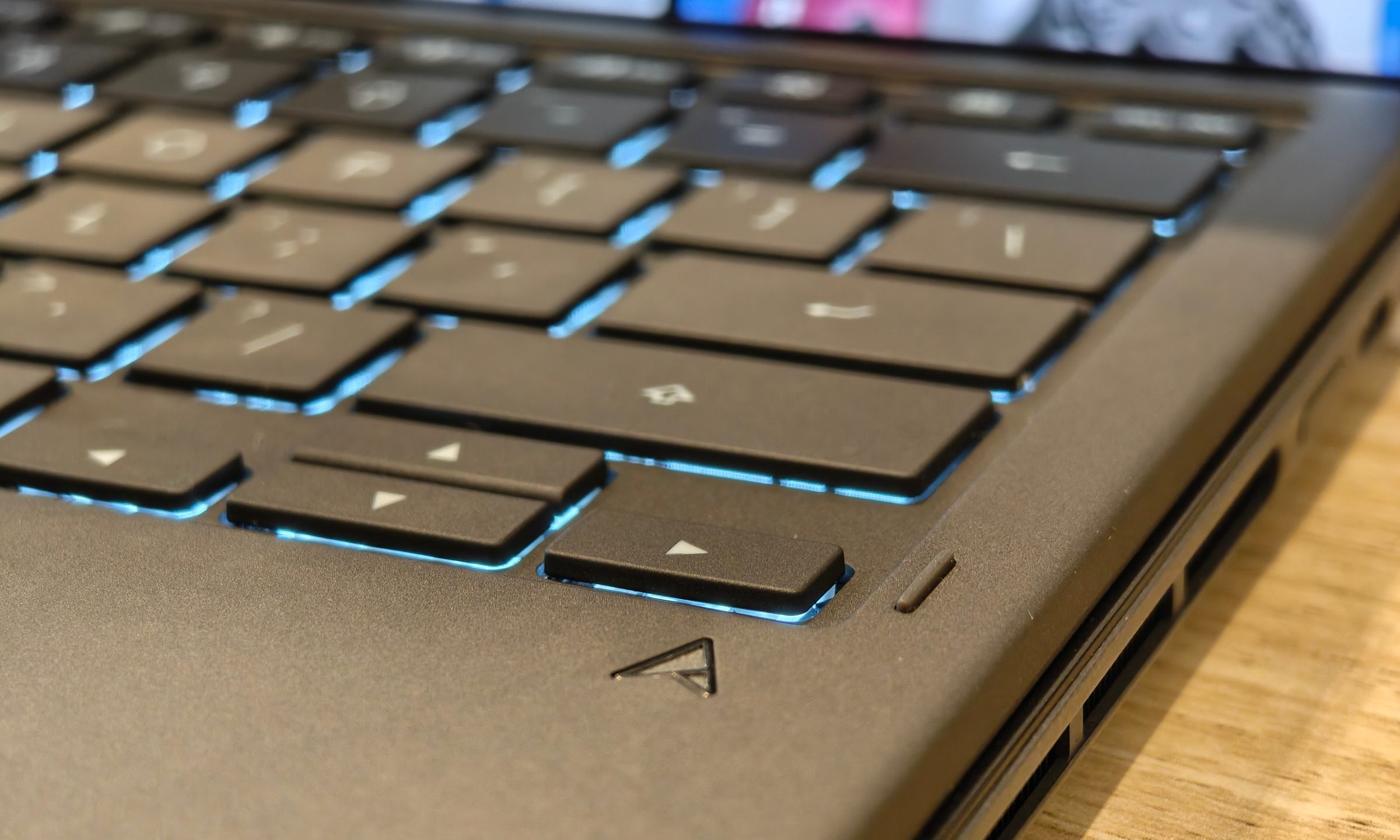
Thermal management is surprisingly competent. The kickstand design lifts the chassis, significantly improving airflow. During standard operation, temperatures hover around 50°C. Under intense stress, the internal fans become audible, and the lower display can become warm to the touch. However, the detachable keyboard acts as a thermal buffer, ensuring the user’s hands remain comfortable even when the processor is pushed to its limits.
Official Perspective: The "ScreenXpert" Philosophy
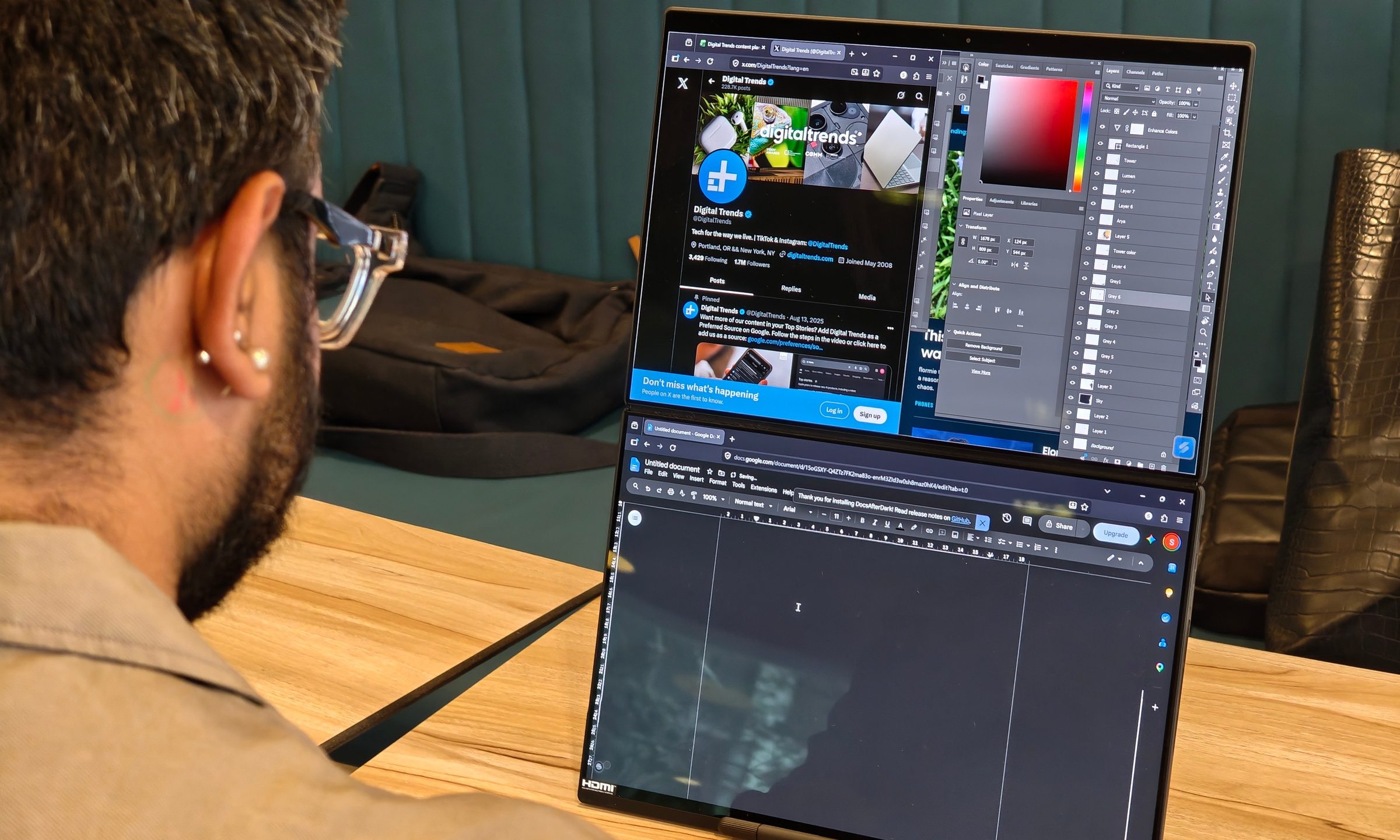
ASUS has leaned heavily into software integration to justify the dual-screen form factor. The proprietary ScreenXpert software is the backbone of the experience. It manages window snapping, display orientation, and the seamless transition between the "single-screen" laptop mode and the "dual-screen" workspace.
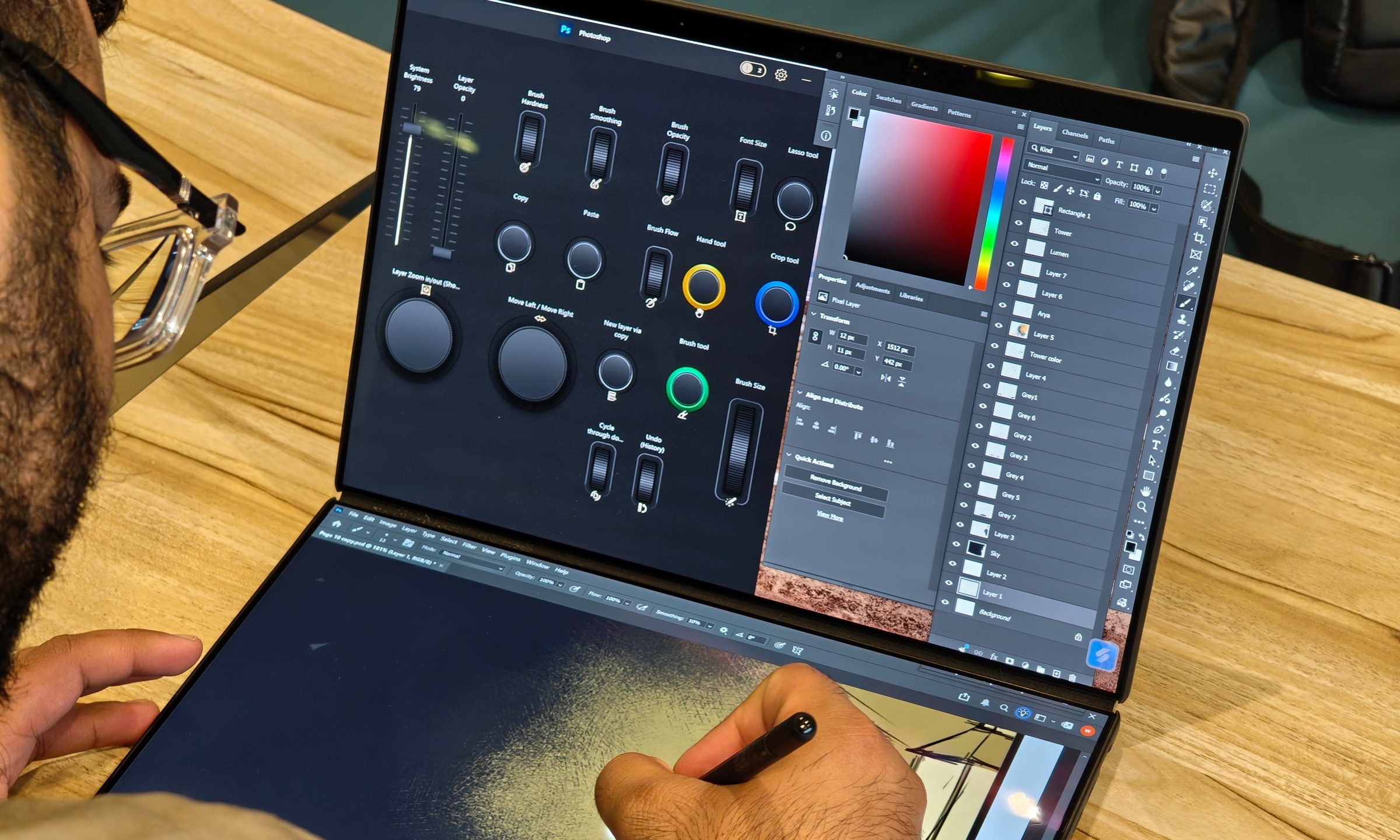
According to ASUS’s product design team, the goal of the 2026 iteration was to remove the "cognitive friction" associated with multi-monitor setups. By enabling the user to drag windows across the hinge gap without stuttering, the software makes the dual-screen setup feel like a single, expanded canvas. During our testing, these transitions were smooth 95% of the time, with only rare, momentary pauses while the system recalibrated resolution.
Implications: Who is this for?
The ASUS Zenbook Duo is a niche, yet essential, tool for a specific professional demographic.
The Target Audience
- Digital Creators: Photographers and illustrators can use the second screen for tools, palettes, and reference materials, leaving the primary screen dedicated to the canvas.
- Developers and Analysts: The ability to keep documentation or code on one screen and the IDE/spreadsheet on the other—without switching windows—drastically increases efficiency.
- Mobile Professionals: For those who frequently travel, the Duo replaces the need to carry a separate portable monitor, a keyboard, and a laptop stand.
The Verdict
Should you buy it? If your workflow relies on constant window-shuffling, the answer is a resounding yes. The productivity gains from having a secondary, touch-enabled screen are immediate and addictive.
However, if your primary goal is raw gaming performance or high-end video rendering, the $2,499 price tag is a hard sell. For those users, a standard, more powerful laptop paired with a dedicated GPU—or the Apple MacBook Air—remains the more logical and cost-effective path.
Final Thoughts
The 2026 Zenbook Duo is a testament to the idea that hardware innovation matters. By focusing on the user experience—specifically the interaction between the software and the physical screens—ASUS has created a device that feels like a glimpse into the future of mobile computing. It is a bold, polished, and genuinely useful machine that proves the dual-screen dream is finally a reality.
How We Tested
Our review was conducted over 14 days of intensive real-world use. We tested the UX8407AA in every available configuration: conventional laptop mode, vertical dual-screen mode, and portrait orientation. Battery life was tested at 60% brightness and 144Hz, reflecting typical heavy usage. Synthetic benchmarks (Geekbench, Cinebench, 3DMark) were performed while the unit was plugged into the provided 100W USB-C charger, with Windows set to "Best Performance" mode. Our findings confirm that while the device is not a gaming powerhouse, it is arguably the most capable productivity tool currently available for mobile professionals.











