

In the early days of personal computing, the digital landscape was a wild frontier. The mere mention of a "virus" was enough to send a chill down the spine of any enthusiast, often conjuring images of corrupted boot sectors and lost data. Today, the threat landscape has shifted from hobbyist-driven pranks to sophisticated, state-sponsored cyber-espionage and industrial-scale ransomware operations. As we navigate the midpoint of 2026, we find ourselves asking: In an era of integrated, AI-driven security, what does it truly mean to "protect" your computer?
This week, we are diving deep into the habits, tools, and philosophies of our community. Do you rely on the built-in fortifications of modern operating systems, or do you still feel the need for an extra layer of third-party armor?
The Evolution of the Defender: From Beta to Industry Standard
For decades, the "expert" consensus was clear: Windows’ built-in security was, at best, a placeholder—a bare-bones utility that needed to be immediately replaced by a robust third-party suite. However, the narrative has shifted dramatically.
Windows Defender, which first emerged as a public beta for Windows XP in 2006, has undergone a metamorphosis. What was once considered a secondary tool is now the most widely deployed security solution on the planet. According to our community data from two years ago, nearly 75 percent of our readership had abandoned external antivirus (AV) solutions in favor of the default Windows protection.
This shift is not merely due to convenience. Microsoft has integrated security directly into the kernel level of the operating system, leveraging cloud-based telemetry and massive global threat intelligence to catch emerging malware before it can gain a foothold. But as we reach mid-2026, we want to know if this trust is still warranted. Have the recent advancements in AI-driven malware detection shifted your stance, or do you remain a proponent of specialized security vendors?
Expertise and Behavior: Is "Common Sense" Enough?
There is a persistent school of thought among power users that the best antivirus is a well-informed user. This argument suggests that if you avoid suspicious downloads, use an ad-blocker, and steer clear of questionable corners of the internet, you are effectively immune to infection.
However, the reality of modern cybersecurity is far more complex. While user behavior remains the most critical "human firewall," the sophistication of modern exploits—such as zero-day vulnerabilities in browsers, compromised supply chains, and malicious scripts embedded in legitimate advertisements—means that even the most cautious user can fall victim.
We want to explore this friction: Do you believe your digital hygiene is a foolproof substitute for active, real-time protection? Or do you recognize that, regardless of how careful you are, you are essentially one accidental click away from a compromised system?
The Hardware-OS Synergy: TPM, Secure Boot, and Beyond
Modern Windows environments are increasingly reliant on hardware-backed security. Technologies like Secure Boot, the Trusted Platform Module (TPM), and features such as Memory Integrity (Hypervisor-Protected Code Integrity) are designed to make it exponentially harder for rootkits and boot-level malware to survive a reboot.
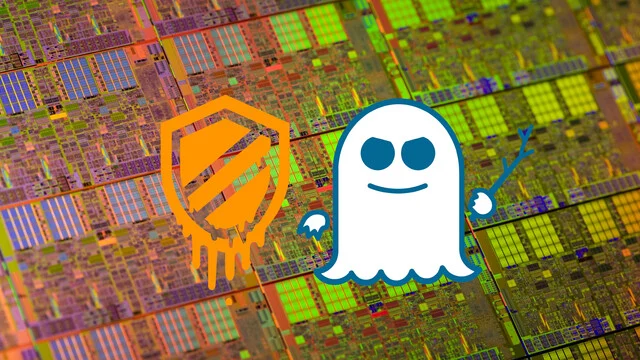
Yet, these features come with a cost. In the eyes of many enthusiasts, these security measures are often viewed with skepticism. They are frequently accused of impacting system performance, particularly in high-performance gaming or workstation scenarios. We’ve seen this debate play out before with CPU vulnerabilities like Meltdown and Spectre, where the patches required to secure hardware inevitably led to performance regressions.
Are you running a "hardened" system with every security toggle enabled, or are you willing to trade a marginal increase in security for raw, unencumbered performance? Have you manually tweaked your BIOS or Windows registry to bypass these checks, and if so, what is your justification for doing so?
The Principle of Least Privilege: Managing Admin Rights
One of the oldest mantras in computer security is the "Principle of Least Privilege." It dictates that a user should only have the minimum level of access required to perform their job. Under Windows, this means running as a standard user for daily tasks and elevating to Administrator status only when absolutely necessary.

Despite this, many users—especially those who grew up in the era of Windows XP or who prioritize convenience—continue to run as permanent Administrators. This practice effectively gives any malware that manages to execute the same "keys to the kingdom" that you possess.
In this year’s survey, we are specifically looking at how our community manages these rights. Are you strict about using standard user accounts, or does the constant prompt of User Account Control (UAC) drive you to keep your admin privileges active at all times?
A Retrospective: Have You Been Compromised?
History is the greatest teacher. For many of our readers, the "last infection" is a distant memory—a relic of the Windows 7 or even the Windows XP era. But for others, the threat is more contemporary.
We are interested in your personal track record. If you have been compromised in the last three years, how did it happen? Was it a sophisticated phishing attack, a drive-by download, or perhaps a piece of "cracked" software that carried an unwelcome payload?
Understanding the "how" is crucial to preventing the "what" from happening again. If you have a story of a system compromise—whether it was a minor annoyance or a catastrophic loss of data—we invite you to share the details in the comments. Your experiences serve as a vital case study for the rest of the community.
Implications for the Future of Security
The goal of this inquiry is not to shame those who have been infected, nor to promote one specific vendor over another. Rather, we want to map the current state of digital literacy and security posture within our community.
As we look toward the future, we see an operating system that is becoming increasingly proactive. Windows 11 and its successors are moving toward a "zero-trust" model, where every process is verified and every hardware component is authenticated. This shift has massive implications for the enthusiast market, where the ability to "tinker" and control every aspect of the OS is highly valued.
If the OS becomes a "black box" of security, do we lose the agency we once had? Or is this the necessary evolution to protect an increasingly vulnerable global population from the threats of 2026 and beyond?
Participation and Community Insights
We encourage you to participate in our ongoing poll, which will remain open for 30 days. Your voice helps us create a longitudinal study of our community’s preferences and habits.
To those who feel that our poll options are too restrictive: please, take to the forums. The "Sonntagsfrage" (Sunday Question) is not just a statistical exercise; it is a platform for deep, nuanced discussion. Whether you are an advocate for third-party suites like Bitdefender or Kaspersky, or a staunch defender of the built-in Microsoft solution, your reasoning is what makes this community unique.
How to Get Involved
- Vote in the Polls: Navigate to the top of this article to cast your vote on current security software usage, hardware security features, and administrative account habits.
- Comment Below: Share your personal experiences. Did you once lose a drive to ransomware? Have you ever had to reinstall Windows from scratch because of a rootkit? We want to hear the technical details of your recovery.
- Engage with Others: Respond to fellow readers. If you disagree with someone’s security philosophy, do so with evidence and civil discourse.
A Note on Our Methodology
The data collected in these Sonntagsfragen serves a singular purpose: to visualize the shifting trends and technical preferences of our readership. We operate with complete transparency; there is no financial or commercial motive behind these surveys, and we do not share your data with third parties. This is, and always will be, a community-driven initiative intended to foster knowledge and spark discussion.
Your participation is what keeps this tradition alive. We look forward to reading your thoughts and analyzing the results as they roll in over the next month. Stay safe, stay informed, and let us know: how do you keep your digital fortress secure?










No comments yet. Be the first to join the conversation!