Lina Irawan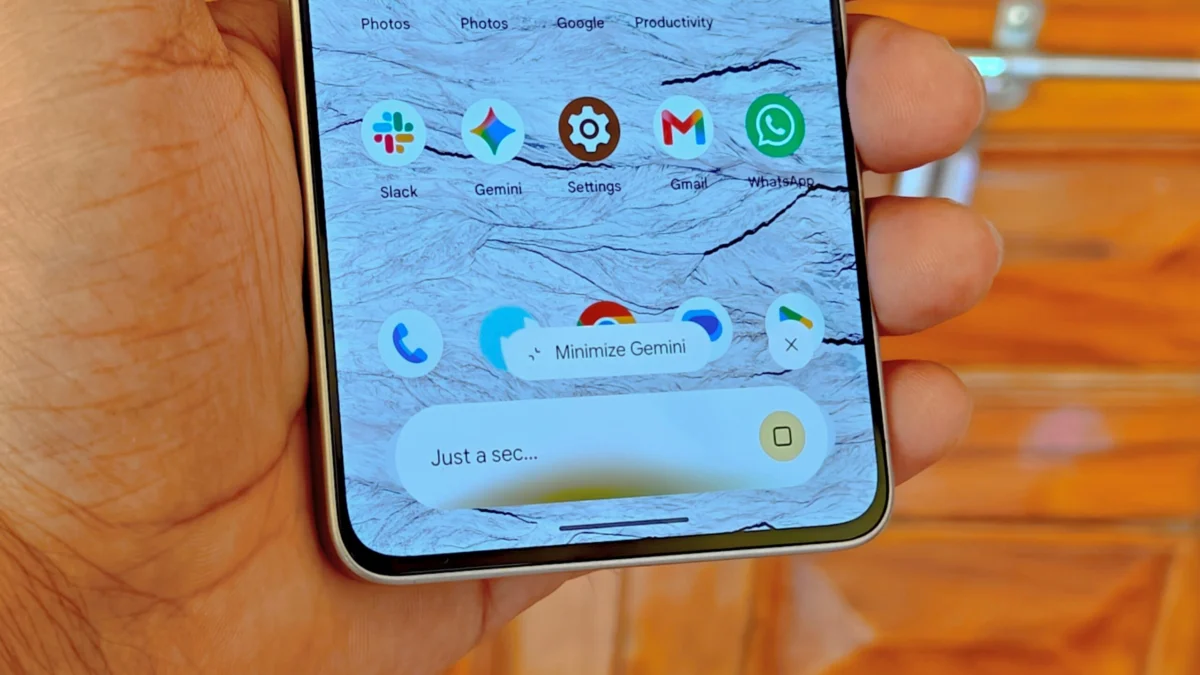
In the rapidly evolving landscape of mobile artificial intelligence, the utility of a digital assistant is defined not just by its conversational prowess, but by its integration into the user’s workflow. Google has long sought to position Gemini as a central pillar of the Android experience, yet the "overlay" interface has historically acted as a restrictive container. That is set to change. Recent developments within the Android 17 ecosystem indicate that Google is finally bringing persistent, bubble-based multitasking to the Gemini overlay, effectively transforming it from a transient window into a permanent fixture of the user interface.
Main Facts: The Shift to Persistent AI Interaction
The core of this update centers on how Gemini behaves when a user navigates away from the assistant’s interface. Historically, the Gemini overlay has been governed by a "dismiss-on-exit" logic. If a user opened the overlay to ask a question but tapped elsewhere on the screen, the session would collapse. Upon reopening the overlay, the user was frequently greeted with a fresh slate, losing the context of their previous query or requiring a navigation through the chat history to resume the interaction.
Under the new implementation currently being tested in the Android 17 QPR1 Beta, the Gemini overlay gains the ability to transform into a persistent "bubble." This bubble, marked by the iconic Gemini spark, allows users to minimize their conversation into a floating icon. This allows the AI assistant to hover over other applications, maintaining the state of the conversation and providing a "quick-access" bridge between the user’s current task and their AI-powered research or drafting.
Key aspects of this update include:
- Persistent State: Conversations no longer terminate upon accidental or intentional dismissal of the overlay.
- Visual Integration: The bubble features a gradient aesthetic that matches the core Gemini interface, providing a cohesive design language.
- Dual-Input Minimization: Users can trigger the bubble either by tapping outside the overlay or by using a newly introduced "Minimize Gemini" button within the interface.
- Refined Animations: Preliminary reports indicate that the transition animations have been polished, with a darker, more premium visual aesthetic applied to the overlay window.
Chronology: A Path Toward Seamless Multitasking
The evolution of the Gemini overlay has been a gradual process of refinement, characterized by Google’s iterative testing cycles.
The Foundation (Late 2024)
The initial conceptualization of a more fluid Gemini experience began appearing in experimental builds late last year. Early reports from December 2024 suggested that Google was exploring ways to keep the Gemini window alive. At that stage, however, the implementation was strictly behind-the-scenes, with the interface behaving more like a standard system notification rather than a true interactive bubble.
Initial Reporting and User Feedback (Q1 2025)
By the start of 2025, the developer community began surfacing evidence of a more robust "overlay" feature. During this period, the focus was on technical stability. Google began experimenting with how the overlay would handle memory management when pushed to the background, as keeping an LLM (Large Language Model) interface active requires significantly more overhead than a standard app bubble.
The Beta Rollout (June 2026)
As of June 2026, the feature has entered the Android 17 QPR1 (Quarterly Platform Release) Beta phase. This is a critical milestone, as it indicates the feature has reached a level of maturity where it can be stress-tested by a wider segment of the developer and enthusiast population. Reports from platforms like 9to5Google and Android Authority have confirmed that the "Minimize Gemini" button is now appearing for select users, signaling that the feature is nearing a potential stable release.
Supporting Data: Why Bubbles Matter for AI
To understand why this change is significant, one must look at the constraints of current mobile multitasking. Android’s "App Bubbles," introduced years ago for messaging platforms like WhatsApp or Telegram, were designed to solve the "context switching" problem.
The Cognitive Load of Switching
In a standard mobile workflow, if a user is writing an email and needs to consult Gemini for a fact-check, they must:
- Swipe to open the overlay.
- Type the prompt.
- Copy the information.
- Dismiss the overlay.
- Return to the email app.
- Paste the information.
If the user needs to ask a follow-up question, the current system often forces them to restart the process. By contrast, a persistent bubble allows the user to keep the Gemini window open in a corner of the screen. The AI remains a "second screen" experience, reducing the cognitive load required to maintain context between the assistant and the host application.
Comparison with Standard App Bubbles
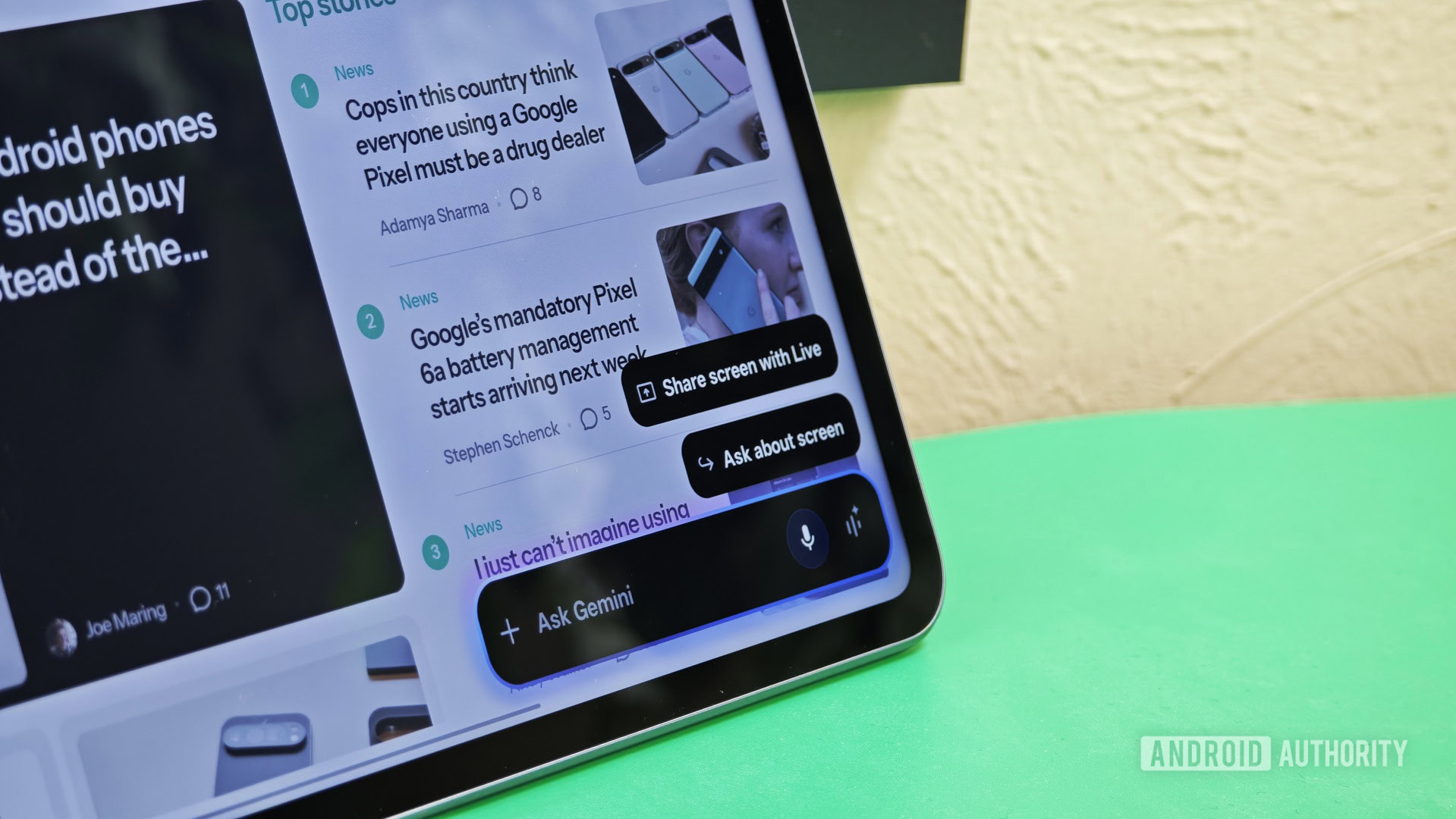
It is important to distinguish this new functionality from the existing "App Bubbles" feature in Android 17. Users have technically been able to create a bubble for the standalone Gemini app for some time. However, that creates a "full-app" experience that takes the user away from their current screen. The new Gemini overlay bubble is a lightweight interface specifically designed to preserve the session rather than just the application state. It is a subtle but critical distinction in user experience design.
Official Responses and Strategic Direction
While Google has not released a formal press release detailing every granular change to the Gemini overlay, the company’s trajectory is clear. In previous developer summits, Google representatives have emphasized "ambient computing"—the idea that AI should be available exactly when needed, without being intrusive.
The move to make Gemini persistent aligns with the broader strategy of the Android 17 release. Android 17 has been heavily marketed as a "multitasking-first" OS, with significant investments in split-screen, picture-in-picture, and now, bubble-based AI interactions. By integrating these features directly into the OS layer rather than treating Gemini as a third-party app, Google is attempting to create a "moat" around the Android experience, making the device’s OS as smart as the model running on it.
Implications: The Future of the AI-First Operating System
The transition of the Gemini overlay into a persistent, bubble-based tool has several far-reaching implications for both power users and the general public.
1. The Death of the "Single-Task" AI Model
This change effectively signals the end of the "question-and-answer" paradigm. For years, digital assistants functioned as transactional tools: you ask, they answer, and the interaction ends. With persistent bubbles, Gemini becomes a collaborative partner. Whether it’s summarizing a document in the background while the user reads, or keeping a list of flight details visible while the user navigates a travel app, the AI is no longer a destination; it is an overlay layer.
2. UI/UX Design Challenges
The move to bubbles presents new challenges for Google’s design team. Managing screen real estate is notoriously difficult on smaller mobile devices. If a user has a messaging bubble, a Gemini bubble, and perhaps a media playback widget, the screen can quickly become cluttered. Google’s recent work on "darker" animations and refined gradient icons suggests they are working to make these bubbles visually distinct yet non-distracting.
3. Impact on Third-Party Developers
For developers of other apps, this change creates an expectation that their software must play nicely with floating windows. If Google successfully normalizes the "Gemini bubble," users will begin to expect similar functionality from other AI integrations. We may see a new wave of Android apps that allow for floating, context-aware AI panels, fundamentally changing how developers build user interfaces.
4. Battery and Performance Concerns
One of the primary reasons Google has been cautious with this feature is the impact on battery life. Keeping a persistent, semi-active interface that can instantly resume a conversation requires consistent background processing. As the feature moves from Beta to stable release, the effectiveness of Google’s background resource management will be the ultimate test of whether this feature becomes a staple or a battery-draining annoyance.
Conclusion
The introduction of a minimized, bubble-based Gemini overlay in Android 17 represents a pivotal moment in the maturity of mobile AI. It moves the technology away from the clunky, isolated windows of the past and toward a seamless, persistent companion that lives alongside the user’s primary activities. While the feature is currently confined to the QPR1 Beta, the evidence suggests it is a high-priority refinement for Google.
As users grow accustomed to having their AI assistant just a tap away—without losing their place in a conversation—the way we interact with our devices will inevitably shift. Google is betting that the most successful AI is the one that stays out of the way until it is needed, yet remains instantly available the moment it is summoned. If the current beta tests are any indication, the future of the Android interface will be defined not by the apps we use, but by the persistent intelligence that floats between them.


 Azzam Bilal Chamdy
 Layla Zulfa