

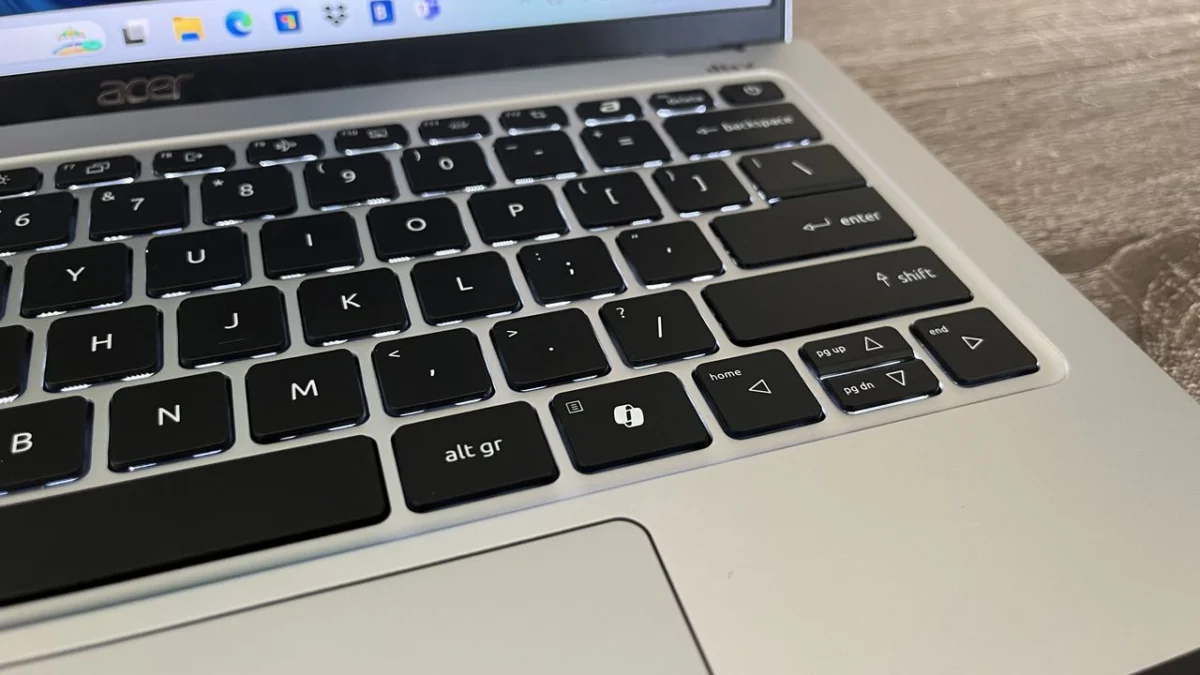
In a significant pivot for its hardware-focused Windows 11 strategy, Microsoft has officially confirmed that it will soon allow users to customize the dedicated "Copilot key" found on modern laptops and standalone keyboards. This announcement marks a rare retreat for the software giant, which had previously pushed the AI-centric button as a cornerstone of its "AI PC" branding. The update, slated to arrive later this year, promises to restore essential functionality that many power users and accessibility advocates argued was lost when the key replaced traditional inputs.
The Core Conflict: AI Integration vs. User Workflow
When Microsoft first introduced the Copilot key, it was hailed as the most significant change to the Windows keyboard layout in nearly three decades. Positioned prominently, the key was designed to provide instant access to Microsoft’s generative AI assistant, mirroring the role the Windows key has played for decades.
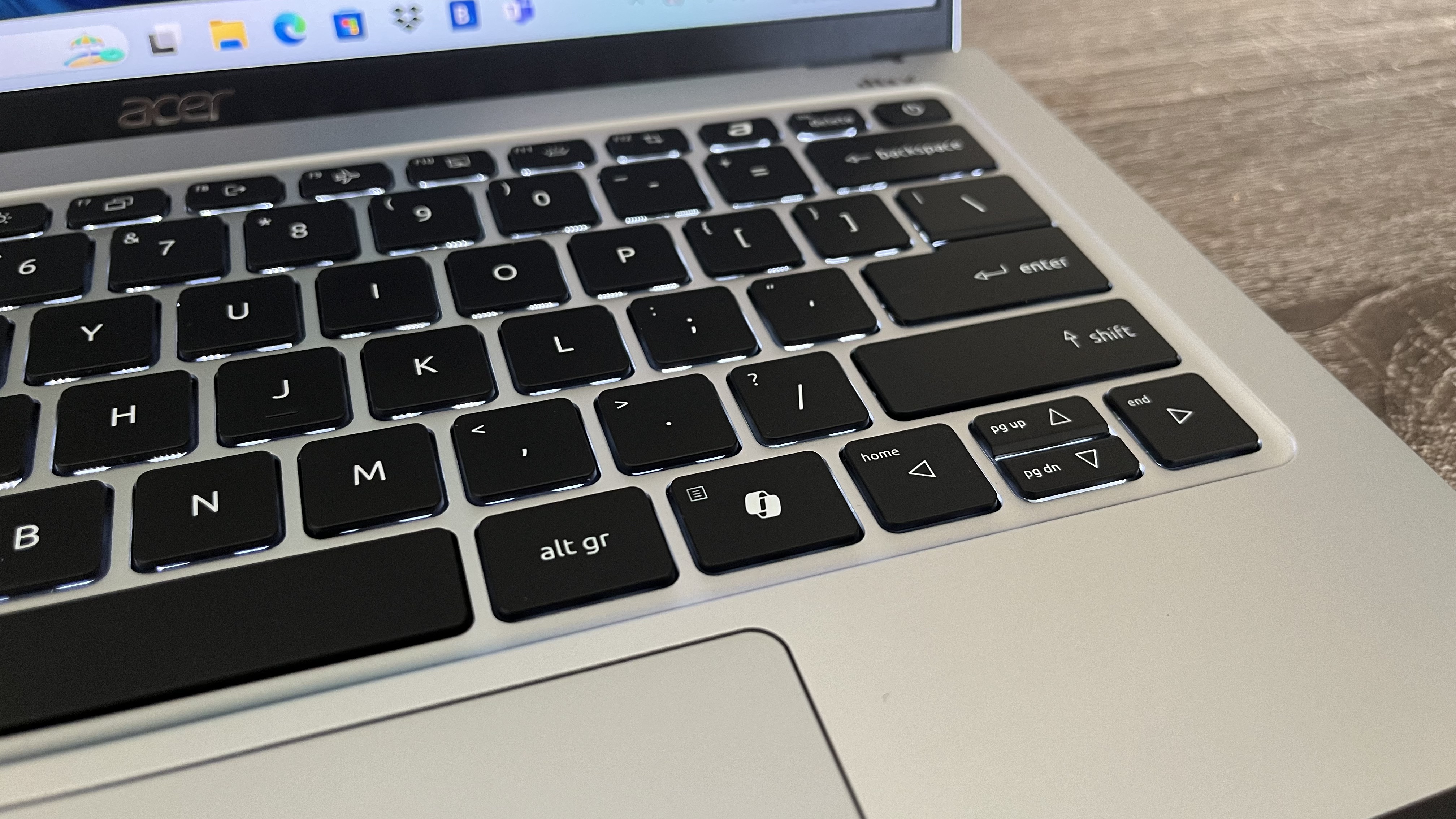
However, the implementation was not without its detractors. For many, the physical placement of the key necessitated the removal of the Right Control (Ctrl) key or the dedicated Context Menu key. While casual users may not have noticed the change, the impact on professional workflows, accessibility, and power-user ergonomics was immediate and severe. By replacing these legacy keys, Microsoft inadvertently broke long-standing muscle memory and complicated accessibility shortcuts, particularly for individuals using screen readers or those who rely on one-handed keyboard combinations.
Chronology of a Controversial Key
To understand why this change is so significant, one must look at the timeline of Microsoft’s aggressive AI integration:
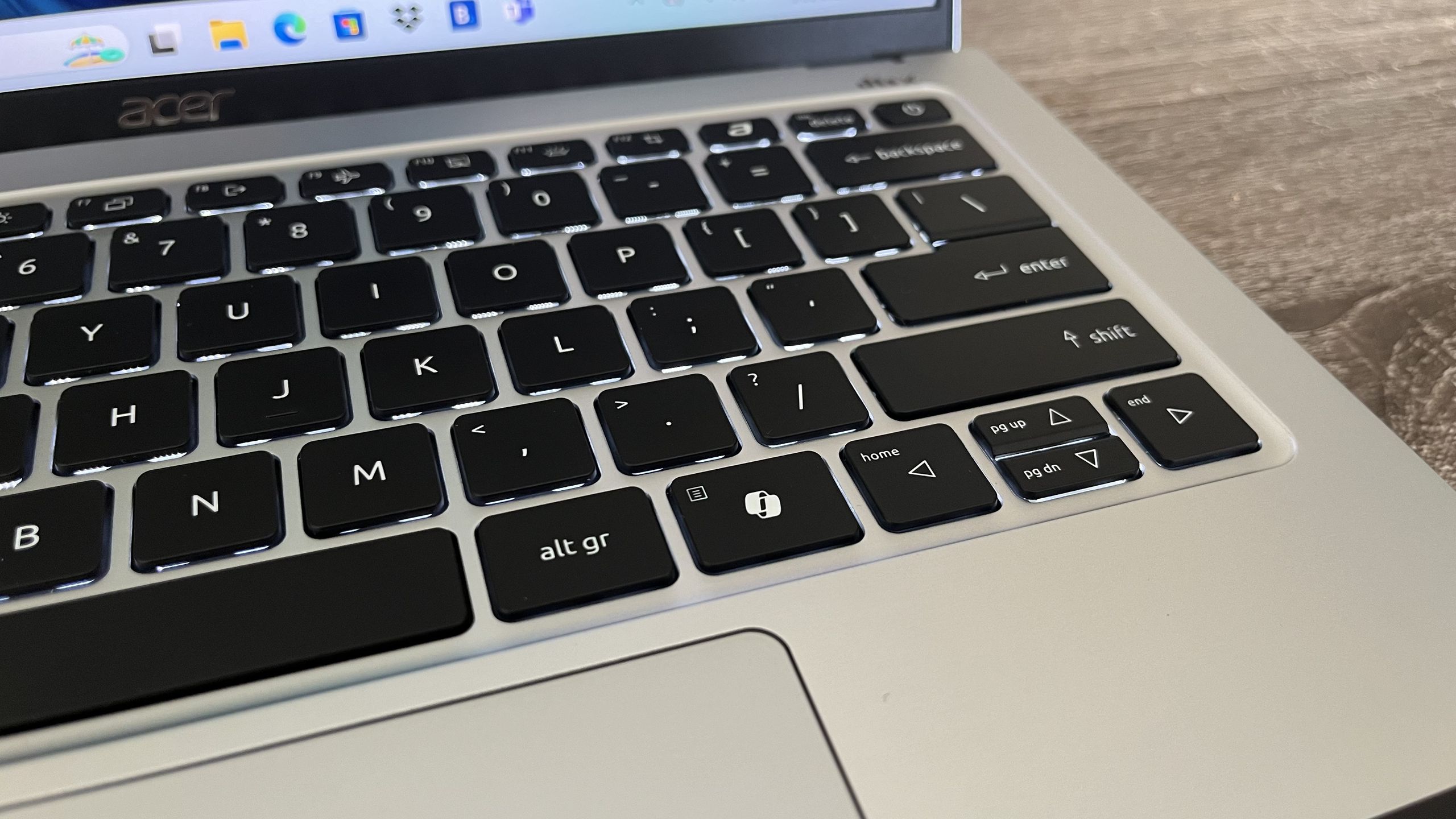
- Early 2024: Microsoft unveils the "Copilot key" at CES, framing it as the future of the modern PC. Manufacturers like Acer, ASUS, and Dell begin shipping devices with the key pre-installed.
- Mid-2024: Community backlash begins to mount on platforms like Reddit and the Microsoft Feedback Hub. Users report that the loss of the Right Ctrl key, in particular, makes complex text selection and command execution frustrating.
- Late 2024: Microsoft introduces limited remapping options, allowing users to trigger Windows Search or launch specific applications. However, these options remain restrictive and fail to address the core need for functional legacy keys.
- Current Status: Recognizing that the "one-size-fits-all" approach to AI hardware is hindering productivity, Microsoft confirms it will provide native support to map the key to the Right Ctrl or Context Menu functions.
Supporting Data and Accessibility Implications
The decision to revert or reassign the functionality of the Copilot key is fundamentally an issue of accessibility and efficiency. The Right Ctrl key is a staple for keyboard shortcuts. In many professional applications, including coding environments and advanced word processors, the right-side control key allows for one-handed shortcuts, significantly speeding up workflow.
Furthermore, the Context Menu key—often represented by an icon of a cursor over a menu—is a vital accessibility tool. For users who cannot use a mouse or trackpad, the ability to trigger a context-sensitive menu via a single keystroke is a necessity, not a luxury. By removing these keys, Microsoft had effectively placed a barrier between users and their ability to navigate Windows 11 efficiently.
The feedback from the user community has been loud and clear. On various tech forums, users described the key as "forced bloatware on hardware." The sentiment was summarized by one user who remarked, "Steal the Right Ctrl and now return it as an improvement," reflecting the frustration of a user base that felt their hardware choices were being dictated by marketing trends rather than practical utility.
Official Responses and Strategic Shifts
In a support document recently updated by the company, Microsoft acknowledged the friction caused by the hardware change. "Customers who rely on the Right Ctrl key or Context menu key for keyboard shortcuts or assistive technologies (such as screen readers) experienced some challenges to their workflows when using these devices," the company stated.
This admission is a rare moment of humility for a company that has, for the past 18 months, been laser-focused on its "Copilot+ PC" initiative. Industry analysts suggest that this move is part of a broader, necessary effort to "fix" Windows 11. After a period of aggressive, sometimes forced, AI deployment, Microsoft appears to be shifting toward a more user-centric approach, prioritizing functionality and user choice over the omnipresence of its AI assistant.
The Role of PowerToys: The "Hidden" Solution
While Microsoft’s native solution is incoming, savvy users have already been bypassing these restrictions using Microsoft’s own "PowerToys" suite. Specifically, the Keyboard Manager module in PowerToys allows users to remap any key on their keyboard to any function, effectively rendering the Copilot key useless or giving it a new purpose entirely.
The fact that users had to rely on a third-party (albeit official) utility to restore basic keyboard functionality has been a point of contention for some time. There is a growing sentiment that features found in PowerToys—such as advanced key remapping or enhanced window snapping—should be integrated into the core Windows 11 experience. By finally bringing native remapping to the settings menu, Microsoft is closing the gap between the "enthusiast" experience and the "standard" user experience.
Future Implications: What This Means for PC Hardware
The remapping update serves as a lesson for hardware manufacturers and software developers alike: never replace a foundational user interface element without providing a path back to the original utility.

As we look toward the future of PC design, this event highlights the limitations of "AI-first" hardware design. While AI assistants are increasingly useful, their integration into the physical hardware must remain optional rather than mandatory. If a feature is forced upon the user, it is destined to be viewed as an annoyance rather than a value-add.
Looking ahead, we can expect:
- More Flexible Keyboards: Future laptops will likely retain the Copilot key, but the "out-of-the-box" experience will likely be more conservative, or at the very least, provide an immediate prompt for the user to customize their input devices.
- Software-Hardware Synergy: Microsoft will likely continue to improve its "Settings" app to allow for deeper customization of hardware inputs, potentially reducing the reliance on external tools like PowerToys for basic configuration.
- A Balanced AI Strategy: The industry is moving toward a more nuanced view of AI. It is no longer enough to just "put a button on it." Manufacturers must now prove that their hardware improvements offer tangible benefits that do not come at the cost of existing user productivity.
Conclusion
The decision to allow the remapping of the Copilot key is a victory for the Windows user community. It represents a pivot from a top-down, marketing-driven hardware strategy to one that respects the established habits and needs of the people who actually use these machines for work and creativity.
While the Copilot key remains a part of the modern keyboard landscape, it is finally being treated as a tool to be configured, rather than a mandate to be followed. As Microsoft continues its effort to refine Windows 11 and win back the trust of power users, this small change in the settings menu is a significant step in the right direction. The key is now, quite literally, back in the user’s hands.












No comments yet. Be the first to join the conversation!