

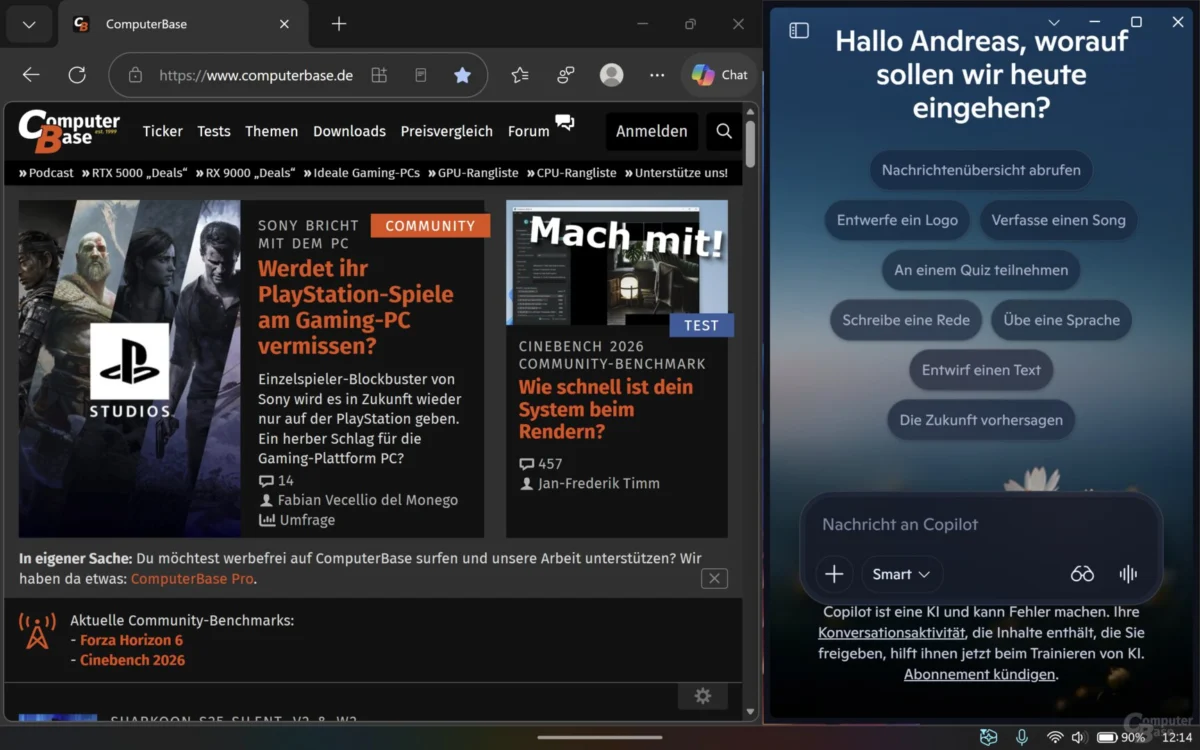
The quest to seamlessly weave artificial intelligence into the fabric of the Windows 11 operating system remains one of Microsoft’s most ambitious—and arguably most volatile—projects. For months, users have witnessed a persistent tug-of-war regarding how the Copilot AI assistant should behave, look, and interact with the desktop environment. According to recent reports from Windows Latest, Microsoft is once again shifting its design philosophy, reintroducing a sidebar functionality to the Copilot app. This pivot is not merely a cosmetic change; it represents a deeper, ongoing struggle to balance AI accessibility with system performance and user workflow.
The Return of the Sidebar: A Strategic Reversal
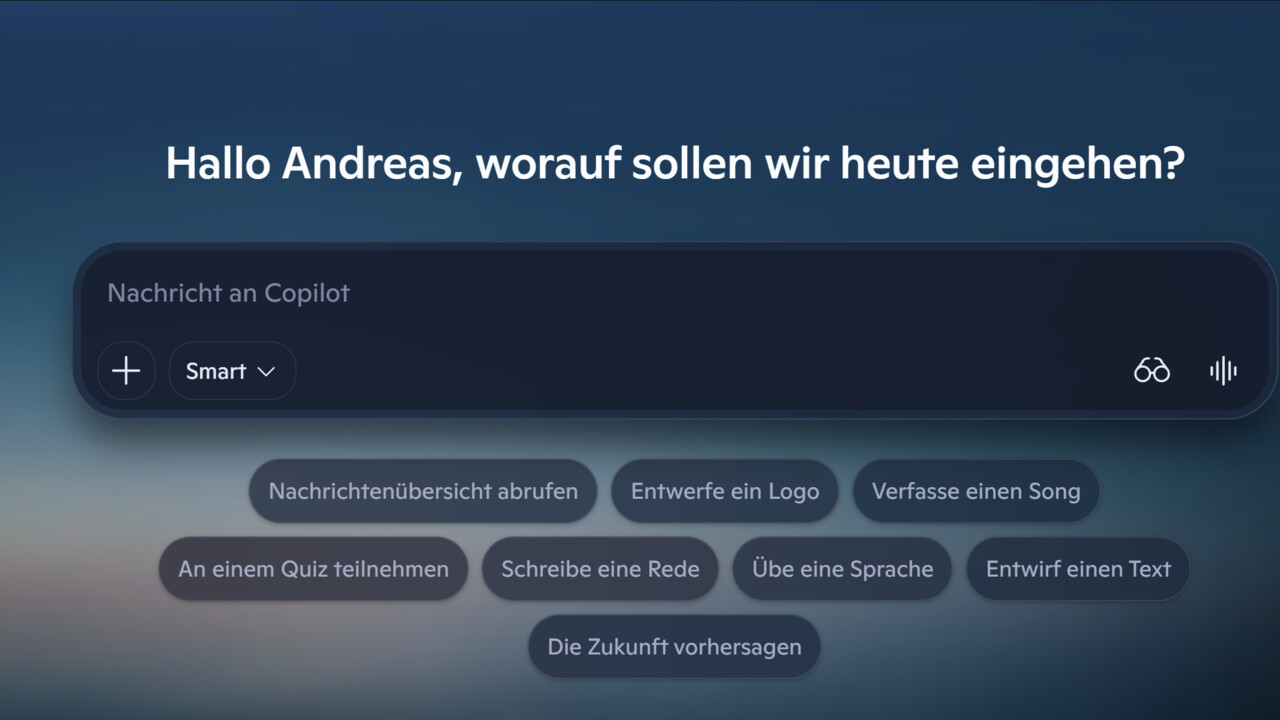
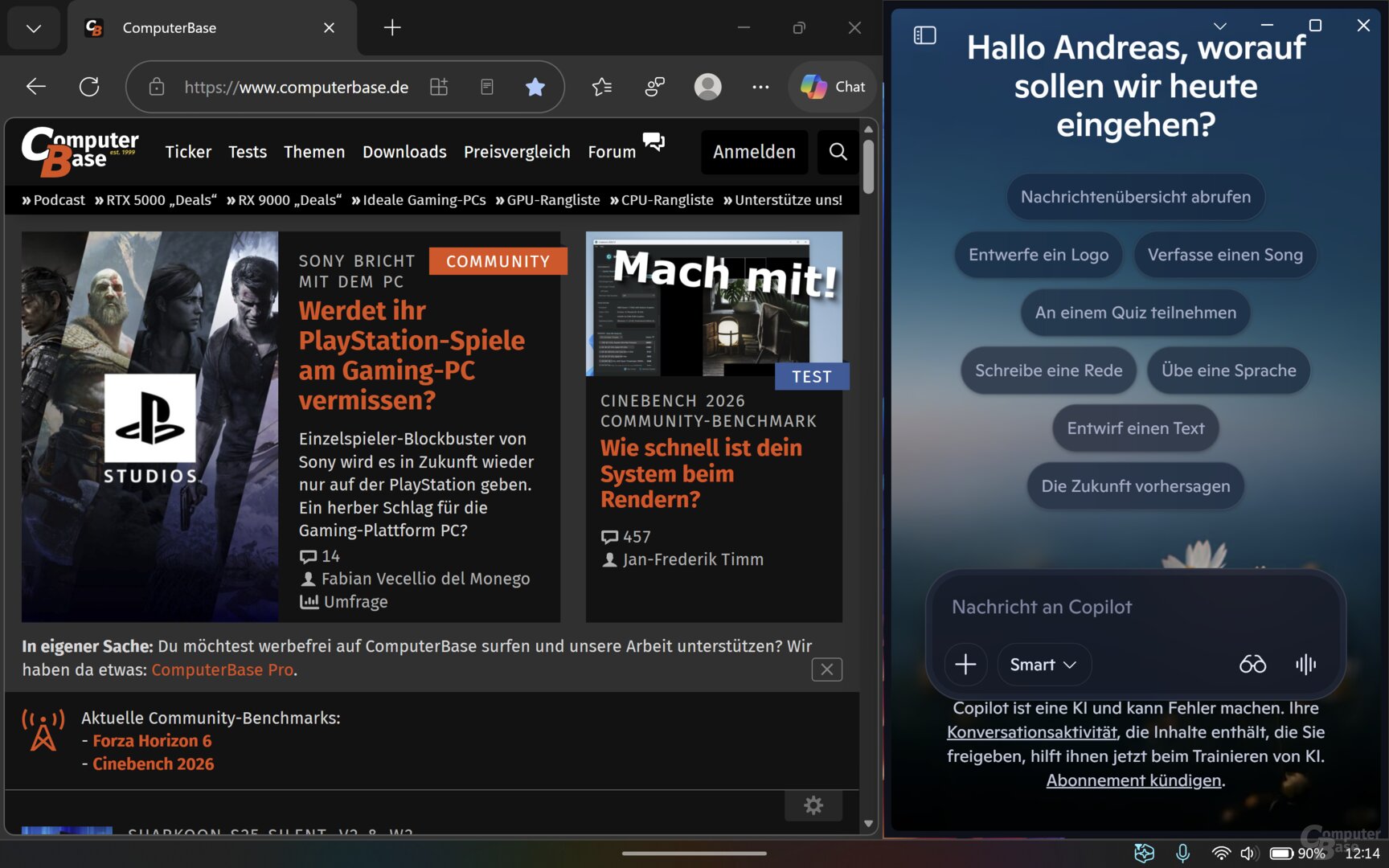
The latest iteration of the Copilot app, currently being rolled out to users in a phased release, brings back the long-requested sidebar pinning feature. Previously, the transition to a standalone app experience had relegated Copilot to a floating window that could obstruct other active applications. Under the new update, users can navigate to a drop-down menu within the app to pin the assistant to either the left or right side of their desktop.
This functionality ensures that as a user shifts their focus between web browsers, email clients, or complex Office documents, the Copilot interface remains anchored to the screen. By maintaining this "always-on" presence, Microsoft is attempting to fulfill its vision of a digital companion that is not just a tool to be opened and closed, but a persistent layer of intelligence that monitors and assists with the user’s current task.
Chronology of an Identity Crisis: From Sidebar to App and Back
To understand why this change is significant, one must look at the erratic development history of the Windows Copilot. Since its inception, Microsoft has treated the assistant as a "work in progress" with a high degree of experimental turnover.
- The Early Vision (The Sidebar Era): Initially, Microsoft’s primary goal was to embed Copilot directly into the Windows Shell as a sidebar. The idea was to create a ubiquitous assistant capable of scanning the user’s screen content—such as a specific webpage or a PDF—and providing context-aware suggestions without requiring the user to switch windows.
- The Standalone Pivot: Following initial testing, Microsoft moved away from this deeply integrated sidebar, transforming Copilot into a more traditional, native Windows app. This move was intended to give the AI more space to operate, but it effectively decoupled the assistant from the user’s immediate workflow, making it feel more like a separate software utility rather than a core OS feature.
- The Web-App Transformation: In recent months, the architecture changed again. The native WinUI-based structure was largely abandoned in favor of an Edge-based "wrapper." Effectively, the Copilot app became a standalone instance of the Microsoft Edge browser, stripped of its browser UI but retaining the engine required to run the AI interface.
- The Current Re-integration: With the latest update, Microsoft is essentially bringing the "sidebar" functionality back to this Edge-based wrapper. It is a synthesis of previous ideas: keeping the AI as a standalone process while regaining the screen-real-estate efficiency of the early days.
Technical Implications: The Hidden Cost of Performance
While the return of the sidebar is a win for user interface convenience, it brings significant technical baggage. The shift toward an Edge-based architecture, while easier for Microsoft to maintain and update, has drawn scrutiny for its impact on system resources.
The RAM Usage Dilemma
Detailed analysis by Windows Latest indicates a stark disparity in resource consumption between the old and new methods of running Copilot.
- The Native Approach: When the Copilot app was built on a native WinUI framework, its memory footprint was remarkably lean, often hovering at less than 100 MB of RAM usage.
- The Edge Wrapper Approach: The current implementation, which functions as a browser instance, requires substantially more overhead. Measurements show that the modern Copilot app consumes between 500 MB and 1 GB of RAM during operation.
For users on high-end hardware, this may seem negligible. However, for the millions of Windows 11 users running on entry-level laptops or machines with 8 GB of RAM or less, a 1 GB "tax" for an AI assistant is a significant performance penalty. This raises a fundamental question: Is the convenience of an "always-on" sidebar worth the degradation of system responsiveness for the average user?
Implications for the Workflow: Can AI Keep Pace?
The goal of Microsoft’s strategy is "workflow integration." By keeping the Copilot sidebar present, the company hopes to decrease the friction between intent and action. If a user is writing a report, they no longer need to minimize a window to ask for a summary or a data check; the assistant is right there, ready to read the screen.
However, this constant presence creates a new set of challenges:
- Screen Real Estate: On smaller laptops, losing a significant chunk of horizontal space to a sidebar can be detrimental to productivity.
- Distraction vs. Utility: An assistant that is constantly "in the way" can be perceived as an annoyance rather than a help, particularly if the user is engaged in focused, non-AI-assisted work.
- Privacy Concerns: The more Microsoft tries to "scan" the user’s workflow to offer helpful suggestions, the more users—and enterprise IT departments—will scrutinize the data privacy implications of such integration.
Microsoft’s Strategy: A Balancing Act
Microsoft’s internal roadmap for Windows 11 is currently defined by a "less is more" approach regarding the visual clutter of AI. The company is actively working to reduce the number of redundant "Copilot buttons" scattered across the OS. The goal is to make the experience feel less like a series of disjointed features and more like a cohesive, singular entity.
The recent move to standardize the sidebar experience across the Copilot app is part of this consolidation. By forcing the app to behave consistently, Microsoft hopes to stop the "yo-yo" effect that has frustrated early adopters.
Official Stance and Future Outlook
While Microsoft has not issued a formal press release detailing every architectural flip-flop, the company’s documentation for Windows Insiders consistently emphasizes "user-centric design." The recurring updates suggest that Microsoft is relying heavily on telemetry—data gathered from millions of user sessions—to determine whether the sidebar or the app-window format is more effective.
The current direction points toward a future where Copilot is a modular component of the OS. Whether it stays as an Edge-based wrapper or eventually returns to a more optimized, native architecture remains to be seen. Industry analysts suggest that as AI becomes more central to the Windows experience, Microsoft will eventually have to optimize the underlying resource consumption to satisfy users who are increasingly vocal about the "bloat" that comes with modern software updates.
Conclusion: The Road Ahead
Windows 11 is currently serving as a laboratory for Microsoft’s AI ambitions. The constant recalibration of the Copilot app—moving from native to web-based, from window to sidebar—is a testament to the fact that the company is still searching for the "Goldilocks" implementation of AI on the desktop.
For the end user, this represents a period of adaptation. While the return of the sidebar functionality is a welcome improvement in usability, it brings with it the reality of a more resource-hungry operating system. As Microsoft continues its "runderneuerung" (renewal) of Windows 11, the challenge will be to ensure that the intelligence provided by Copilot does not come at the expense of the stability and speed that users expect from a professional operating system.
Ultimately, the success of the Copilot project will be measured not by how many ways Microsoft can display the assistant, but by whether it becomes a silent, efficient partner in the user’s workflow—one that adds value without claiming too much of the system’s memory or the user’s attention. As it stands, the software remains in a delicate state of flux, mirroring the broader industry-wide uncertainty regarding how to best integrate AI into the daily lives of desktop users.










No comments yet. Be the first to join the conversation!