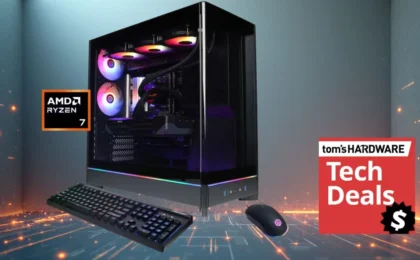

Building a custom PC remains one of the most rewarding endeavors for tech enthusiasts. Despite the fluctuating market conditions—often driven by the voracious appetite of the AI industry for silicon—the allure of assembling a high-performance machine from scratch persists. It is a process of curation, calculation, and assembly that culminates in that singular, heart-pounding moment: the first time you press the power button, hoping for a successful POST (Power-On Self-Test) rather than the dreaded silence of a blank screen.
However, moving from a pile of cardboard boxes to a fully operational system requires more than just high-end components; it requires the right infrastructure. To build, maintain, and eventually repair your machine, you need a toolkit that is as precise as the hardware it supports.
The Evolution of the PC Builder’s Toolkit
Historically, the PC building experience was defined by the "swiss army knife" approach—a single, magnetic-tipped Phillips head screwdriver and a lot of patience. As modern hardware has become more sophisticated, the tools required to manage that hardware have evolved accordingly.
Today’s builder must account for modular power supplies, intricate cable management, delicate M.2 NVMe installations, and complex liquid cooling loops. Consequently, the modern toolkit has shifted from simple mechanical drivers to precision electric tools, anti-static safety equipment, and specialized maintenance gear.
A Chronology of the Build Process
- Preparation (The Foundation): Before the first screw is turned, the environment must be secured. This involves anti-static mats and wrist straps to protect sensitive CMOS components.
- Assembly (The Core Phase): This is where specialized drivers come into play. Small-form-factor (SFF) builds, in particular, demand high-torque, slim-profile screwdrivers that can reach into tight, cramped chassis corners.
- Cable Management (The Refinement): Zip ties, velcro straps, and cable combs are the unsung heroes of a clean build, ensuring optimal airflow and aesthetic appeal.
- Testing and Diagnostics: Once the system is assembled, the toolkit must pivot to diagnostic software and hardware, including post-code readers or external speakers to troubleshoot boot errors.
- Maintenance (The Lifecycle): Over time, the toolkit proves its worth through routine cleaning—removing dust, reapplying thermal paste, and managing airflow.
Supporting Data: Why Specialized Tools Matter
The importance of using the correct tool cannot be overstated. According to hardware industry standards, using the wrong size screwdriver head—even by a fraction of a millimeter—significantly increases the risk of "stripping" a screw head. Once a screw is stripped, it becomes a permanent, frustrating fixture of the case or motherboard, often requiring invasive removal methods that can jeopardize the health of surrounding components.
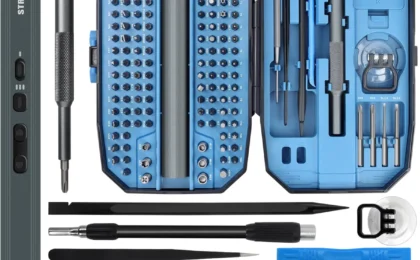
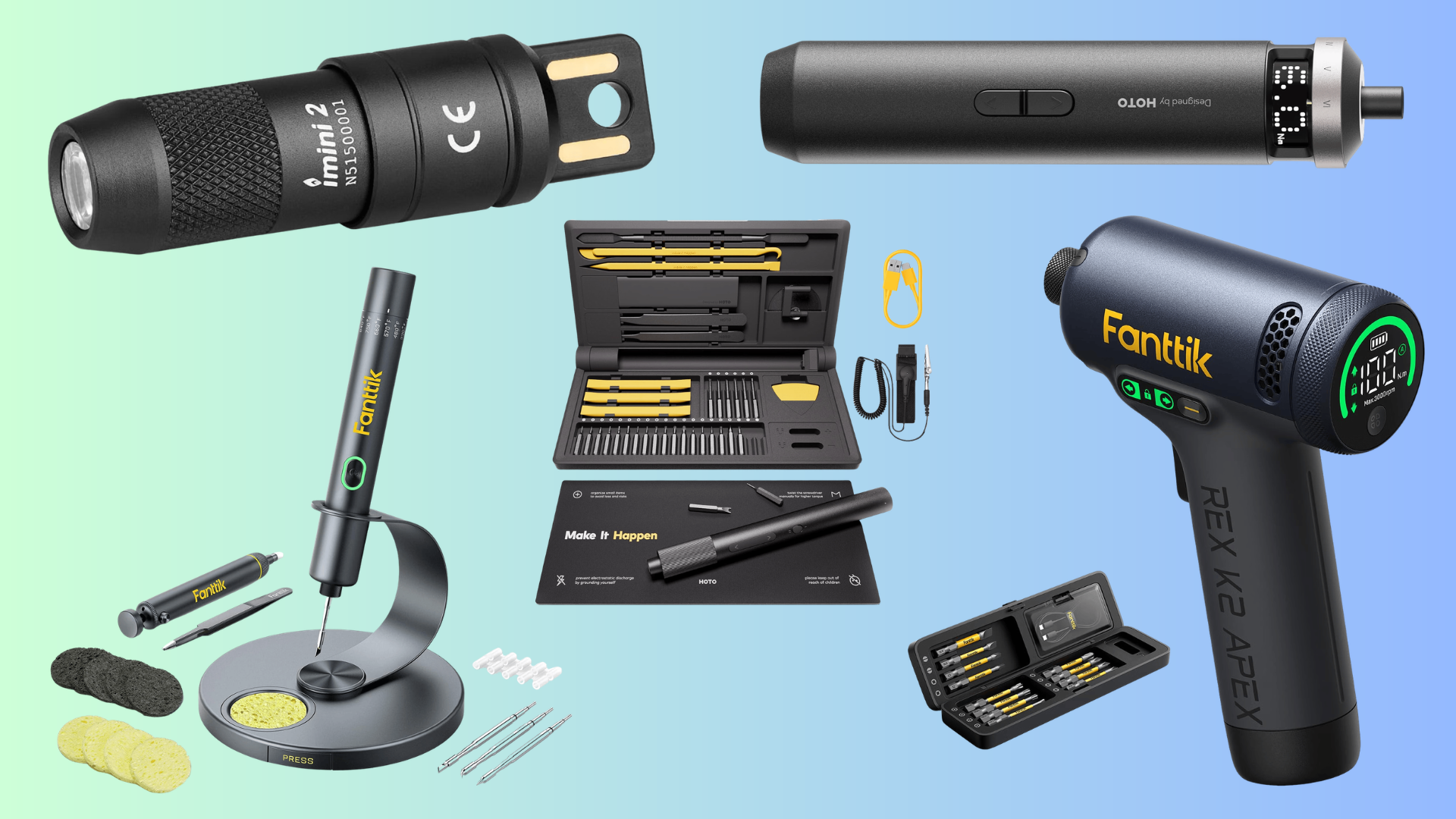
Furthermore, with the rise of electric precision screwdrivers (such as those from Hoto or Fanttik), builders now have access to controlled torque settings. This prevents the common novice mistake of over-tightening screws into plastic standoffs or delicate motherboard mounting holes, a failure point that has claimed many expensive components in the past.
The Multi-Purpose Advantage: Home and Tech
While the primary focus is PC building, high-quality, precision tools offer a high return on investment because they are rarely limited to just one application. A professional-grade toolkit designed for PC maintenance is often perfectly suited for:
- Electronics Repair: From fixing smartphones to repairing gaming consoles.
- Home Renovation: Tightening loose cabinet hinges, installing smart home devices, or assembling flat-pack furniture.
- Hobbyist Projects: Drone maintenance, model building, or fine mechanical adjustments.
By investing in a high-quality screwdriver kit, you are effectively buying a toolset that will serve you for years, both in the digital and physical world.
Implications for the Modern Enthusiast
The current market trend shows a growing segment of "all-in-one" toolkits that bundle everything a user might need. These bundles typically include:
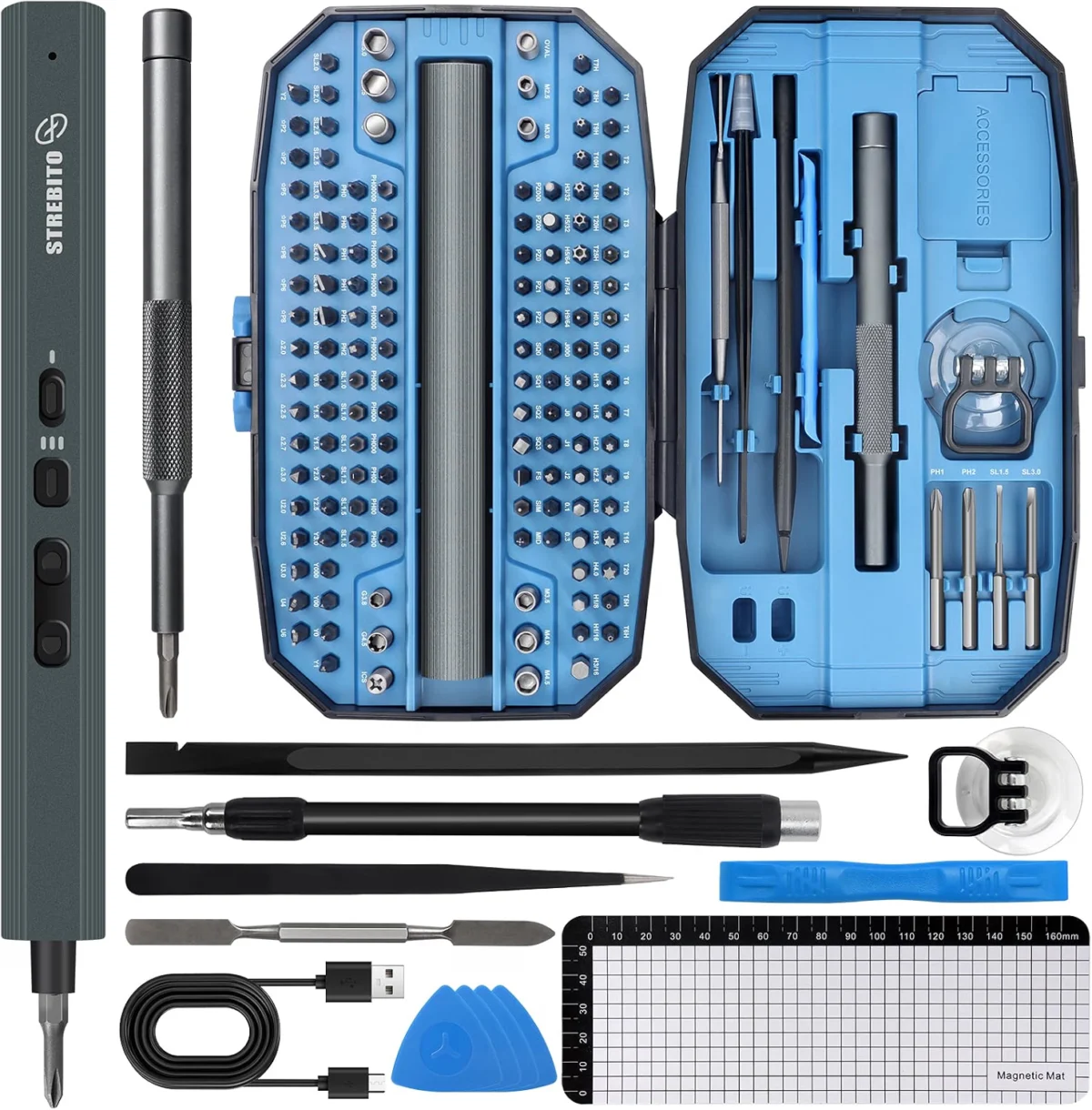
- Precision Electric Screwdriver: With various bits (Phillips, Hex, Torx, Flat).
- Magnetic Mats: To keep track of the dozens of tiny screws involved in a build.
- Compressed Air or Electric Dusters: Essential for maintaining the longevity of fans and radiators.
- Pry Tools: Useful for removing plastic clips or stubborn case panels without leaving scratches.
Why Your Toolkit is Your Best Insurance Policy
The most critical implication of having a dedicated, organized toolkit is the reduction of stress. Building a PC can be a high-stakes activity; when you are handling a $1,500 graphics card, you do not want to be fumbling with a loose-fitting screwdriver.
Moreover, as PC components become more integrated and compact, the margin for error shrinks. A toolkit that includes a magnetic pickup tool, for instance, can be the difference between a minor annoyance—dropping a screw into the power supply shroud—and a major catastrophe—having a loose, conductive screw short out the motherboard during the first power cycle.
Professional Perspectives on Maintenance
Industry experts often emphasize that the "build" is only the beginning. The lifespan of a high-performance PC is directly proportional to how well it is maintained.
"Many users think the work ends when the OS is installed," says Ben Stockton, a veteran of the tech-writing industry. "But your PC is a living system. It accumulates dust, the thermal interface material degrades over time, and cables can wiggle loose. If you don’t have the tools to open your case and perform basic preventative maintenance, you’re essentially shortening the lifespan of your investment."
The "Must-Have" List for the Modern Builder
If you are looking to assemble a comprehensive kit, prioritize these items:
- Variable Torque Electric Screwdriver: Look for models with USB-C charging and LED illumination to see into dark chassis corners.
- Anti-Static Mat and Grounding Strap: An inexpensive insurance policy against ESD (Electrostatic Discharge) damage.
- High-Quality Thermal Paste and Isopropyl Alcohol (99%): For the eventual CPU upgrade or cooler maintenance.
- Precision Tweezer Set: Necessary for handling tiny fan headers or front-panel connectors that are impossible to reach with fingers.
- A Reliable Flashlight: Even if your screwdriver has an LED, a secondary, bright light source is essential for checking cable runs and verifying component seating.
Conclusion: Investing in Longevity
Building a PC is an investment of both time and money. While the excitement often centers on the newest GPU or the latest high-frequency RAM, the unsung heroes of the build process remain the tools in your hand. By moving beyond basic hardware and curating a professional, versatile toolkit, you are not just making the assembly process easier—you are ensuring the safety, longevity, and peak performance of your machine for years to come.
As the tech landscape continues to change, one thing remains constant: the right tool for the job makes all the difference. Whether you are a first-time builder or a seasoned veteran, take the time to build your toolkit with the same care and attention to detail that you apply to your PC components. Your future self—and your motherboard—will thank you.