

In the evolving theater of cyber warfare, the most effective weapon is rarely a sophisticated line of code that exploits a hidden software vulnerability. Increasingly, it is the user—or, more specifically, the user’s psychology. Security researchers at Group-IB have recently uncovered a chilling new strain of macOS malware dubbed "ClickLock," which represents a paradigm shift in how threat actors infiltrate Apple’s ecosystem.
Rather than working in the shadows to siphon data, ClickLock holds your computer hostage. By repeatedly killing critical system processes and forcing the user into an inescapable, anxiety-inducing loop of password prompts, the malware exploits human trust to bypass the very security measures designed to protect the machine.
The Anatomy of an Infostealer: The Core Facts
ClickLock is an "infostealer" by design, but its execution is uniquely aggressive. Once a system is compromised, the malware does not attempt to hide its presence in the background. Instead, it weaponizes the macOS user interface, effectively turning the operating system’s own security protocols against the owner.
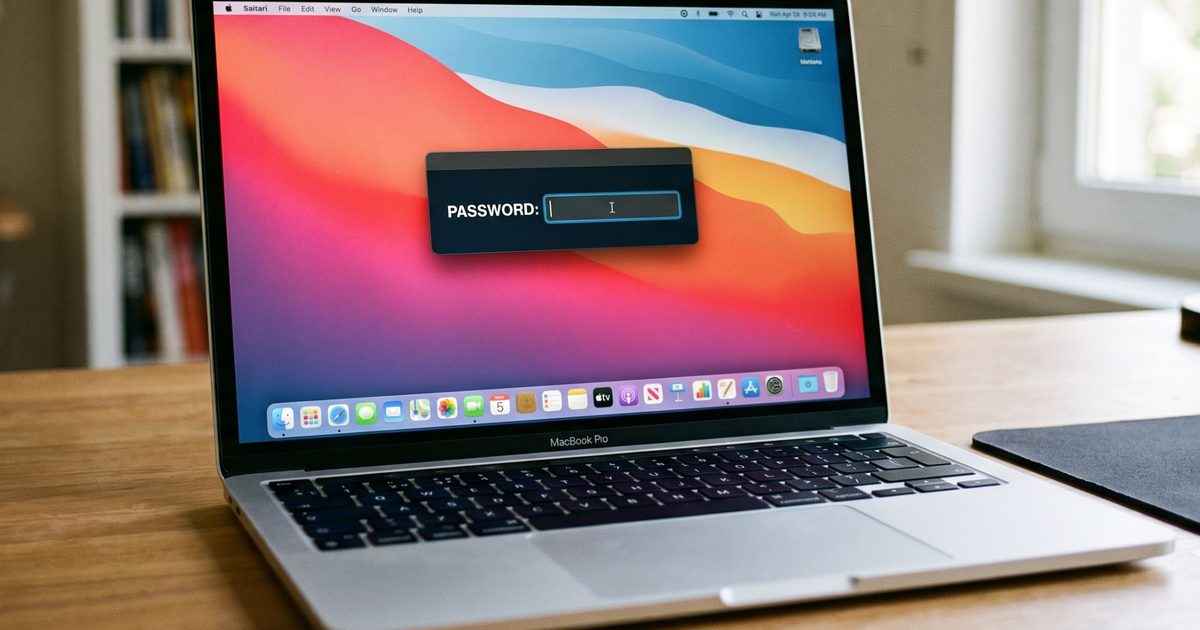
The malware operates through a persistent, disruptive cycle. Upon infection, it begins systematically terminating core macOS processes, including Finder, the Dock, System Settings, Activity Monitor, and even web browsers. This activity occurs with relentless frequency—every 210 milliseconds—rendering the device functionally unusable. The only thing the user sees is a highly convincing, authentic-looking Apple password dialog box.
This is not a software hack; it is a psychological siege. The objective is to manipulate the victim into believing that the system is experiencing a routine authentication error or a minor technical glitch, leading them to surrender their administrative password. Once that credential is provided, the malware’s true, malicious payload is unleashed, allowing it to harvest sensitive data, cryptocurrency assets, and browser-stored credentials.
Chronology of the Infection: From "Human Verification" to Digital Hostage
The lifecycle of a ClickLock infection is a masterclass in social engineering, relying on a technique known as a "ClickFix" attack.
1. The Deception (The Hook)
The attack typically begins on a compromised, yet otherwise legitimate-looking website. The user is presented with a fake prompt masquerading as a Cloudflare "human verification" check. This screen informs the user that they must perform a simple task to prove they are not a bot. The instructions are deceptively simple: open the macOS Terminal and paste a pre-prepared command.
2. The Silent Infiltration (The Payload)
As the user pastes the command into the Terminal, they are met with a progress bar that simulates a validation process. While the victim is distracted by this fake countdown, the malware is silently executing its download in the background. It immediately gains the necessary permissions to disable keyboard interrupts, hide the Terminal cursor, and silence the macOS Notification Center for up to six hours—ensuring the user has no external warnings of the infection.
3. The Siege (The Lockdown)
Once the setup is complete, the malware triggers the "Lock" phase. It begins the 210-millisecond process-killing loop. The user finds themselves trapped, unable to access their files, switch windows, or even quit the application. The system appears to be in a perpetual state of "authenticating," presenting a system-level login prompt.
4. The Surrender (The Theft)
The user, desperate to restore their machine to working order, enters their login password. The malware instantly validates the credentials and transmits them to the attackers via Telegram. Once the administrative password is obtained, the malware pivots to its true objective: the exfiltration of the entire digital identity of the victim.
Supporting Data: A Global Footprint
According to data compiled by Group-IB, the scale of this campaign is both rapid and alarming. Since its emergence in May, the malware has been identified on at least 100 systems across 33 countries.
Perhaps the most unsettling statistic is the malware’s initial evasion capability. When researchers first uploaded the ClickLock binary to VirusTotal—the industry-standard repository for malware scanning—in June, not a single security engine detected it as malicious. This underscores a dangerous reality: current signature-based security solutions are struggling to identify threats that rely on legitimate system tools and behavioral manipulation rather than malicious code signatures.

The Scope of Exfiltration: Beyond the Login
Once the attacker gains the user’s password, they do not simply walk away with the keys to the kingdom; they begin a wholesale harvest of the user’s digital life. ClickLock is designed to be comprehensive in its theft:
- Browser Credentials: The malware targets the Keychain to access Chrome’s "Safe Storage" key. With this, it can decrypt saved passwords, autofill data, cookies, and browsing history from virtually every major browser, including Chrome, Firefox, Brave, Microsoft Edge, Opera, Vivaldi, and Arc.
- Cryptocurrency Assets: The malware actively hunts for wallet extensions and local wallet files. It targets a vast array of ecosystems, including Bitcoin, Ethereum, Solana, TRON, TON, and Stacks.
- Persistent Backdoor: To ensure the threat remains even after the user attempts to clean their system, ClickLock installs a modified version of GSocket. This tool creates a persistent, remote-controlled backdoor, allowing the attackers to maintain access to the machine long after the initial "hostage" phase has concluded.
- System Profiling: The malware extracts FileZilla FTP configurations, shell history, public IP addresses, and general system diagnostics, essentially mapping out the victim’s entire network and usage habits.
Official Responses and Security Implications
The emergence of ClickLock has sent shockwaves through the cybersecurity community, highlighting a significant vulnerability in the "human" layer of the Apple ecosystem. While Apple maintains a robust sandbox environment for its applications, social engineering remains an effective "jailbreak" for the human user.
Security experts note that the malware’s use of osascript to trigger these fake password dialogs is a sophisticated move. By leveraging built-in macOS scripting tools, the malware avoids triggering traditional antivirus software, which often treats these tools as benign system utilities.
"We are seeing a move away from traditional malware development," says one independent security analyst. "Why spend weeks trying to find a zero-day exploit that Apple will patch in a week when you can spend five minutes tricking the user into handing over the keys? ClickLock is a wake-up call that the most dangerous vulnerability in your stack is the one sitting in the chair."
Protecting Yourself: How to Defend Against the Siege
The most critical takeaway from the rise of ClickLock is the necessity of extreme skepticism. The following defensive measures are essential for any Mac user:
- Never Paste Commands into Terminal: There is no scenario in which a legitimate website requires you to copy and paste code into the Terminal to "verify your identity." If a site asks you to do this, it is a malicious attempt to compromise your machine. Close the browser tab immediately.
- The Power Button is Your Friend: If your Mac suddenly locks up and begins demanding your system password in a way that feels unnatural, do not enter your credentials. If you are unable to force-quit the application, use the physical power button to perform a hard shutdown.
- Utilize Safe Mode: If you suspect you have been compromised, do not log back in under normal conditions. Restart your Mac in Safe Mode to prevent the malware from automatically executing its startup routines.
- Monitor for Suspicious Behavior: Be wary of unexpected, repetitive password dialog boxes. If you see repeated prompts for your system password, or if you notice your system processes (like Finder or the Dock) frequently crashing and restarting, assume your machine is compromised and consult a security professional.
- Use Hardware Security Keys: While they cannot stop a user from typing in a password, using hardware-based two-factor authentication (like a YubiKey) for your most sensitive accounts provides an additional layer of protection that a password-stealing malware cannot easily bypass.
ClickLock proves that while Apple’s security is world-class, it is not invincible against a user who has been successfully tricked. By understanding the tactics of these threat actors, users can move from being potential targets to being informed, vigilant defenders of their own digital domains. The siege of the desktop is here, but with awareness, it is a battle the user can still win.











