

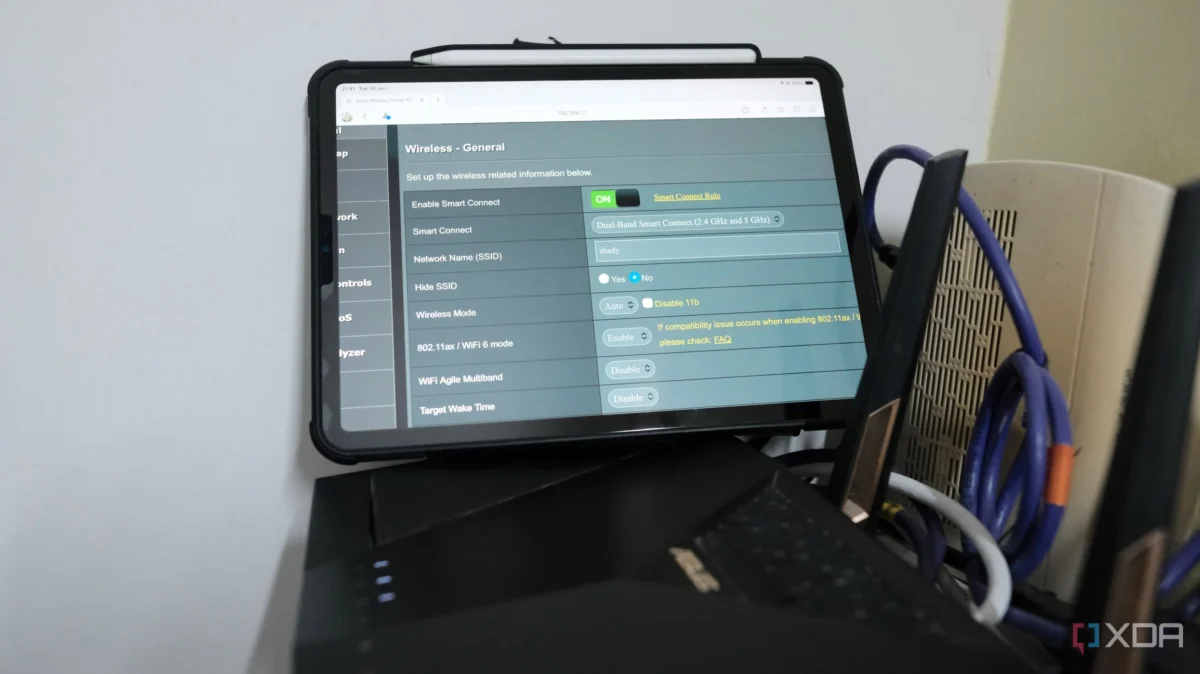
For years, many of us who consider ourselves tech-savvy have adhered to a "gold standard" of home networking: splitting the 2.4 GHz and 5 GHz bands into separate SSIDs. We believed that by manually assigning our high-bandwidth devices to 5 GHz and our smart home gadgets to 2.4 GHz, we were optimizing our home’s digital infrastructure.
However, recent shifts in network management and the sheer density of modern IoT ecosystems suggest that this "responsible" approach may be causing more harm than good. I recently discovered that by trying to micromanage my home’s wireless traffic, I was actually stifling my devices’ ability to make intelligent, real-time connectivity decisions. The fix didn’t require new hardware or a complex firmware overhaul; it simply required letting go of manual control.
The Illusion of Control: Why Devices Choose the Wrong Band
For a long time, I operated under the assumption that I knew my network better than my router did. I had configured my ASUS RT-AX88U to broadcast distinct network names for each frequency, believing this prevented "sticky" devices from clinging to inferior signals.

But the reality on the ground was far more frustrating. I noticed subtle, persistent performance issues: YouTube videos would buffer for several seconds before jumping into high definition, speed tests performed mere feet from the router were consistently underwhelming, and my smart home devices—the lightbulbs, sensors, and smart plugs—suffered from inexplicable latency.
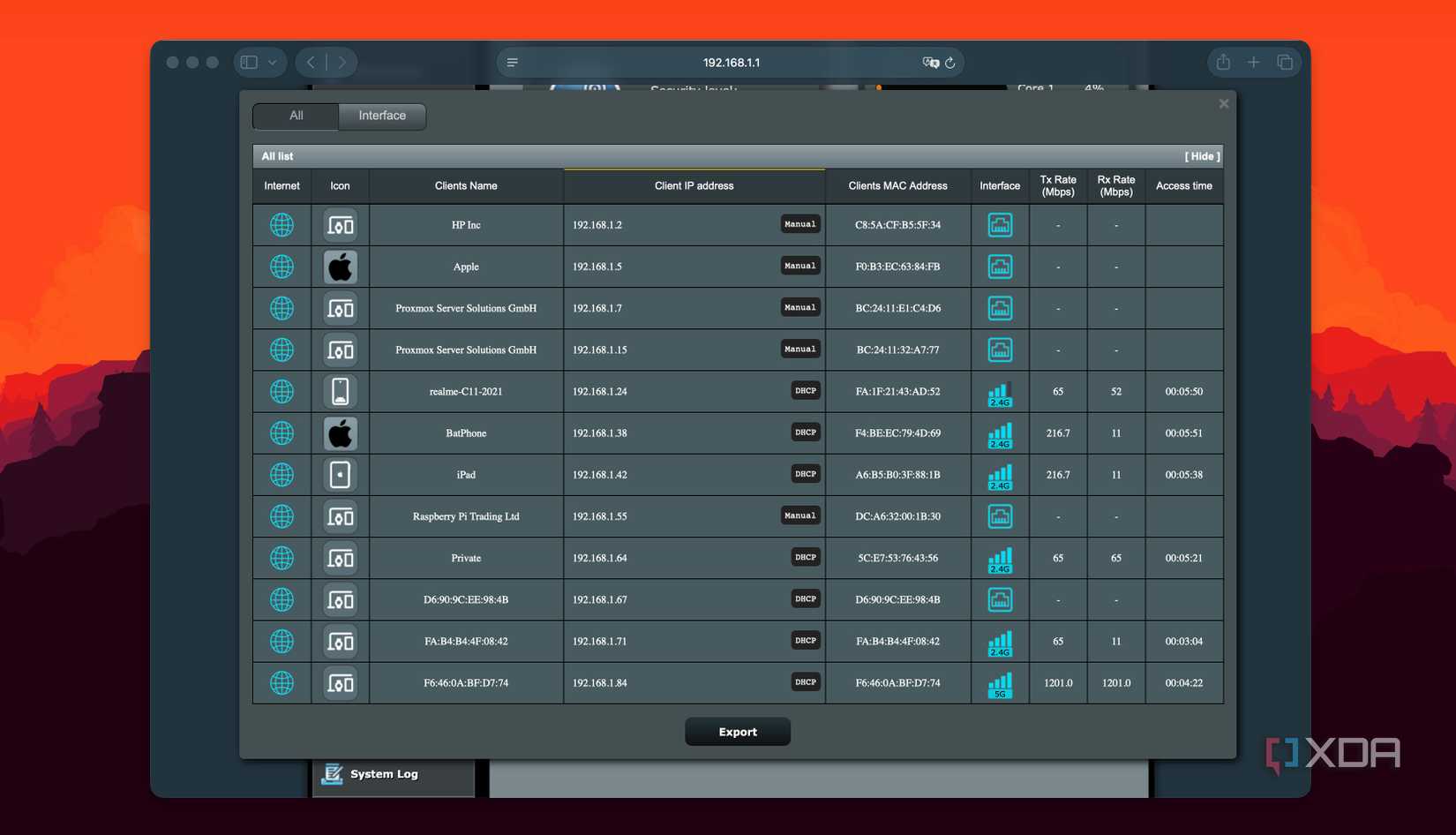
I spent months blaming my Internet Service Provider (ISP), suspecting a throttled line or poor signal interference from neighbors. I even rearranged my router placement, assuming a physical obstruction was the culprit. It wasn’t until I performed a deep dive into my client list that I realized the truth: nearly every dual-band device in my home had defaulted to the 2.4 GHz band and refused to budge.
The 2.4 GHz Trap
The 2.4 GHz band is the "legacy" frequency of the Wi-Fi world. It offers superior range and better wall penetration, which is why most smart home devices are programmed to prioritize it. However, in a modern home, this band is incredibly congested. It is the same frequency used by microwaves, Bluetooth devices, and a dozen other household items.

By keeping my 5 GHz and 2.4 GHz bands separate, I had effectively "trapped" my smartphones and tablets on the slower, more congested band. Because these devices established an initial connection, they rarely felt the need to scan for the faster 5 GHz alternative unless the 2.4 GHz signal was completely severed. My manual configuration had created a digital anchor, tethering my high-speed devices to the slowest possible lane.
Band Steering: Letting the Router Take the Wheel
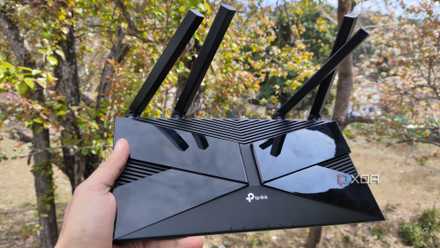
The solution to this self-inflicted congestion is a feature known as Band Steering (often marketed as "Smart Connect" by manufacturers like ASUS and TP-Link).
Band steering is a logic-based protocol built into modern routers that actively manages device connections. Rather than forcing a device to stay on a specific band, the router uses two primary methods to "nudge" capable devices toward the 5 GHz (or 6 GHz, in Wi-Fi 6E/7 routers) spectrum:
- Probe Suppression: The router ignores connection requests from dual-band devices on the 2.4 GHz band, effectively forcing the device to search for the 5 GHz signal.
- 802.11v BSS Transition Management: The router actively sends a "recommendation" to the client device, suggesting that it move to a less congested band where the signal-to-noise ratio is superior.
Crucially, this is not a heavy-handed "kick." Legacy devices that only support 2.4 GHz are left untouched, ensuring that your budget smart plugs or older IoT hardware remain connected without disruption.
The Implementation: A One-Minute Fix
When I finally decided to enable "Smart Connect" on my router, the process took less than sixty seconds. I merged my SSIDs into a single network name.
The immediate result was surprising. Almost instantly, my phone and laptop migrated to the 5 GHz band. The "buffer-then-play" stuttering on streaming services vanished. My smart home devices, which were previously fighting for airtime on the crowded 2.4 GHz channel, found a more stable connection.

Overcoming the "Anxiety of Merging"
The hesitation most users feel when merging SSIDs is rooted in a desire for visibility. We want to know exactly which device is on which band. However, I found that my router’s interface provided this information more clearly than a separate SSID ever could. By navigating one layer deeper into the client list, I could see in real-time which band each device was utilizing. The "loss of control" was merely an aesthetic change; the functional reality was an objectively better-performing network.
The Exception: When Manual Control Still Matters
While band steering is the superior choice for 95% of households, there are specific scenarios where it might not be the right path.
- Power Users and Home Labs: If you run a dedicated NAS (Network Attached Storage) or a high-end workstation that requires absolute consistency in latency and throughput, manual assignment remains a valid strategy. Band steering logic is designed for "typical" traffic, and it may occasionally move a device during a critical moment, causing a momentary dip in performance.
- Legacy Hardware: Some older devices (early generation Amazon Echos or bargain-bin smart home hardware) have poorly implemented Wi-Fi stacks. They may fail to negotiate the handoff between bands, resulting in repeated disconnects.
In these cases, I discovered that the best approach is to create a dedicated 2.4 GHz Guest Network. By moving legacy IoT devices to a segregated guest network, you clean up the main network for your primary devices to use with band steering enabled. This isolates the "noisy" legacy hardware while ensuring the rest of your home enjoys the full benefits of intelligent steering.
Implications for the Modern Smart Home
The broader implication of this experience is that we have outgrown the manual networking era. As we add more devices—cameras, tablets, appliances, and work-from-home rigs—to our routers, the complexity of managing these connections manually becomes a liability.
The technology inside modern routers, particularly those supporting Wi-Fi 6 and 7, is designed to be automated. When we ignore these features in favor of "what worked five years ago," we aren’t being power users; we are creating bottlenecks.
Final Thoughts: Stop Managing, Start Optimizing
If you are still maintaining separate SSIDs, take a moment to look at your router’s performance logs. Are your devices actually using the 5 GHz band, or are they idling on 2.4 GHz?

For most users, the answer is a simple, "Yes, they are stuck."
Enabling band steering is a low-risk, high-reward modification. It reduces the "smart home is finicky" frustration by ensuring that your devices are not just connected, but connected to the right lane of traffic. My experience taught me that in the world of home networking, sometimes the most advanced thing you can do is simply trust the router to do the job it was built for.
By letting go of the manual configurations I spent years perfecting, I achieved the one thing I was actually looking for: a network that just works, silently and efficiently, in the background. Stop fighting your router—let it help you.











