Asro
Asro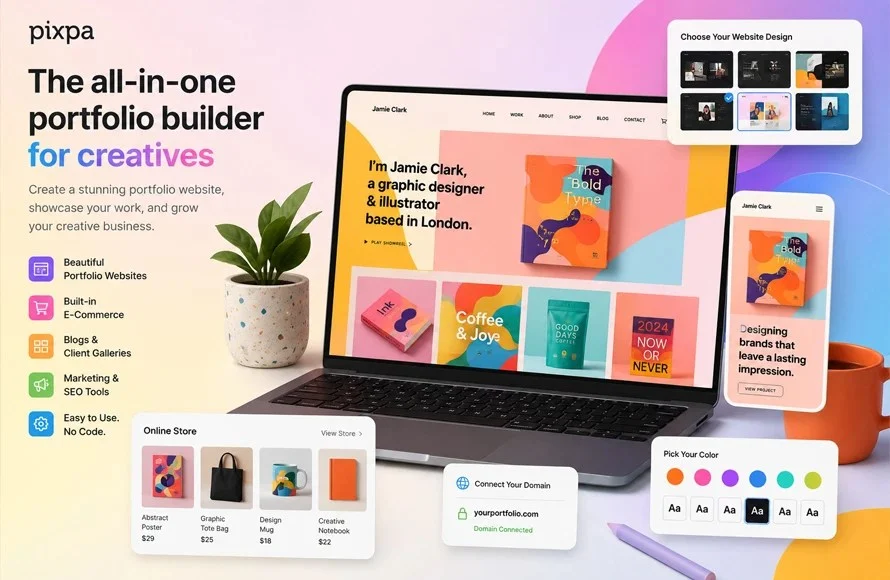
In the competitive landscape of digital design, a portfolio is more than a gallery; it is a professional manifesto. For a graphic designer in 2026, the platform chosen to host one’s work acts as the digital storefront that dictates first impressions, brand credibility, and ultimately, client acquisition. As the industry evolves toward higher levels of interactivity and AI-assisted automation, the choice of a portfolio builder has never been more critical.
This guide explores the top 10 portfolio builders for graphic designers in 2026, analyzing their core functionality, AI integration, and suitability for various career stages.

The Evolution of the Digital Portfolio: A Chronology
The trajectory of design portfolios has shifted significantly over the last decade. In the early 2010s, designers were forced to learn basic HTML and CSS to maintain a professional web presence. By 2018, the "no-code" revolution began, with platforms like Squarespace and Wix democratizing web design.
As of 2026, we have entered the "Automated Portfolio Era." Modern builders now prioritize AI-driven layout optimization, automated image compression, and integrated SEO, allowing designers to focus on the work itself rather than the mechanics of web development. Today, the standard for a professional portfolio involves a hybrid approach: leveraging community-based platforms for visibility and dedicated personal sites for client conversions.

Top 10 Portfolio Builders for 2026
1. Canva: The Accessibility Champion
Canva has moved beyond its origins as a simple social media graphic tool to become a legitimate entry-level portfolio builder. Its drag-and-drop interface is unparalleled for designers who need to publish a project quickly without navigating a steep learning curve.
- Pros: Extremely low barrier to entry, vast template library, and free.
- Cons: Limited customization; lacks advanced features like custom domain mapping on free tiers.
2. Behance: The Community Powerhouse
As an Adobe-owned entity, Behance is the industry standard for networking. It functions less like a personal website and more like a curated social gallery.

- Pros: Massive exposure to recruiters; seamless integration with Adobe Creative Cloud.
- Cons: Lacks the professional autonomy of a custom domain; difficult to brand as a standalone "business" site.
3. Adobe Portfolio: The Integrated Solution
For those already subscribed to Creative Cloud, Adobe Portfolio is essentially a free, professional-grade website builder. It syncs directly with your Behance projects, ensuring your portfolio is always up to date.
- Pros: Professional, minimalist templates; includes custom domain support.
- Cons: Tied strictly to an active Adobe subscription.
4. Wix: The Flexibility King
Wix remains the most versatile platform for designers who want total control over every pixel. With its recent upgrades to the AI Site Generator, users can now build a robust, multi-page site in minutes.

- Pros: Unmatched creative freedom, integrated blog/store capabilities, and powerful SEO tools.
- Cons: Can be overwhelming for beginners due to the sheer number of features.
5. Squarespace: The Aesthetic Standard
Squarespace is synonymous with high-end, image-focused design. Its templates are widely considered the most polished in the industry, making it the preferred choice for branding and print designers.
- Pros: Premium aesthetic out-of-the-box; reliable performance; excellent mobile responsiveness.
- Cons: Higher monthly costs compared to niche competitors.
6. Format: Tailored for Visual Storytelling
Format caters specifically to visual artists. Its backend is optimized for large, high-resolution imagery, and it includes client proofing tools that allow collaborators to leave feedback directly on designs.

- Pros: Sophisticated gallery layouts; client-proofing capabilities.
- Cons: Fewer features for non-visual integrations like complex forms or advanced e-commerce.
7. Dribbble: The UI/UX Showcase
Dribbble is the industry’s "micro-blogging" site for designers. It is the go-to platform for UI/UX professionals to showcase snippets, animations, and process shots.
- Pros: High visibility for job seekers; active community engagement.
- Cons: Not suitable for long-form case studies or in-depth project storytelling.
8. Pixpa: The Budget-Friendly All-Rounder
Pixpa offers a balanced middle ground, providing a professional portfolio, a store, and a blog at a price point lower than industry giants like Squarespace.

- Pros: High value-for-money; easy to learn; comprehensive features for freelancers.
- Cons: Template aesthetic is slightly less modern than its higher-priced competitors.
9. Carbonmade: The Minimalist Choice
Carbonmade avoids "feature bloat," focusing entirely on the grid-based display of work. It is perfect for students or designers who prefer a simple, fast-loading, and "no-frills" site.
- Pros: Extremely fast load times; zero learning curve.
- Cons: Lacks the robust marketing and SEO tools required for scaling a freelance business.
10. Cargo: The Creative’s Playground
Cargo is favored by experimental design studios. It offers a unique mix of rigid, grid-based templates and the ability to inject custom code for those who want to push the boundaries of web design.

- Pros: Highly creative aesthetic; great for unconventional, artistic portfolios.
- Cons: Less intuitive for designers looking for a standard corporate template.
AI Trends and Future Implications
Artificial Intelligence is fundamentally changing the construction of portfolios. In 2026, AI is no longer a gimmick; it is an assistant. Many platforms now utilize AI to analyze a project’s color palette and content to suggest the most effective layout.
Looking toward 2027, we anticipate the arrival of "Predictive Portfolios." These platforms will use AI to dynamically change which projects are shown based on the visitor’s profile—for example, showing a UX-focused project to a recruiter from a software company while showing a branding project to a small business owner. While these tools are powerful, they must remain an extension of the designer’s vision rather than a replacement for human curation.

Comparative Data: Quick Reference
| Platform | Best For | Custom Domain | AI Integration |
|---|---|---|---|
| Wix | Total Control | Yes | Advanced |
| Squarespace | Visual Polish | Yes | Moderate |
| Adobe Portfolio | Creative Cloud Users | Yes | Minimal |
| Behance | Community/Networking | No | Moderate |
| Pixpa | Affordable Freelancing | Yes | Minimal |
Strategy: Selecting the Right Platform
Choosing the right platform is not a one-size-fits-all endeavor. Designers must evaluate their specific career goals:
- If your goal is job placement: Prioritize platforms that recruiters frequent, such as Behance and Dribbble.
- If your goal is freelance branding: Invest in a dedicated site via Squarespace or Wix to ensure you own your URL and brand authority.
- If your goal is creative expression: Use Cargo or Format to showcase a unique, artistic sensibility.
The "Dual-Presence" Strategy
Most successful designers in 2026 adopt a "dual-presence" model. They maintain a high-traffic community profile (Behance or Dribbble) to act as a funnel for leads, and a professional, custom-domain website (Squarespace or Wix) to serve as the "closing room" for high-ticket clients.

Mobile and Performance Considerations
With over 60% of portfolio traffic originating from mobile devices, mobile responsiveness is non-negotiable. Before finalizing your site, test it on a variety of screen sizes. Furthermore, optimize your image files. A portfolio that takes more than three seconds to load is likely to lose 40% of its visitors. Utilize built-in image compression tools offered by platforms like Format or Squarespace to ensure speed does not come at the cost of visual quality.
Final Thoughts: The Human Element
Despite the advancements in AI and automated templates, the most vital aspect of a portfolio remains the work itself. No platform can compensate for a lack of quality, poor project descriptions, or outdated work.

The recommendation for 2026 is clear: curate, don’t collect. Displaying 8 to 12 high-impact projects that demonstrate your current skill set is infinitely more effective than showing 30 projects from the past five years. Regularly purge old work and update your site every quarter to reflect your professional growth. Whether you choose the ease of Canva or the flexibility of Wix, the platform is merely the frame—you are the art.

 Nana
Nana
 Basiran