Ali Ikhwan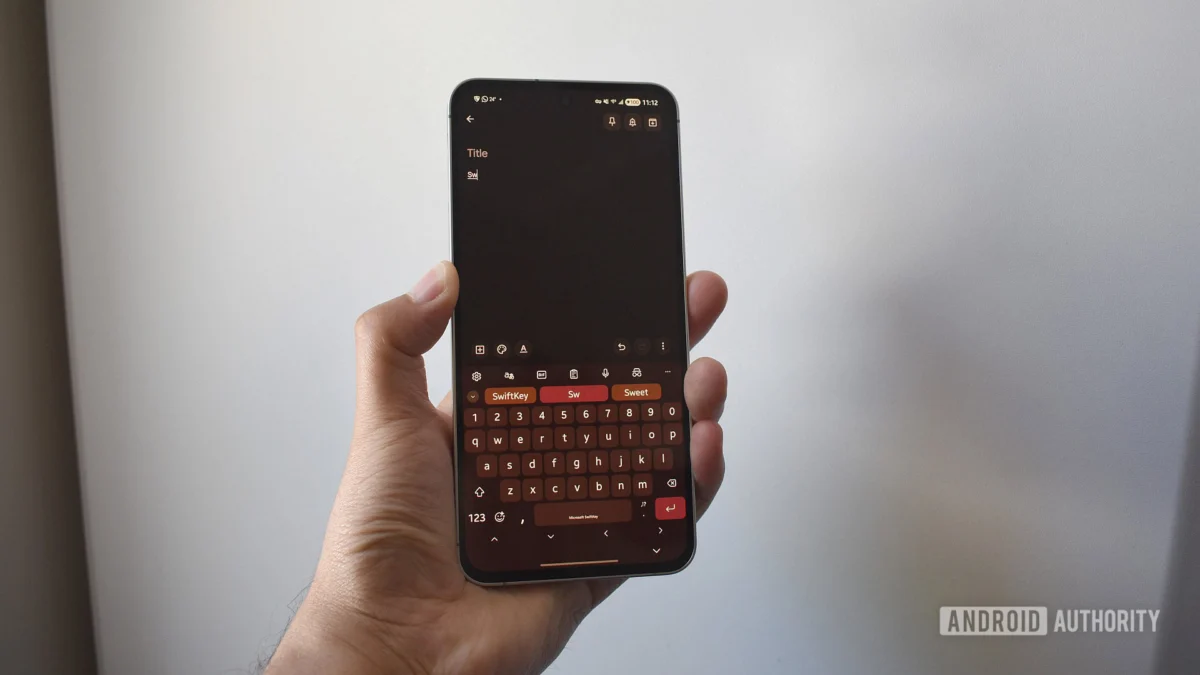
For the millions of users who rely on the predictive precision of Microsoft SwiftKey, the clock is officially ticking. After months of proactive notifications and multiple deadline extensions, Microsoft has signaled that the grace period for migrating user data to OneDrive is coming to an abrupt end. As of tomorrow, May 31, the legacy synchronization infrastructure that has powered SwiftKey’s personalization for years will be permanently decommissioned.
For the average user, this isn’t just a technical update—it is a critical migration of your digital identity. If you have yet to link your Microsoft account to the keyboard app, your personalized typing habits, custom dictionary, and predictive models are at risk of being wiped from the cloud forever.
The Main Facts: Why This Matters
SwiftKey has long been heralded as one of the most intelligent keyboard applications on the market. Its ability to learn a user’s unique vernacular—from specialized industry terminology to idiosyncratic slang—is predicated on its "Backup & Sync" feature. This feature stores your learned typing patterns, known as your "personal dictionary," in the cloud, allowing the keyboard to remain consistent whether you are switching from an aging Android handset to a brand-new flagship or syncing across multiple tablets.
The core of the issue lies in the transition from older, proprietary account syncing methods to Microsoft’s unified OneDrive ecosystem. Microsoft has made it clear: the keyboard will continue to function as a standalone typing tool if you do not migrate, but it will effectively become a "blank slate." By failing to link a Microsoft account, you will lose the intelligence that makes SwiftKey, well, SwiftKey. You will be forced to start the learning process from scratch, losing years of refined auto-correct behavior and swipe-gesture optimization.
A Chronology of the Transition
The move to force a transition to Microsoft account integration did not happen overnight. The company has been signaling this architectural shift for over a year, attempting to move users away from fragmented login methods—such as those tied solely to Google or Apple IDs—toward the company’s broader ecosystem.
- Early 2024: Microsoft began issuing in-app notifications, alerting users that the "Backup & Sync" feature would eventually require a Microsoft account for continued functionality.
- Late 2024: The company began rolling out updates to the SwiftKey interface, making it easier to link accounts within the settings menu.
- Q1 2025: Several deadlines were proposed and subsequently pushed back as the company monitored migration rates and user feedback.
- May 2025: Microsoft finalized the deadline of May 31, 2025, noting that no further extensions would be granted.
This measured, albeit persistent, approach reflects Microsoft’s broader strategy of "ecosystem lock-in," ensuring that all their software products—from Office 365 to SwiftKey—are tethered to the same identity management system.
The Data Behind the Keyboard
To understand the gravity of this change, one must consider what exactly is being lost. SwiftKey’s predictive model is not a static list of words; it is a dynamic, machine-learning-driven entity.
The Personal Dictionary
Your personal dictionary is a repository of your specific communication style. For professionals who use technical jargon or medical practitioners who use complex nomenclature, the SwiftKey dictionary is a productivity engine. When the cloud sync is severed, this local data becomes siloed. If you lose your phone or perform a factory reset without having transitioned to the new sync method, that data is irretrievable.
The Prediction Model
Beyond the words themselves, the prediction model tracks how you type. It remembers that you prefer certain sentence structures, that you often use specific emojis after certain phrases, and how you adjust your swipe path to hit specific keys. This behavioral data is the result of thousands of hours of usage. Losing it is akin to losing a decade of muscle memory.
Official Responses and Incentives
Microsoft has adopted a "carrot and stick" approach to ensure user compliance. The "stick" is the impending deletion of sync functionality for those who do not comply. The "carrot," however, is a rare incentive for an app update.
To encourage the migration, Microsoft is offering users the chance to earn up to 1,000 Microsoft Reward Points. While this may seem like a modest sum, it can be redeemed for tangible benefits, including discounts on Xbox Game Pass Ultimate, gift cards for major online retailers, or even charitable donations.
In official support documentation, Microsoft representatives have emphasized that the transition is necessary for "security and performance." By unifying the backup process under OneDrive, Microsoft argues they can provide a more secure, encrypted environment for user data that adheres to modern data protection standards—standards that older, legacy sync systems may not have met to the same degree.
How to Migrate: A Step-by-Step Guide
If you are currently using SwiftKey with a Google or Apple account, or no account at all, you must act before the end of the day. The process is straightforward and requires only a few minutes:
- Open the SwiftKey Keyboard: Tap on any text field to bring up the keyboard on your device.
- Access the Toolbar: Tap the "Plus" icon or the menu icon (three dots) on the left side of the prediction bar.
- Navigate to Settings: Tap the "Settings" icon (the gear).
- Account Management: Select "Account."
- Switching/Linking: If you are signed in with a different service, sign out and select "Microsoft Account." If you are not signed in, select "Sign in with Microsoft."
- Authentication: Follow the on-screen prompts to log in with your existing Microsoft credentials or create a new account if you do not have one.
- Verify Sync: Once signed in, ensure that "Backup & Sync" is toggled to the "On" position.
Once completed, your dictionary and settings will be uploaded to your OneDrive account, ensuring that your typing data remains safe and portable across all your devices.
The Implications: A Shift in Mobile Ecosystems
The decision to force this transition highlights the ongoing battle for control over user data in the mobile space. By mandating a Microsoft account, the company is not merely updating a backend server; they are strengthening their presence on mobile platforms that are dominated by competitors like Google and Apple.
Implications for Privacy
Critics have noted that by forcing users into the Microsoft account ecosystem, the company gains more visibility into user usage patterns across multiple platforms. However, Microsoft maintains that this move is about streamlining user experience and providing a more robust, cloud-native backup solution that is less prone to the data fragmentation that plagued earlier versions of the app.
Implications for UX
For the end user, the immediate implication is a shift in how they view "free" software. SwiftKey is a powerful, high-performance tool provided at no cost, but the "price" is an increasing commitment to the Microsoft ecosystem. While this is a common practice for software giants, it raises questions about the future of software portability. Will users one day be forced to use only Microsoft-integrated keyboards to maintain their data, effectively walling off their personal communication styles from other keyboard competitors?
Long-term Outlook
As we move past the May 31 deadline, the industry will be watching to see how many users successfully transition and how many simply abandon the app in favor of native keyboard solutions (like Gboard or Apple’s built-in keyboard). While SwiftKey remains a powerhouse, it is not without alternatives.
However, for the loyal user base that has spent years refining their experience, the choice is clear: migrate to the new OneDrive-based system or prepare to lose a significant piece of your digital footprint. As the sun sets on the legacy sync infrastructure, the transition marks the end of an era for the SwiftKey app—a transition that, while perhaps annoying to some, represents the inevitable march toward unified, cloud-first mobile computing.
If you are a SwiftKey user, take a moment today to ensure your account is linked. Tomorrow, the sync might be gone, and with it, the personal touch that makes your keyboard truly yours.


 Nana Muazin
 Lina Hope